



A press kit is a collection of key information and visual assets about your company, designed for journalists and media professionals. The best ones live online, in your newsroom, so they’re always up to date.
What is a press kit?
A press kit (or media kit) is a collection of key information and visual assets about your company designed for journalists and media professionals. It includes facts, company bios, product details, and downloadable assets, like logos and images. The goal is to provide a central resource for everything the media need to cover your story. You’ll also hear it called a press pack, press packet, PR kit or digital press kit.
A well-prepared press kit saves time for both you and the journalist. They don’t have to email or wait for a response, and you don’t have to scramble to reply to every media request.
The importance of press kits
A press kit is an essential tool for any brand aiming to secure media coverage. It provides journalists with instant access to accurate, up-to-date information, saving them time and reducing the risk of errors.
With tight deadlines, journalists are more likely to cover a brand that makes their job easier, meaning your press kit could be the difference between being featured or overlooked.

Here’s a phrase no #freelancewriter ever wants to hear: “I’m going to send you a bunch of emails because the files are so large.” Good news! There are technology solutions to avoid this. (Please use them!)
Beyond convenience, press kits allow you to control your narrative, ensuring consistent messaging and giving you the ability to update assets on the fly.
A well-organized press kit doesn’t just simplify PR – it builds credibility and positions your brand as professional and media-friendly, fostering stronger relationships with the press.
Press kit vs media kit vs press release
In PR, there’s no real difference between a press kit and an online media kit. The terms are often used interchangeably. Some agencies may make slight distinctions, but for most purposes, they mean the same thing. The one exception: publishers, creators and influencers also use “media kit” for an advertising kit, with audience numbers and rates for sponsors. And a press release is something else again: one announcement, not a reference library.
All the facts and assets journalists need.
- For
- Journalists
- Updated
- Often
Audience numbers and ad rates for sponsors.
- For
- Advertisers
- Updated
- Now and then
A single announcement, published once.
- For
- Journalists
- Updated
- Never
You’ll also see EPK, short for electronic press kit. Musicians, filmmakers and authors use it for an online press kit with audio, trailers and tour or release dates. The idea is identical; the assets change. Prezly has an EPK builder if that’s what you need.
What to include in a press kit
A well-crafted press kit isn’t just a press resource – it’s a strategic tool that proves the value of your PR work. By simplifying media outreach and showcasing your brand’s story alongside your company profile, an online media kit positions your team as an indispensable asset.
Here’s how to make yours work hard for you. We’ve grouped the eleven elements by priority: tick off what you already have and you’ll see what’s missing.


Tick off what you already have.
Must-havesWithout these, a journalist has to email you first.
Contact information
List direct email addresses for media queries, plus your social media handles for instant connections. Example: “For press inquiries, reach out to [email] or DM us on X @YourBrandPR.” Ubisoft, for one, set its Prezly newsroom to show its key contacts at the bottom of every page.
Mission statement / company boilerplate
Articulate your company’s purpose in a sentence or two, connecting it to larger trends or goals. For example: “We create eco-friendly solutions for a sustainable future” signals to journalists what makes your business newsworthy.
Company facts
Include impactful stats – number of employees, revenue growth, global footprint. Use metrics that show momentum and scale. For a great example, see how Shopify highlights its key milestones in its newsroom, which also functions as its online press kit.
Logos
Include your logo in multiple formats, including SVG. Also use this opportunity to share guidelines for proper use of your logo: colors, spacing, and prohibited modifications. A well-managed brand identity reinforces professionalism.
Photo library
Provide high-quality, high-resolution professional images of products, leadership, or facilities. Label them clearly and organize them by type. Example: “Download our product images here: [link].” Offering ready-to-use visuals helps make life easier for anyone looking to cover your story. Take a look at IKEA’s media gallery promoting their petcare range, built in a standard Prezly plan.
Leadership team
Provide bios that highlight expertise and credibility, and include links to past media features or conference appearances. For instance: “Jane Doe, CEO, has been featured in Forbes and speaks regularly on green technology.”
Strong additionsWhat turns a quick mention into a fuller story.
Products or services
Keep descriptions straightforward but make sure they highlight your competitive edge. Instead of just listing features, show why it matters. Example: “Our AI-driven platform reduces customer wait times by 60%, saving businesses millions annually.” If your press kit is to do with a product launch, consider making a product fact sheet that clearly pulls together all the technical details.
Areas of expertise
Position your company as an authority. For example: “As a leader in renewable energy, we’ve contributed to reducing carbon emissions across three continents.” Use this section to tie your expertise to topics journalists are already covering.
Company history
Craft a timeline of milestones that align with what journalists find compelling. Did you launch a breakthrough product during a key industry shift? Call it out. Keep this concise but impactful.
Nice to haveProof that you deliver, and sources a journalist can call.
Case studies
Show how your company delivers results. Include a brief narrative, measurable outcomes, and client testimonials, e.g. “Our platform reduced Company X’s operational costs by 35% in six months.” Stating clear results using social proof builds trust.
Testimonials
Gather quotes from influential clients, partners, or media that highlight your impact. For example: “Working with [your brand] transformed how we manage logistics – cutting time by half,” from a well-known client, boosts credibility.
A strong media kit not only streamlines press outreach but demonstrates the value your PR team brings to the table. It’s proof that you’re prepared, professional, and ready to deliver results. Including case studies and reviews in your press kit gives journalists bonus sources and adds credibility to your brand.
If you’re also sending a physical product, our PR package guide covers how to pair the box with the facts and assets in your press kit.
Build your press kit with Prezly.
14-day free trial. No credit card required.
How to create a press kit
A press kit makes it easy for journalists to find key information about your brand. By combining key details with high-quality visuals and media resources, you help your story stand out. You don’t need a designer to make a press kit: follow these steps to create one that works.
- Define the purpose of your press kitDecide why you’re creating the press kit – is it for a product launch, an event, a milestone? Tailor the content to your target audience, keeping the focus on what’s relevant to them.
- Gather essential detailsInclude a company overview, mission, key milestones, and leadership bios. Highlight your products or services, emphasizing what sets them apart. Use data (e.g. growth stats), testimonials, or industry awards to establish credibility.
- Include visuals and assetsProvide downloadable logos, product photos, videos, and team headshots in multiple formats. Organize and caption the files clearly, and include any terms of use and brand guidelines so your brand looks consistent wherever it’s featured.
- Make contact info easy to findList direct press contacts, email addresses, and social media handles, and include any relevant links where the reader can find more info (e.g. the main brand website or blog).
- Host it in an online newsroomUse a dedicated online newsroom to host your press kit. This makes updates simple and ensures journalists always have the latest version. Add clear navigation and track engagement to improve your outreach.
Where should your press kit live?
Your press kit should live online for maximum accessibility and flexibility, but it’s not the only press kit format. Here’s how the four common options compare on what matters to a journalist.
A newsroom or press page
- Stays current
- Found in search
- Mobile friendly
Best forYour main press kit
A downloadable PDF
- Stays current
- Found in search
- Mobile friendly
Best forEmail attachments
A shared folder
- Stays current
- Found in search
- Mobile friendly
Best forLarge photo and video files
A printed kit
- Stays current
- Found in search
- Mobile friendly
Best forEvents and trade shows
10 press kit examples
Journalists are busy, so an easy-to-navigate press kit with straightforward, downloadable press materials is crucial. Unlike marketing-driven “About Us” pages, professional press kits provide essential, no-frills information. Here are some great examples.
 01One page

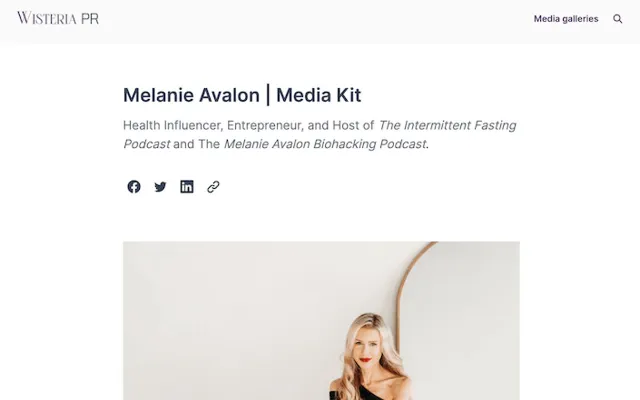
Wisteria PR press kit
Everything a journo could want. Ok, this press kit is pretty much a masterclass in how to do it right. Kicking things off with an engaging origin story, Wisteria then include everything a journalist could need: a gallery of professional photos, a downloadable fact sheet, social media links, previous coverage highlights, and podcast embeds.
This is followed by details of Melanie’s products, complete with image assets and descriptions, to include her supplement line, book, and app, and finally the main contact details again to round things off.
Borrow thisRepeat the contact at the bottom.
 02Newsroom-led
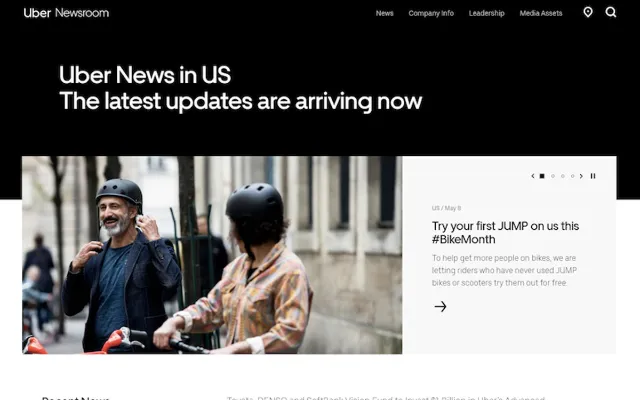
Uber press kit
Simple yet effective. Notice how Uber’s press kit is integrated with their online newsroom. This means the journalist sees their latest news stories before they even click to get info about their leadership team, check out their company info or download their additional assets.
That’s a really smart way of conveying your brand values as well as a feeling of dynamism straight off the bat.
Borrow thisLead with your news.
 03Newsroom-led
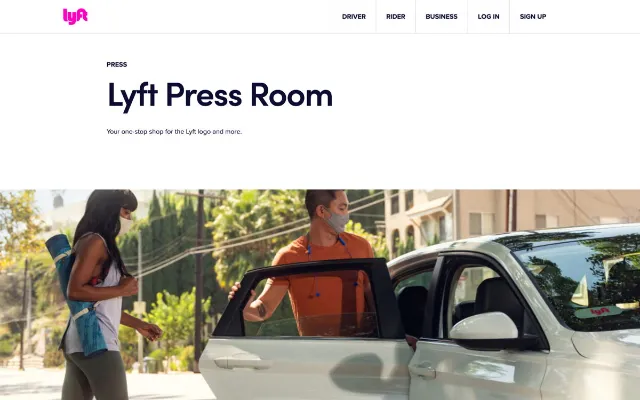
Lyft press kit
Building credibility first. Lyft’s newsroom layout prioritizes coverage. This tells any visitor to the page one main thing: this company is worth talking about. Immediately, they create a sense of trust. After all, if Fortune and LA Times have deemed a business worthy of coverage, then why wouldn’t you?
Notice also that the press contact email heads up the page, inviting journalists to get in touch. With this prominent placing, you would expect a quick and friendly response – which could very well be the deciding factor in whether a journalist reaches out. Well played, Lyft.
Borrow thisPut the contact where eyes land.
 04Asset-first
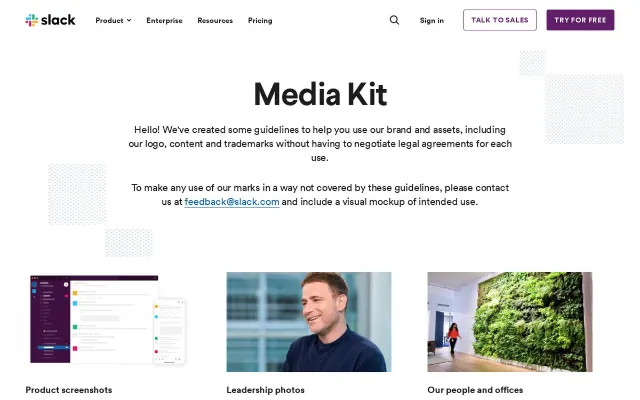
Slack press kit
Brand guidelines. You’ll notice that a big chunk of Slack’s media landing page is occupied by their product guidelines. This is a sensible thing to include if your business has reached a certain magnitude – after all, you want to make sure your brand always looks consistent.
Brand guidelines include things like the number of pixels people should leave clear around your logo when using it, and the typeface or colors they should use when representing your brand.
Borrow thisAdd a logo usage note.
 05Newsroom-led
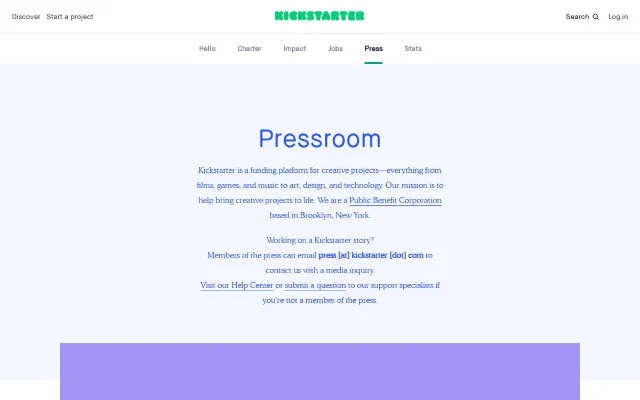
Kickstarter press kit
Not just for journalists. Kickstarter’s long-form press kit is well-organized and user-friendly, catering to visitors who likely already know the platform. Where the other examples focused on media, Kickstarter highlights its human side, showcasing team members and success stories.
The prominent testimonial adds strong social proof, making the press page appealing to both journalists and users.
Borrow thisShow the people behind it.
 06Asset-first
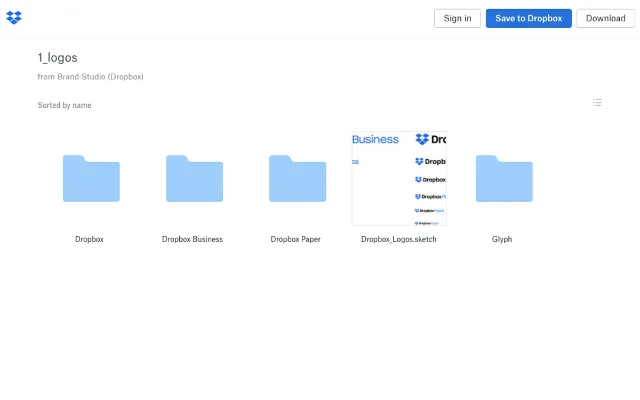
Dropbox press kit
Show don’t tell. Dropbox uses Dropbox to store their media kit and provide super simple access to its assets, thereby demonstrating the value of its own product in a perfect display of show vs tell.
Borrow thisMake downloads one click.
 07Newsroom-led
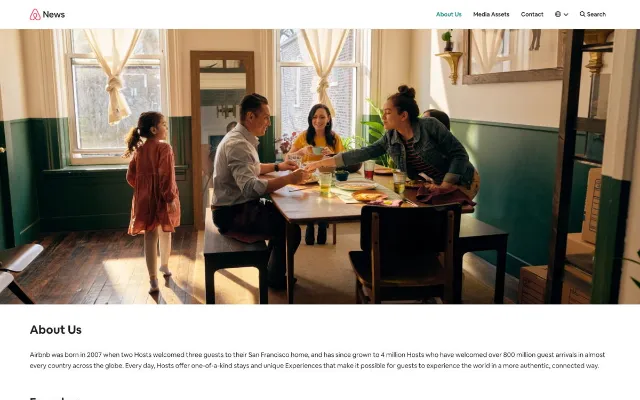
Airbnb press kit
A focus on story. Rather than a traditional press kit, Airbnb has built a website to use as a hub for its brand. The result is it’s super simple to navigate, and you can include a lot of content in its different areas without overwhelming your audience.
This is a good demonstration of the value of building your media kit into your online newsroom. For more on this approach, take a look at why journalists love online newsrooms.
Borrow thisSplit big kits into sections.
 08One page
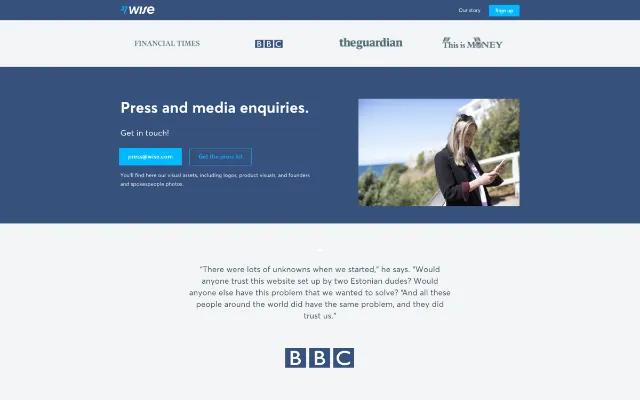
Wise press kit
Insanely simple. Wise likes to keep things simple. Visitors to its press page are hit with the logos of previous earned media as well as a teaser quote of their recent coverage. From there, they have two crystal clear options: contact the press team or download the media kit.
By keeping things clean and direct, Wise removes a lot of the decision-making stress from the reader, and likely shortens the time it takes for an interested journalist to get in touch. Similar to Lyft, the call to action is as clear as can be.
Borrow thisOffer just two clear choices.
 09One page

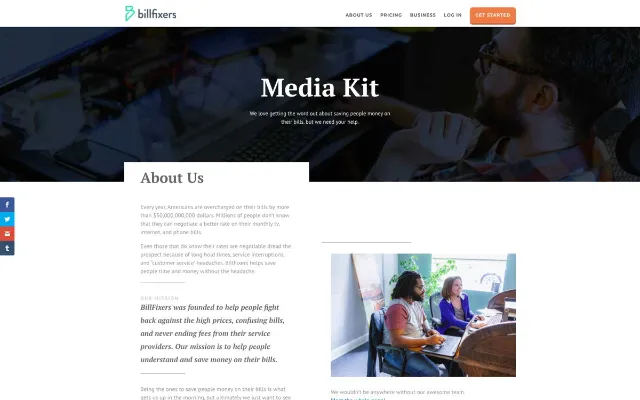
BillFixers press kit
All in one. BillFixers’ press page keeps all key information on a single, easy-to-navigate page – a win for busy journalists. This approach ensures control over the narrative and directs readers to contact for more details.
However, while great for quick coverage, it may fall short for journalists seeking deeper insights for feature stories.
Borrow thisKeep essentials on one screen.
 10Asset-first

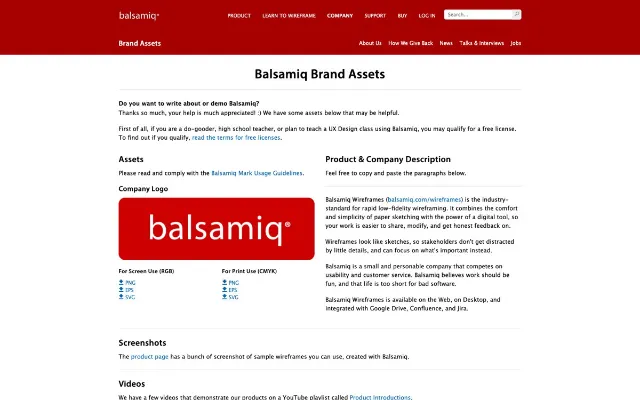
Balsamiq press kit
No nonsense. Balsamiq keeps it simple with a no-frills press page. Like BillFixers, they present everything upfront, making it easy to download key product photos without navigating menus. To address limited content, they include a “talking points” section suggesting story angles.
While helpful, note that some journalists dislike being told what to write – approach with care.
Borrow thisSuggest angles, lightly.
Ready to build your own press kit?
- Publish your digital press kit as a newsroom
- Define company bio, press contacts and branding
- Easily embed images, videos and more
Want more? Browse real newsrooms built with Prezly or our roundup of 15 digital newsroom examples.
Free press kit template
While there’s no one-size-fits-all press kit template, you can create a strong one by choosing the format, taking inspiration from the examples above, and compiling key company resources. To summarize the elements that could go into your press kit:
- Mission statement / company boilerplate – highlight your company story and purpose
- Company facts – showcase key stats like growth and scale
- Products or services – briefly explain what you offer and why it matters
- Areas of expertise – position your authority in the field
- Contact information – provide direct press contacts and social handles
- Leadership bios – feature concise profiles to build credibility
- Company timeline – share notable milestones
- Media assets – include high-quality images, logos, and usage guidelines
- Case studies – demonstrate measurable results and client success
- Testimonials – highlight impactful quotes from trusted sources
Copy this template, fill in the brackets, and paste it into your newsroom, a web page or a document. For the announcements themselves, use our press release templates.
PRESS KIT: [COMPANY NAME]
1. Press contact
[Name], [Role]
[Email] · [Phone] · Usually replies within [time]
2. About [Company] (boilerplate)
[Company] is a [what you are] that helps [who] [do what]. Founded in [year] and based in [city], [Company] [one line of proof].
3. Fact sheet
Founded: [Year]
Headquarters: [City, Country]
Team size: [Number]
Markets: [Countries or regions]
Leadership: [CEO name], [other names]
Key numbers: [Customers, users, funding or another figure you can back up]
4. Leadership
[Name], [Title]: [two-sentence bio]. Can speak about: [topics].
Headshot: [link]
5. Products or services
[Product]: [one sentence on what it does and why it’s different]
6. Areas of expertise
[Topic]: [why you can speak to it] · [Spokesperson]
7. Logos and brand guidelines
Logo (SVG, PNG, light and dark): [link]
Colors and usage notes: [link]
8. Photos and video
[Product photos] · [Team and office] · [B-roll] · Usage: [terms]
9. Milestones
[Year]: [Milestone]
10. Case studies
[Customer]: [challenge] → [measurable result] · [link]
11. Testimonials
“[Approved quote]” – [Name], [Title], [Company]
Once ready, upload everything to your online newsroom as a digital media kit, using a tool that allows you to embed the multimedia any effective press kit needs.
How to keep your press kit current
A press kit only works if it’s accurate. An outdated one puts the wrong title, the old logo or last year’s numbers into print, so give it an owner and update these parts whenever one of the following happens.
Leadership change
UpdateBiosHeadshotsContact
Rebrand
UpdateLogosGuidelinesPhotos
Product launch
UpdateProductsPhotosNews
Funding or milestone
UpdateFact sheetBoilerplateTimeline
New coverage or award
UpdateCoverageAwardsNews
Every quarter
UpdateFactsLinksContacts
Common press kit mistakes
- Only a PDF. Nobody finds it on Google, and nobody updates it.
- A form or login in the way. A reporter on deadline won’t fill one in.
- A generic inbox. “info@” tells journalists they’ll wait. Name a person.
- Low-resolution images. Photos that look fine on screen fall apart in print.
- No usage terms. Say whether photos are free for editorial use, and who to credit.
- Hiding it. If “Press” isn’t in your footer, most journalists won’t find the page.
Turn your newsroom into a press kit with Prezly
How you turn your newsroom into a digital press kit depends on the PR software you use. For the purposes of our example, we’re using our own PR powerhouse, Prezly.
An online newsroom streamlines your PR efforts by making it easier to keep your press kit content up to date, while providing added context for journalists:
- Always up to date. Because your newsroom integrates press releases, case studies and media coverage, it automatically puts your press kit in the context of your brand’s history.
- Organized resources. Journalists find everything in one place: press releases by category, a media gallery, contact information and company details.
- Rich content options. Add depth with embedded videos, audio clips, social posts and newsletter sign-ups.
- Build trust. Case studies and media coverage demonstrate credibility and social proof, making journalists more likely to cover your brand.
Basically, an online newsroom is more than a repository – it’s a dynamic tool that works around the clock to make your brand accessible, credible, and media-friendly.
Prezly newsrooms include all the elements of a digital press kit. When you use Prezly to create your newsroom, every press release you publish automatically includes your company boilerplate, a link to your gallery of media assets, and contact details. There are two ways to create an online press kit with Prezly:
Your newsroom as the press kit
Set it up once, and every story you publish carries the kit.
- Sign in
- Create a site
- Add details
- Upload assets
A press kit story in your newsroom
A dedicated page for one moment, with its own images and files.
- New story
- Add media
- Publish
- Share link
Watch this short video to understand the benefits of both options.
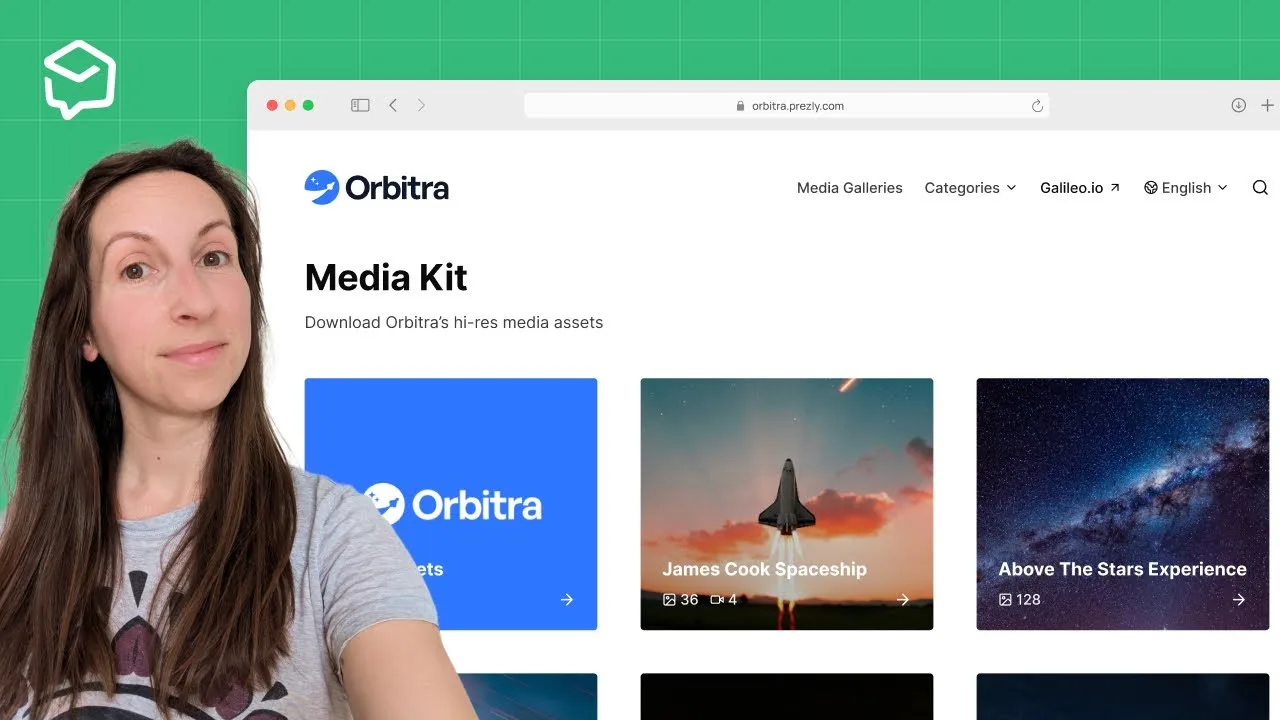
“With Prezly, we can make journalists’ jobs easier. They can easily find what they’re looking for in one simple package.”


Start creating your online newsroom today with Prezly’s free 14-day trial. Test-drive features like multimedia hosting, analytics, and story publishing to see the difference it makes for your PR.
See it in practice in IKEA’s media gallery, built on a standard Prezly plan, see how Crytek uses its newsroom as a digital press kit, or read why journalists love online newsrooms.
Frequently asked questions
What is a press kit?
A press kit (or media kit) is a collection of key information and visual assets about your company designed for journalists and media professionals: facts, company bios, product details, and downloadable assets like logos and images. Today it usually lives as a page in your online newsroom.
What is the difference between a press kit and a media kit?
In PR there’s no real difference: the terms are used interchangeably. Publishers, creators and influencers also use “media kit” for an advertising kit with audience numbers and rates for sponsors, which is a different document.
What should a press kit include?
Contact information, a mission statement or company boilerplate, company facts, logos, a photo library and leadership bios. Then add products or services, areas of expertise, company history, case studies and testimonials.
Where should I keep my press kit?
Your press kit should live online for maximum accessibility and flexibility. Hosting it on your company’s website – ideally in an online newsroom – ensures it’s easy to find and update. Journalists often expect to see a “Media” or “Press” link in the header or footer of a brand’s website, so place it there for visibility. Tools like Prezly offer a free trial where you can set up your newsroom press kit, and Prezly’s EPK builder makes it even easier to put together a polished electronic press kit.
What are best practices for formatting a press kit?
Prioritize clarity and simplicity. Start with a concise boilerplate, include brief team bios and high-res images, and make sure contact details are easy to find. Organize content with clear headings for easy navigation.
Should a press kit be a PDF?
Make a web page your main press kit and offer a PDF or download pack as a backup. A page stays current, shows up in search and reads well on a phone; a PDF goes stale as soon as a fact changes.
What is an electronic press kit (EPK)?
An EPK is an online press kit, a term mostly used by musicians, filmmakers and authors. It holds the same basics as any press kit, plus audio, video, trailers and release or tour dates.
What is a digital press kit?
A digital press kit is a press kit published online, usually as a page in your newsroom, instead of a printed folder. Journalists can read it on any device and download logos, photos and video straight from the page.
How do I make a press kit as an artist or musician?
Start with a short bio, high-resolution photos, your best music or video links, recent press, upcoming dates and a booking or press contact. Musicians usually call this an electronic press kit (EPK), and an EPK builder can put it on one shareable page.
How can I make my press kit stand out in the tech industry?
Focus on a concise, compelling summary of your company’s unique achievements. Include high-quality visuals, social proof like testimonials, and personalize your outreach to journalists based on their audience. Our guide to storytelling for business has ideas for crafting a compelling story.
How can I increase my press kit’s visibility on a budget?
Integrate it into your website or newsroom, share it on social media, and collaborate with influencers or media partners. Use PR analytics to track engagement and use that information to refine your outreach strategy.
How often should I update my press kit?
Whenever a fact in it changes: a leadership change, a rebrand, a product launch, new funding or new coverage. Give one person ownership so updates don’t wait for the next big announcement.
Can I build a press kit in Prezly?
Yes. A Prezly newsroom works as your press kit: it holds your boilerplate, press contacts and a media gallery, and shows them with every story you publish. You can try it free for 14 days, no credit card required.
Build your press kit with Prezly. It stays current with every story.
Your newsroom holds your stories, media assets and press contacts in one place, and every new story keeps it up to date.
14-day free trial. No credit card required.Rated 4.7 out of 5 on