Latest product updates
Connect Prezly to your AI assistant with MCP
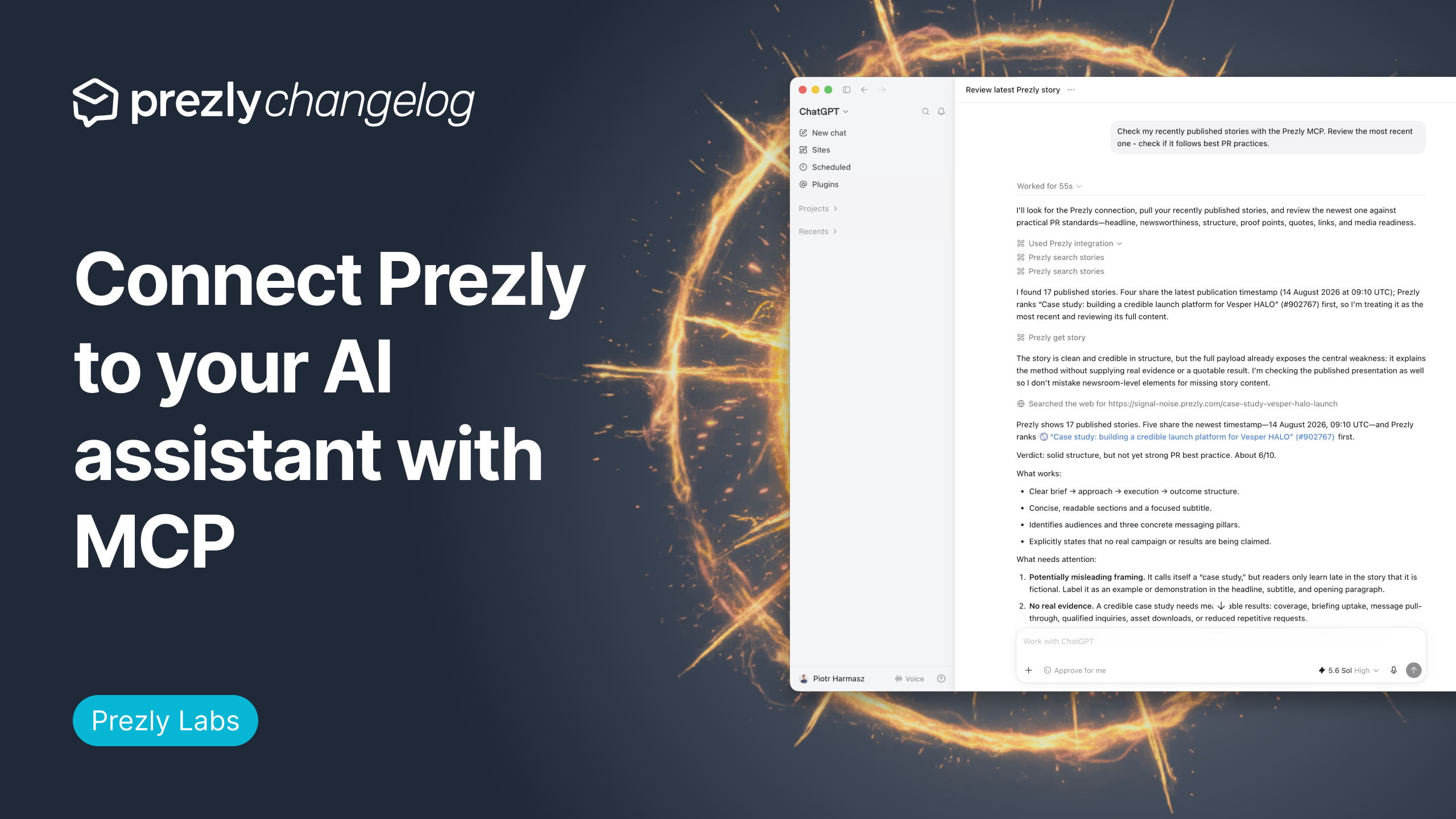
As part of Prezly Labs, we’re trying out a new MCP server that lets supported AI assistants work with your Prezly account.
AI story editorial review
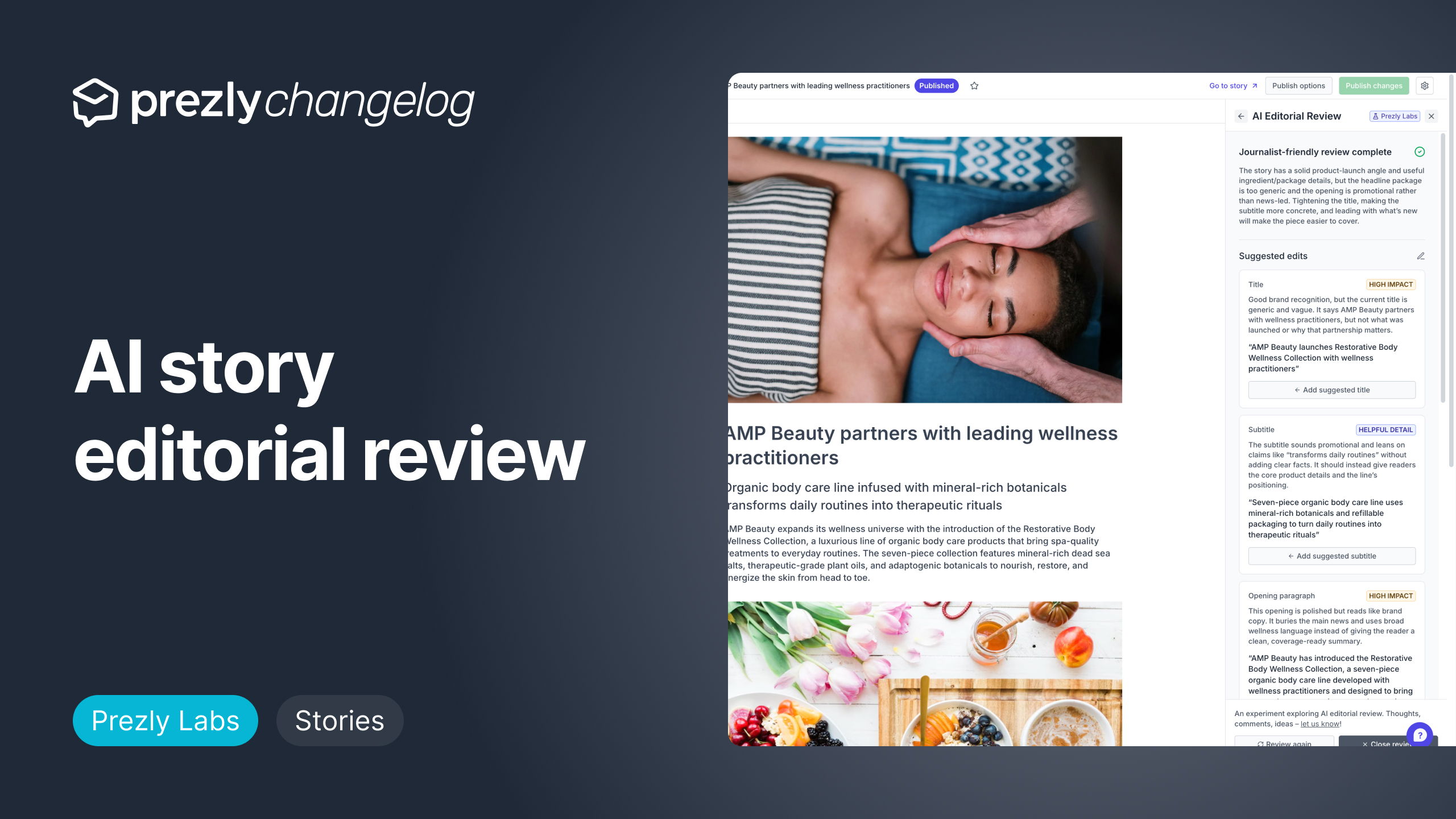
As part of our Prezly Labs experiments, we've released a new AI editorial review tool within the Story Editor.
After several weeks of testing, we’ve wrapped up this experiment and decided not to take this feature forward.
Get product updates directly in your inbox!
Subscribe, be the first to know about new feature releases, product enhancements, design updates, and bug fixes.

See engagement by brand, not just by contact
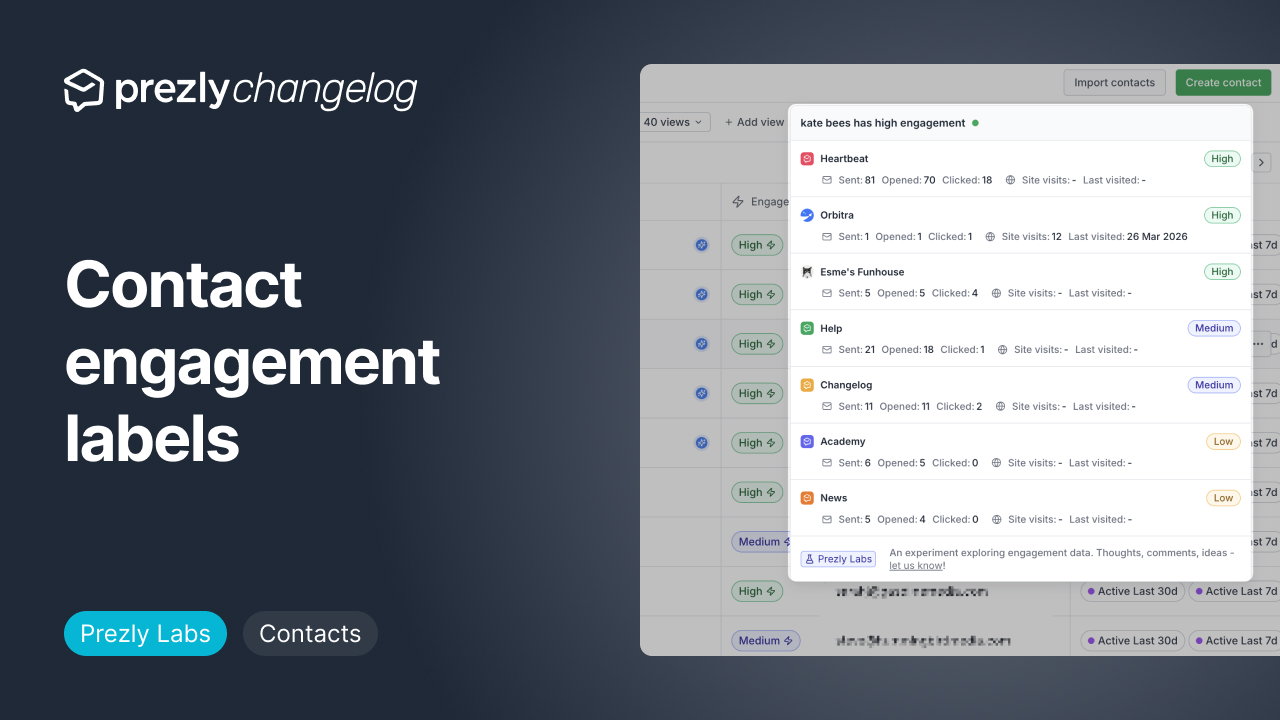
As part of Prezly Labs, we're introducing engagement chips and overlays, a new way to show more clearly how your contacts engage with your brands.
Often Prezly users have multiple sites, which often represent multiple brands (for agencies) or different PR initiatives (for brands/in-house users)
New Campaign report and follow up actions
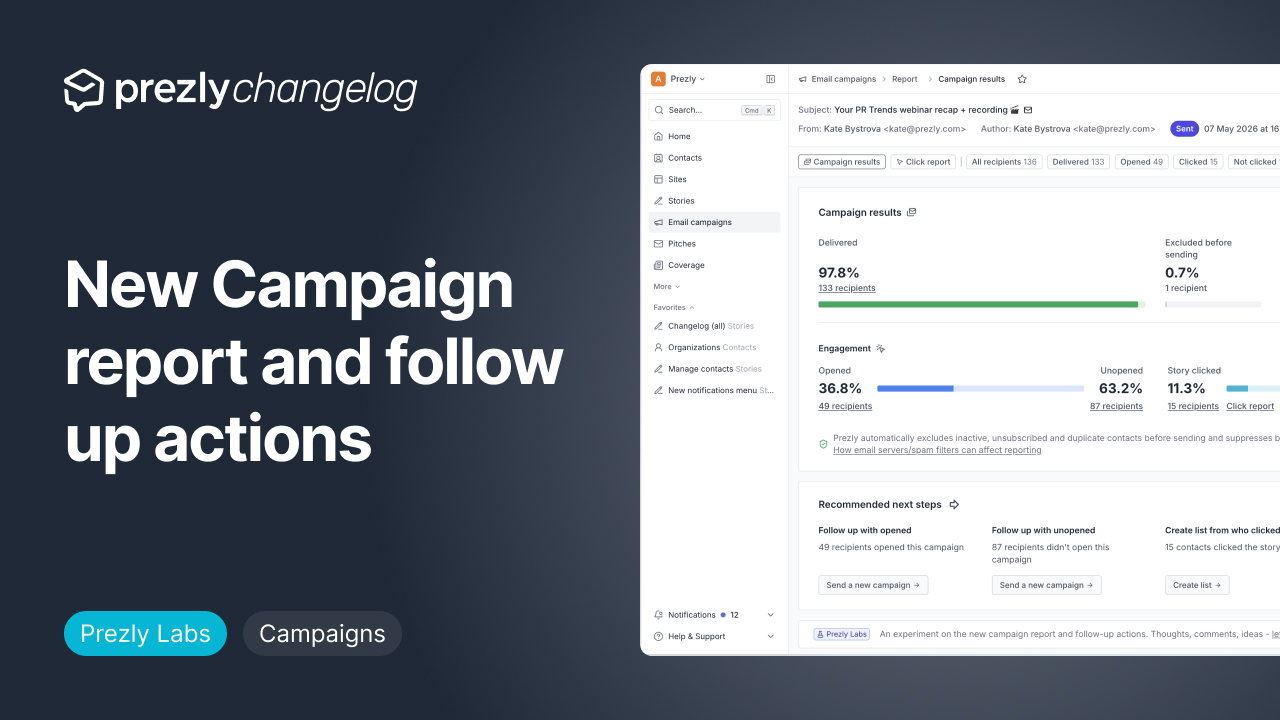
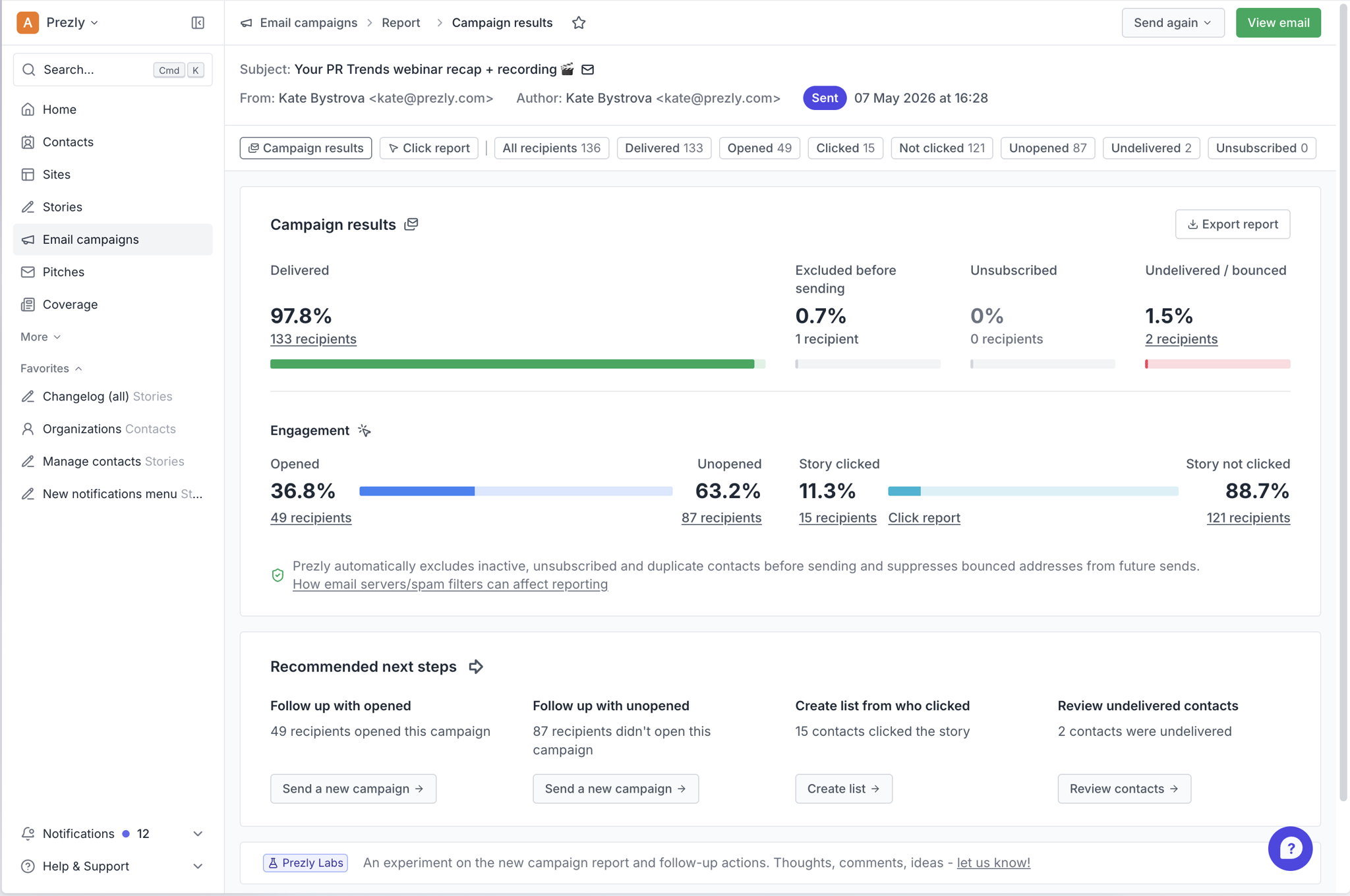
As part of Prezly Labs, we are trying out a new improved campaign report design with follow up actions.
With the new report format, you can now see your campaign's impact more clearly.
Join 500+ PR teams already loving Prezly
Take the stress out of contact management and distribution with a dedicated outreach CRM that your whole team can use.