Find new contacts while browsing with the Prezly Toolbox
Discover journalists and authors, then add them to Prezly with our new Chrome extension
As part of Prezly Labs, we’re introducing Prezly Toolbox (Beta), a Chrome browser extension that helps bring your web research into Prezly.
The first tool is Contact Finder. When you’re reading articles or researching publications, it helps you collect potential contacts along the way, reducing the manual work of adding them to your database.
Install the extension, log in to Prezly, and open the Toolbox from your Chrome toolbar.
As you browse supported pages, Contact Finder looks for journalist and author names, publication details, roles, and available email addresses. Findings appear in the browser’s side panel, where you can review them and remove anyone you don’t want to keep.
Hover over a finding to see more details, including the page it came from and any profile links found.
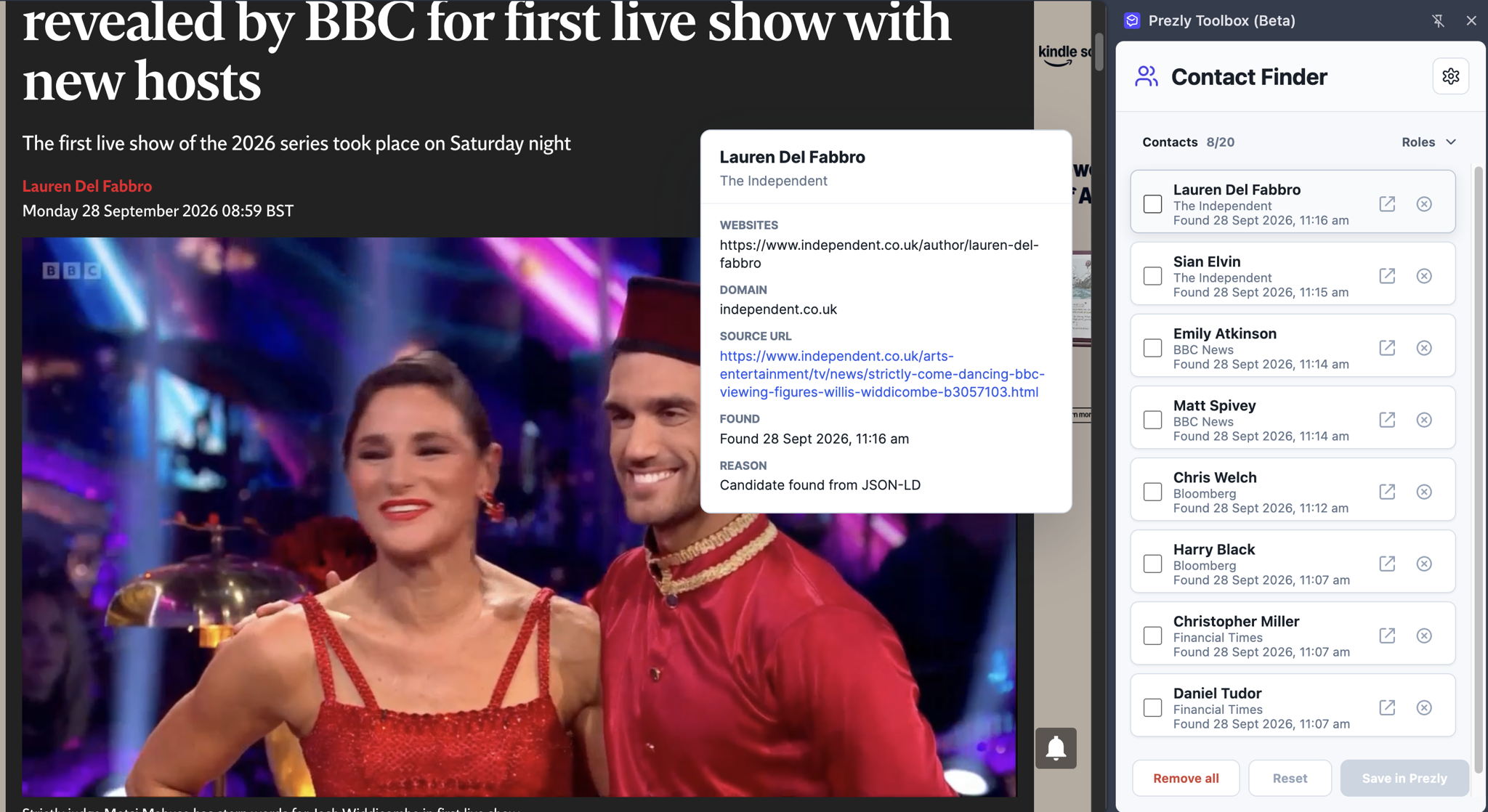
Select the contacts you want to keep and click Save in Prezly. Prezly opens a review window where you can check the findings and available email information, then choose which contacts to create.
Nothing becomes a contact in your account until you click Create contacts. If an email address isn’t available, you can still create the contact without one.
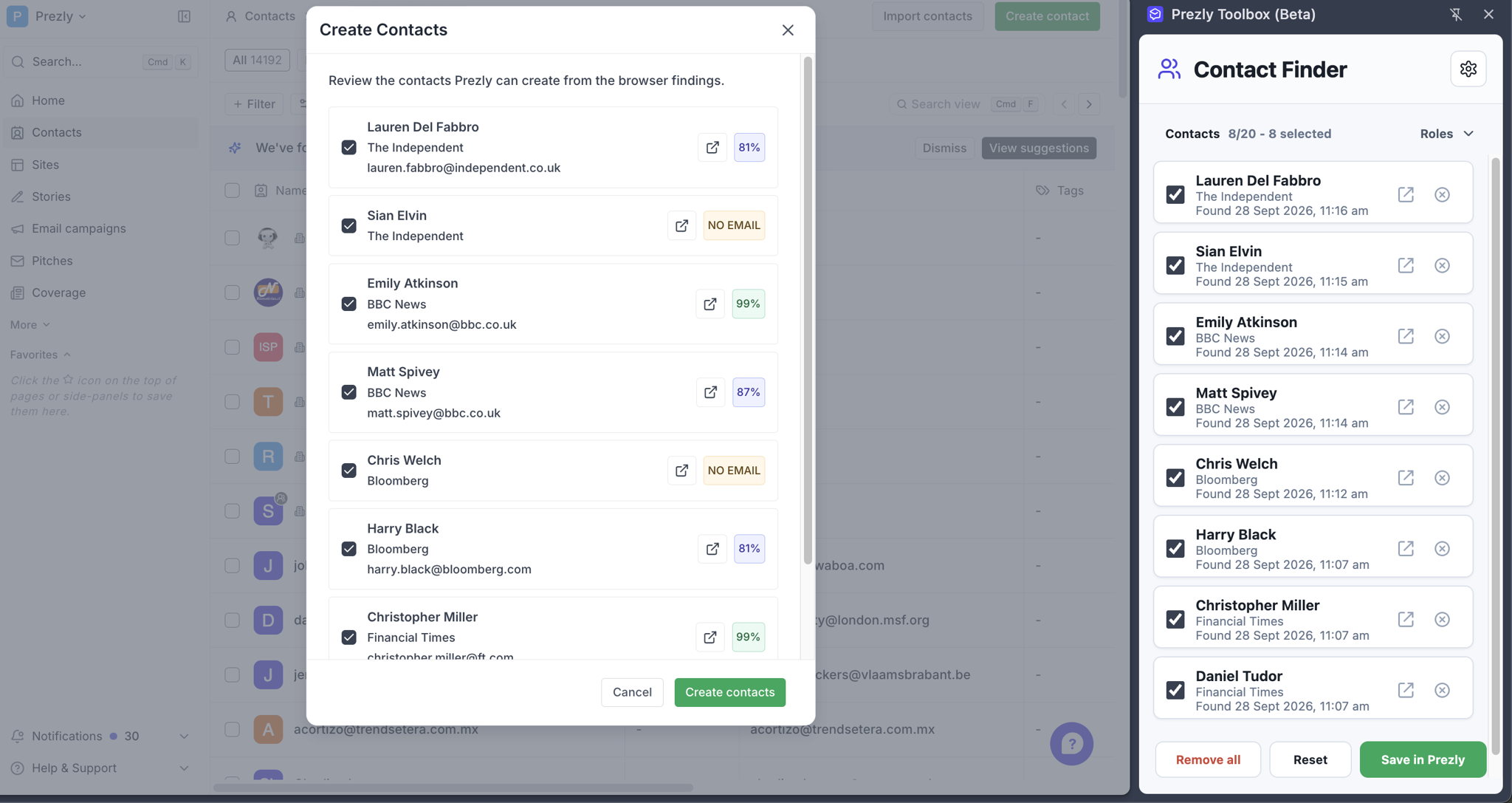
The Toolbox holds up to 20 contacts. Once your list is full, it stops adding new people and keeps your existing findings. Create contacts in Prezly or remove unwanted findings to make room for more.
Scanning is active while the Toolbox panel is open and you’re logged in to Prezly. Closing it stops new scans, and your collected findings remain available for later.
Please note: email addresses suggestions won’t always be available. Contact Finder may identify a journalist or author without finding an email address we can confidently suggest. These candidates are marked “No email” in the review window. They can still be created as contacts in Prezly and email address added later.
You might want to skip your own company’s website, ignore your email address, or exclude particular pages from your research.
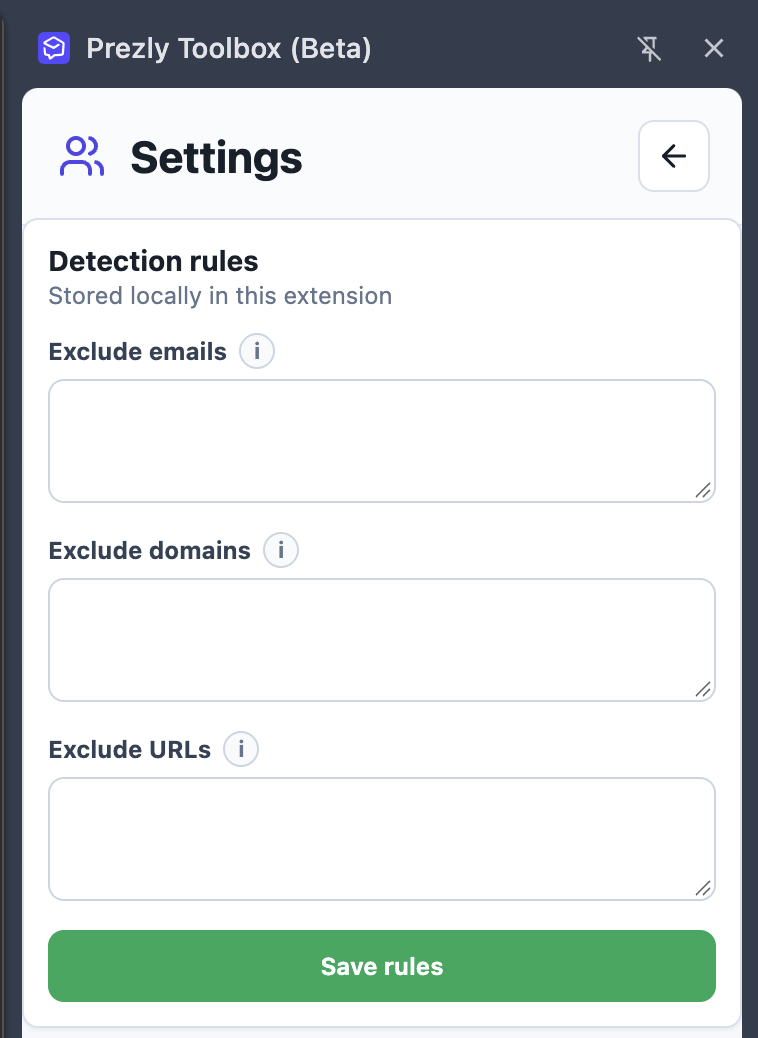
Open the Settings using the gear icon in Contact Finder. From there, you can:
- Exclude emails to ignore specific email addresses, such as your own.
- Exclude domains to skip entire websites.
- Exclude URLs to skip particular pages while continuing to collect contacts elsewhere on the same site.
Click Save rules to apply your preferences. They’re stored locally in the extension and remembered for future browsing.
We’ve tested Contact Finder on:
- BBC News
- BBC Sport
- WIRED
- The Verge
- Reuters
- Al Jazeera
- The Guardian, including live blogs
- The Telegraph
- TechCrunch
- MSN
- Business Insider
- CNN
- The New York Times
- AP News
- NBC News
- CNBC
- Forbes
- The Independent
- Financial Times
- Bloomberg
This is an early beta, so results vary depending on the page and the information available.
Prezly Toolbox is available in beta for Prezly users on Google Chrome. Install the extension and log in to get started. You’ll need permission to access contacts in your Prezly account to save your findings there.
Add Prezly Toolbox to Chrome →
Tried it? Tell us how it fits into your research, which websites need better support, or what you’d like it to help with next. Get in touch with our support team - we’d love to hear from you.
Join 500+ PR teams already loving Prezly
Take the stress out of contact management and distribution with a dedicated outreach CRM that your whole team can use.