August product updates
Talk to your PR data, plus a few things that'll make your campaigns easier.
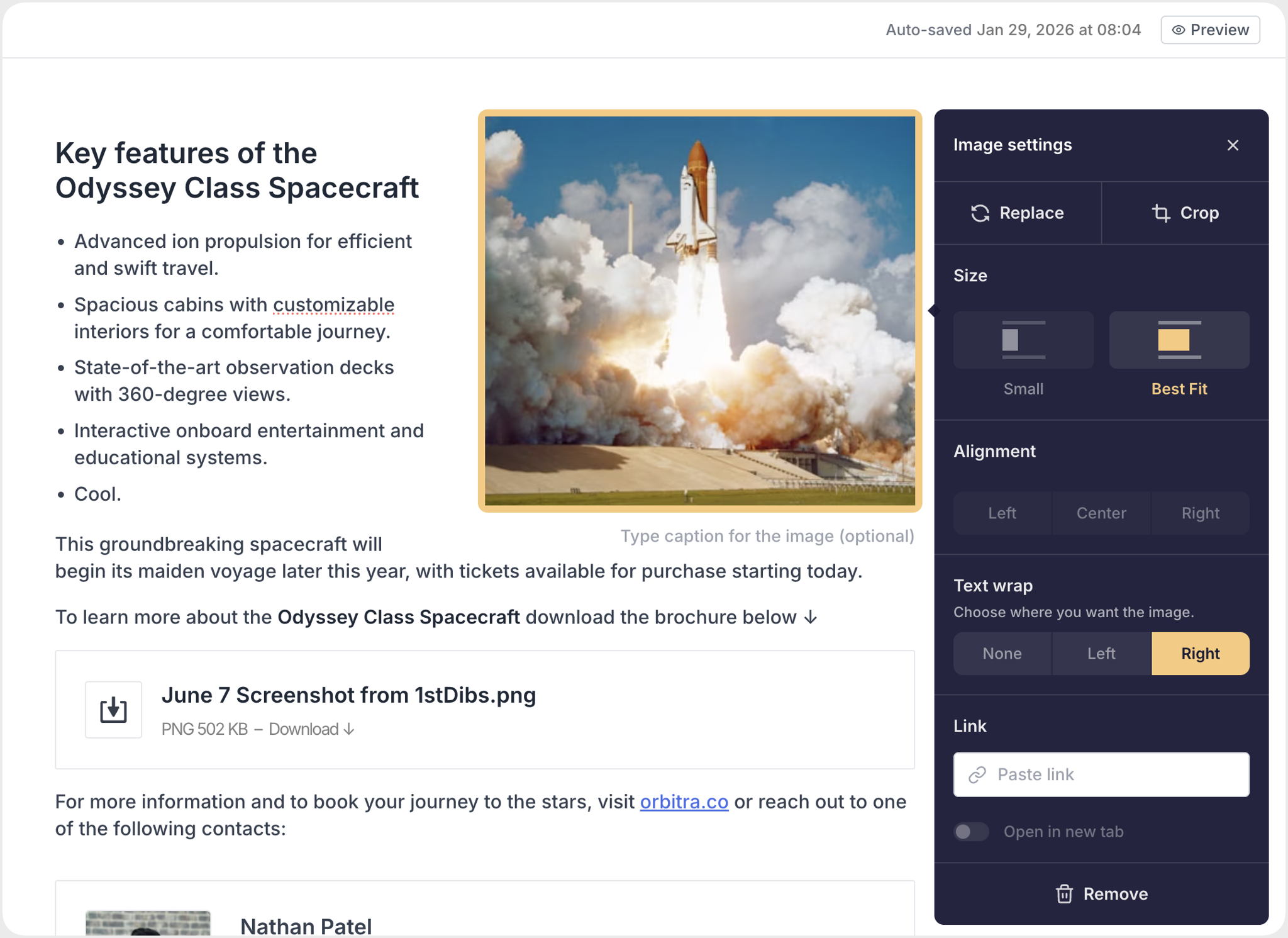
It's finally here, folks! You can now place images and text side-by-side in your stories and email campaigns – great for editorial-style content, product lists, and bios. Click on the image and select wrap options to toggle how it looks.
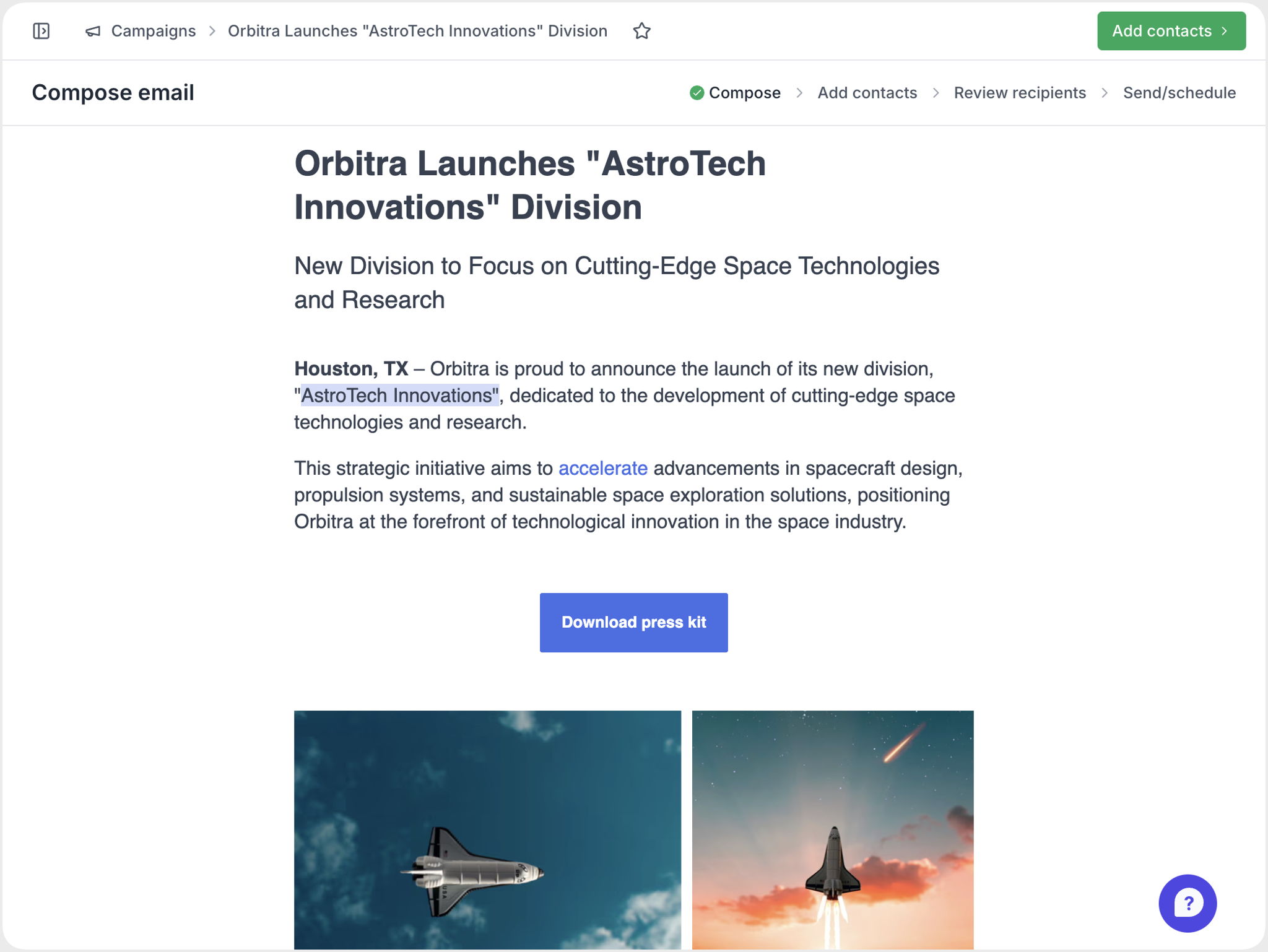
Buttons, callouts, highlighted text and links now pull the accent colour straight from your Site styling settings – in the editor and in what actually lands in your reader's inbox. What you see while writing is what gets sent out.
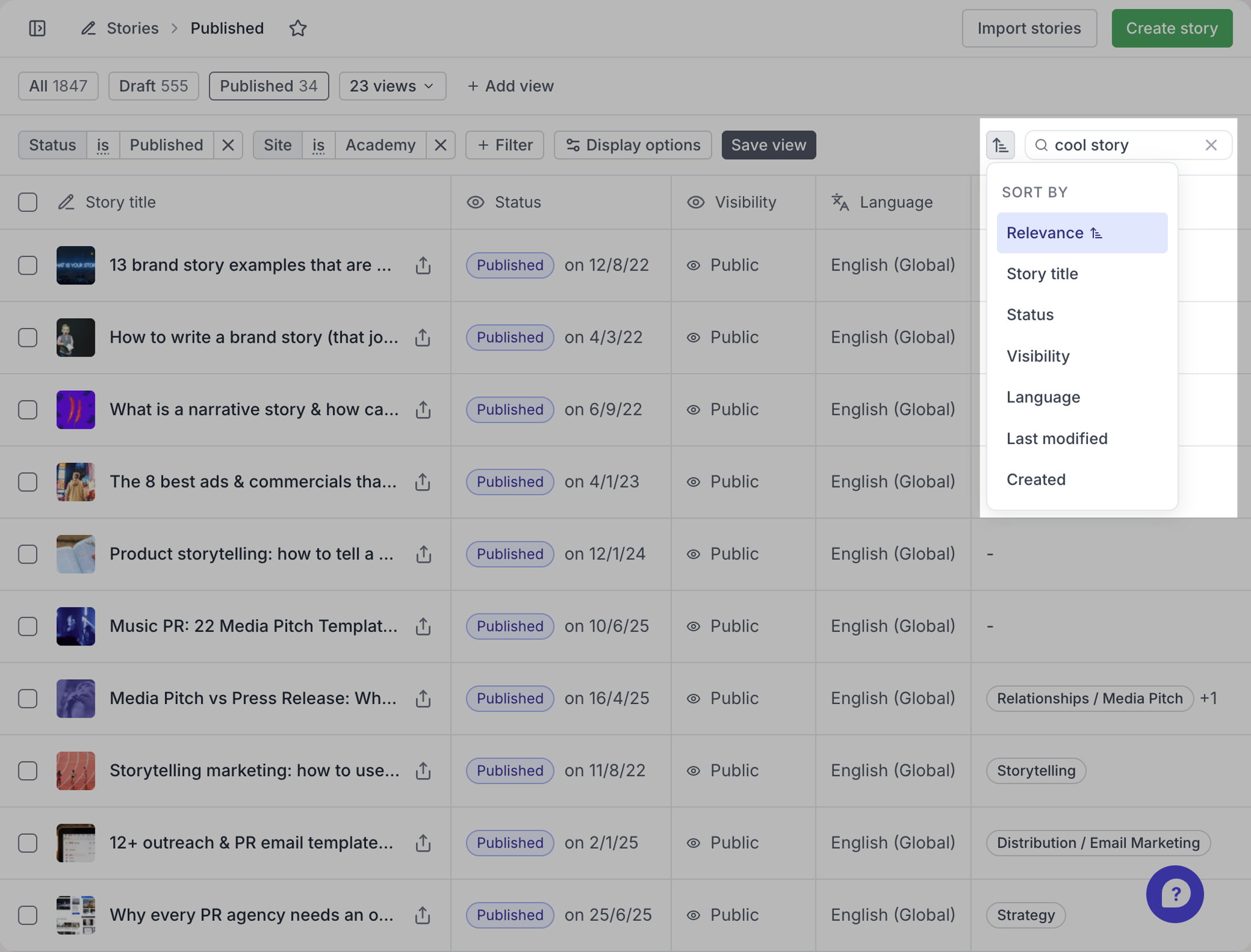
Story search now remember what order you want your results sorted in, e.g. by relevance or creation date. This preference is preserved per user, so everyone can sort results the way that makes sense to them.
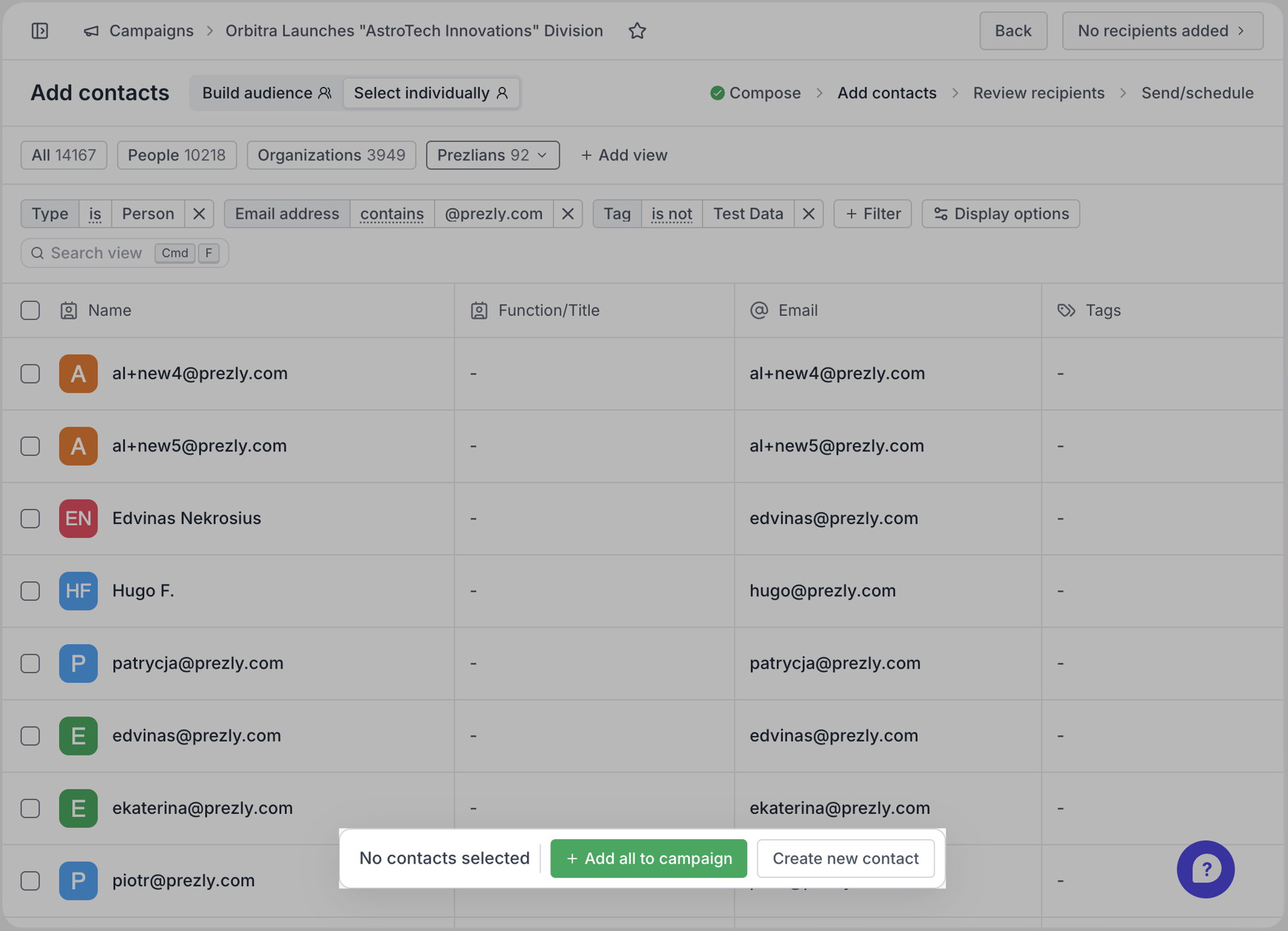
Building a campaign from a contact view? There's now an "Add all to campaign" button in the campaign builder, so you can add every contact in that view to your recipients in one click instead of having to "Select all" first. Small improvement, but every little helps :)
Below are experimental features that we're testing with a small number of users before we roll them out to everyone. If you'd like to help trial any of them, speak with our support team using the in-app chat
This is an early, experimental Labs feature, and access is limited for now while we test it – message our support team in-app if you want in.
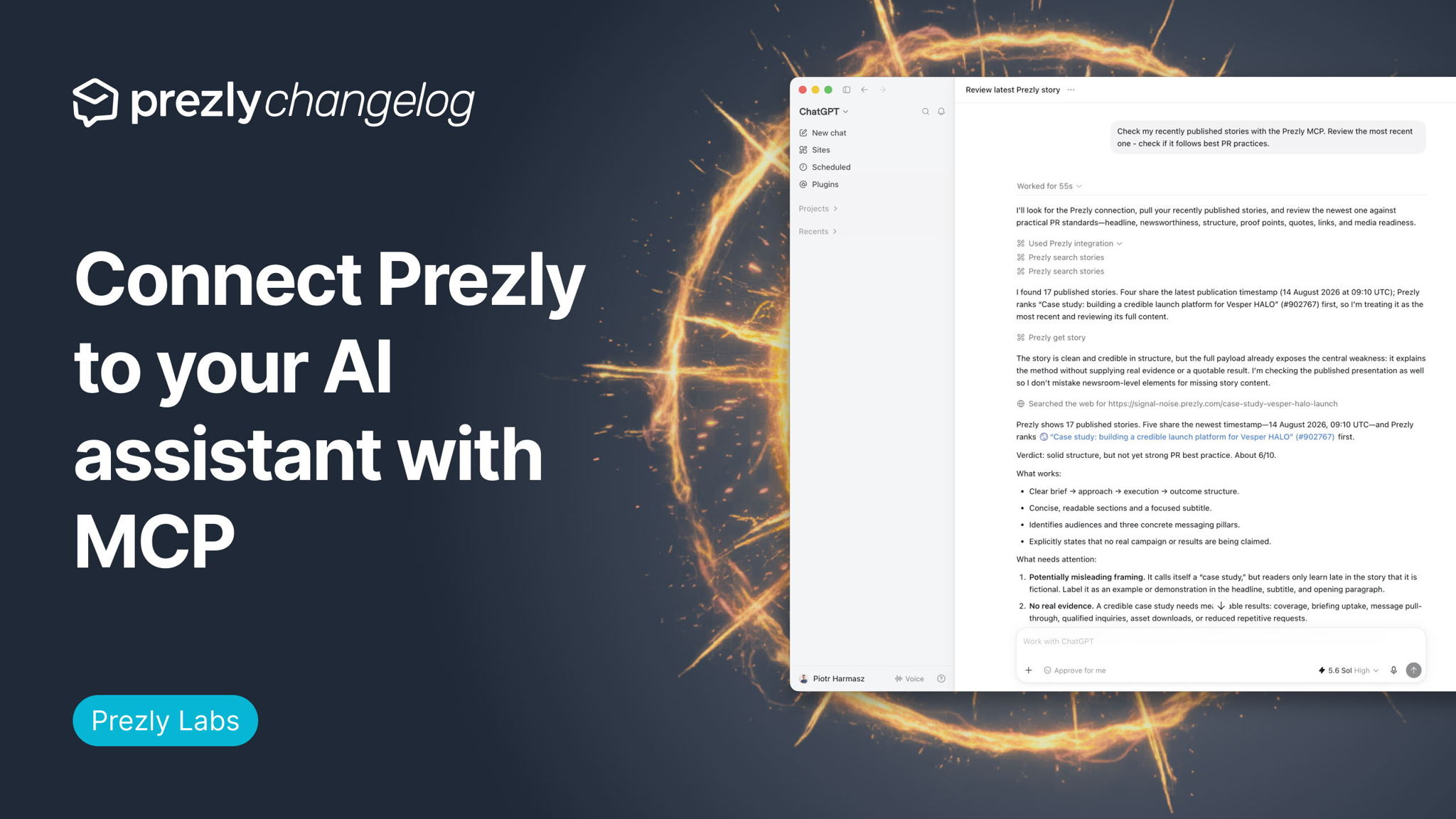
Prezly now has an MCP server, so you can connect Claude, ChatGPT or Codex straight to your account data.
Ask it to summarise what each newsroom's been up to, turn a product brief into a story draft, find the right contacts for a campaign, or review and publish content.
This is an early, experimental Labs feature, and access is limited for now while we test it – message our support team in-app if you want in.
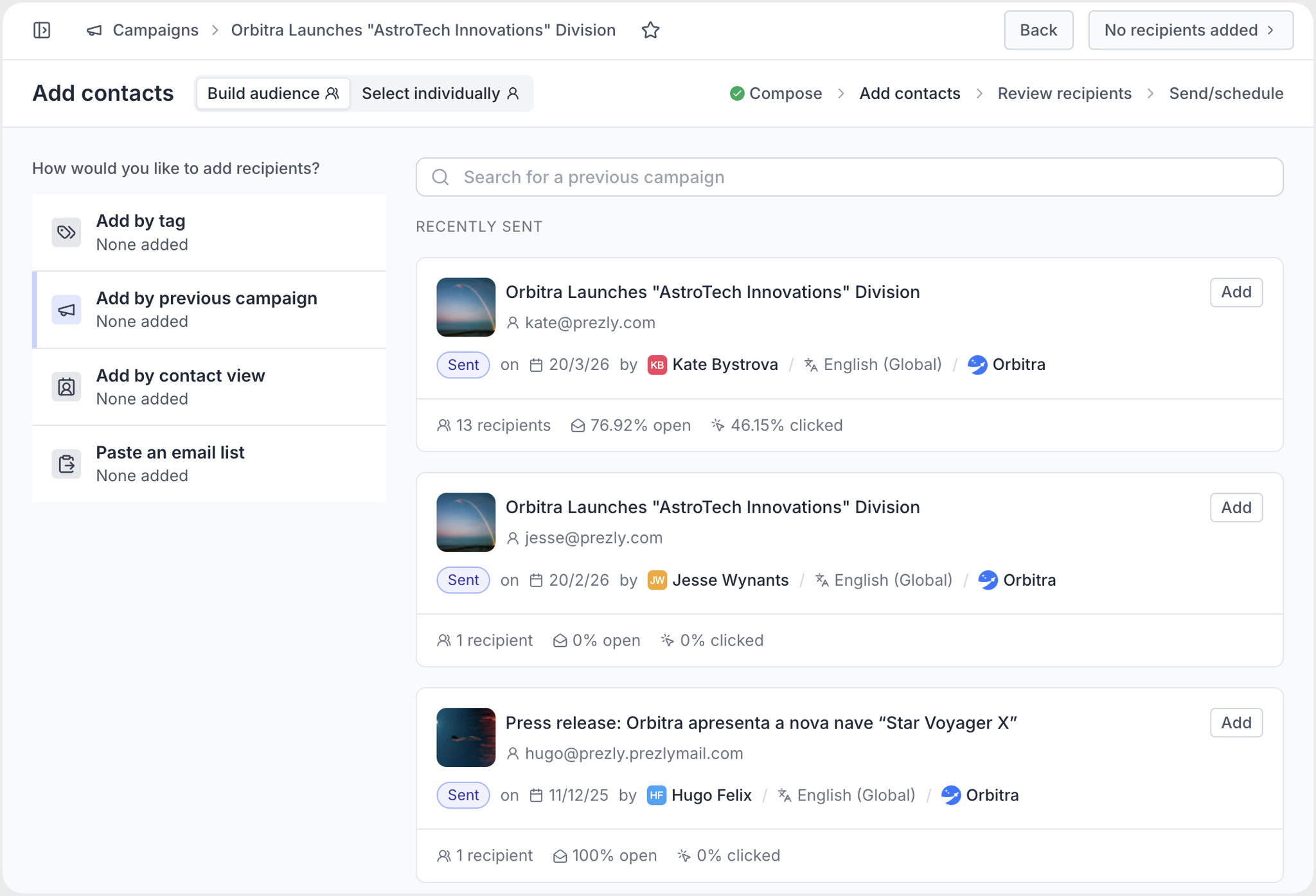
Introducing a new way to add recipients to your email campaigns. The new "Build audience" tool lets you assemble campaign recipients from tags, saved contact views, previous campaigns, or a pasted list of emails – combined however you like, with automatic deduplication and a live recipient count.
Toggle between the old way of adding recipients and the new using the dropdown at the top of Step 2 of the campaign composer.
This is an early, experimental Labs feature, and access is limited for now while we test it – message our support team in-app if you want in.
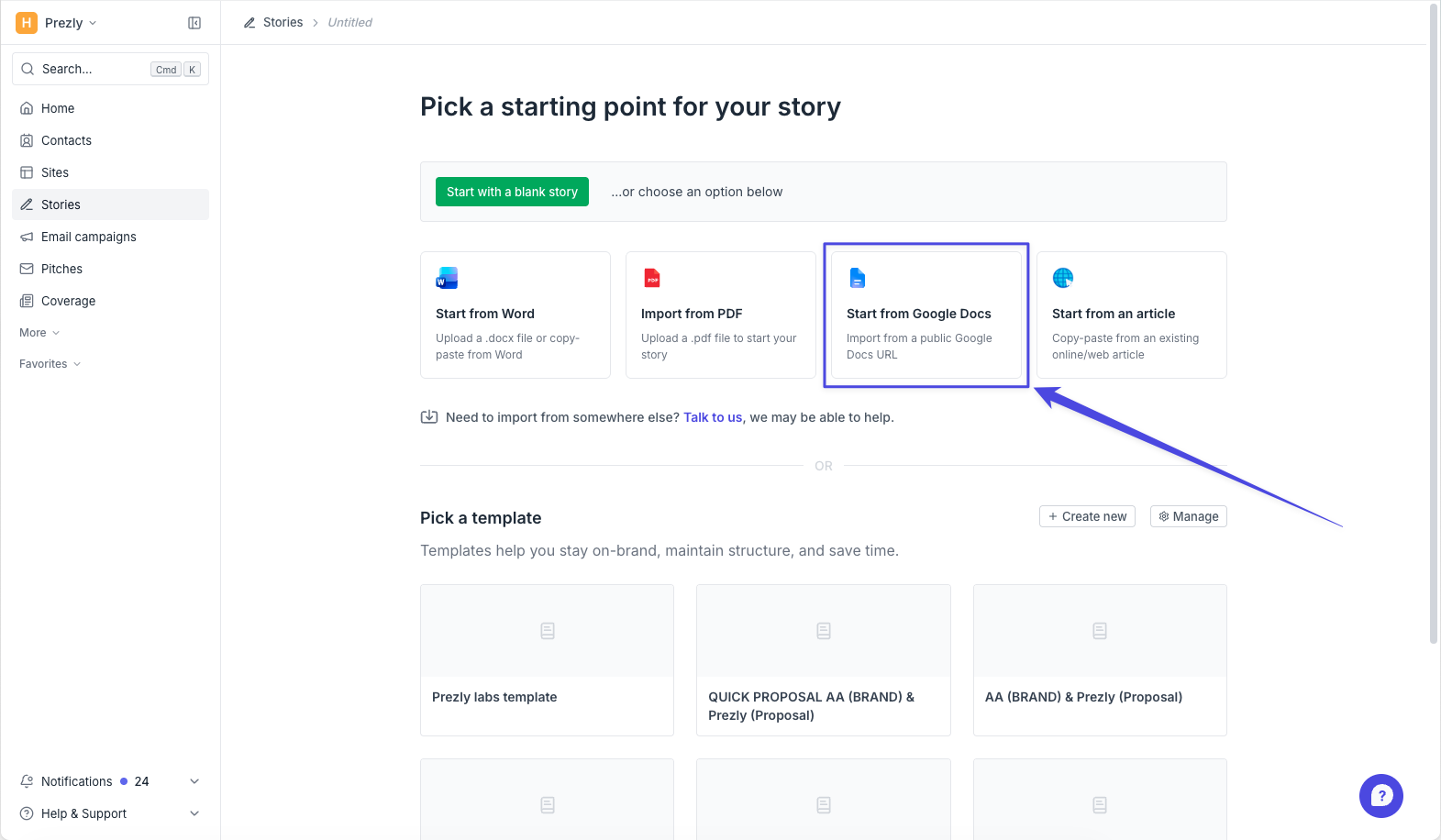
Drafting in Google Docs? You can now pull it straight into a Prezly story – from the "new story" flow or the stories grid – and it'll bring headings, links, images and formatting with it, ready for a final pass before publishing.
Just remember to make your Google Doc "public" first, otherwise Prezly won't be able to access it.
See an example of how it works →
We’d love to hear what worked, what didn’t, and what would make Prezly more useful for your team. Get in touch using the little chat bubble in the corner of your account, or by emailing support@prezly.com.
Software for people
who care about PR.
Manage your stories, media contacts, and pitches in one place.
Try Prezly yourself or let us show you around.
14-day free trial. No credit card required.