Import Google Docs directly into Stories
As part of Prezly Labs, we’re trying out a new Google Docs import option for Prezly Stories, helping you move from draft to publishable story with less copying, pasting, and cleanup.
You can import from Google Docs in two places: when creating a new story, or from the stories grid.
Add the Google Docs URL, and Prezly will bring the document into the story editor as a draft, ready for you to review, adjust, and publish.
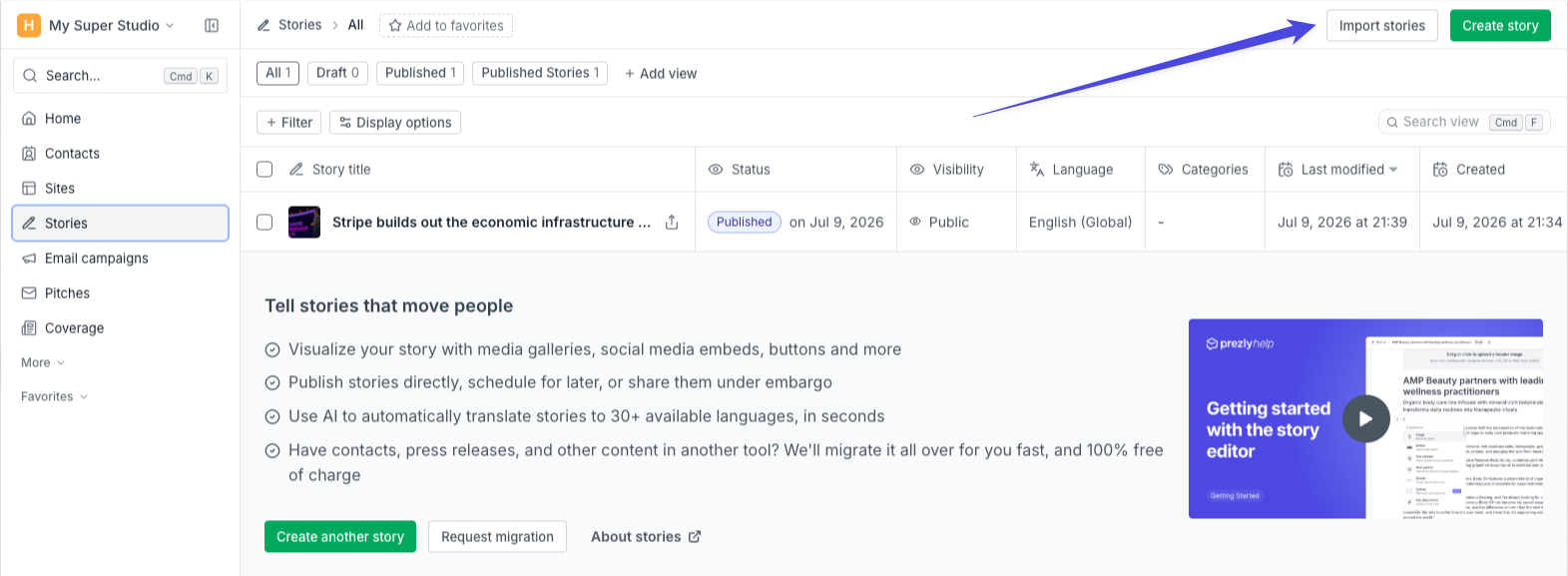
From the stories grid, click Import stories, at the top-right corner of the page
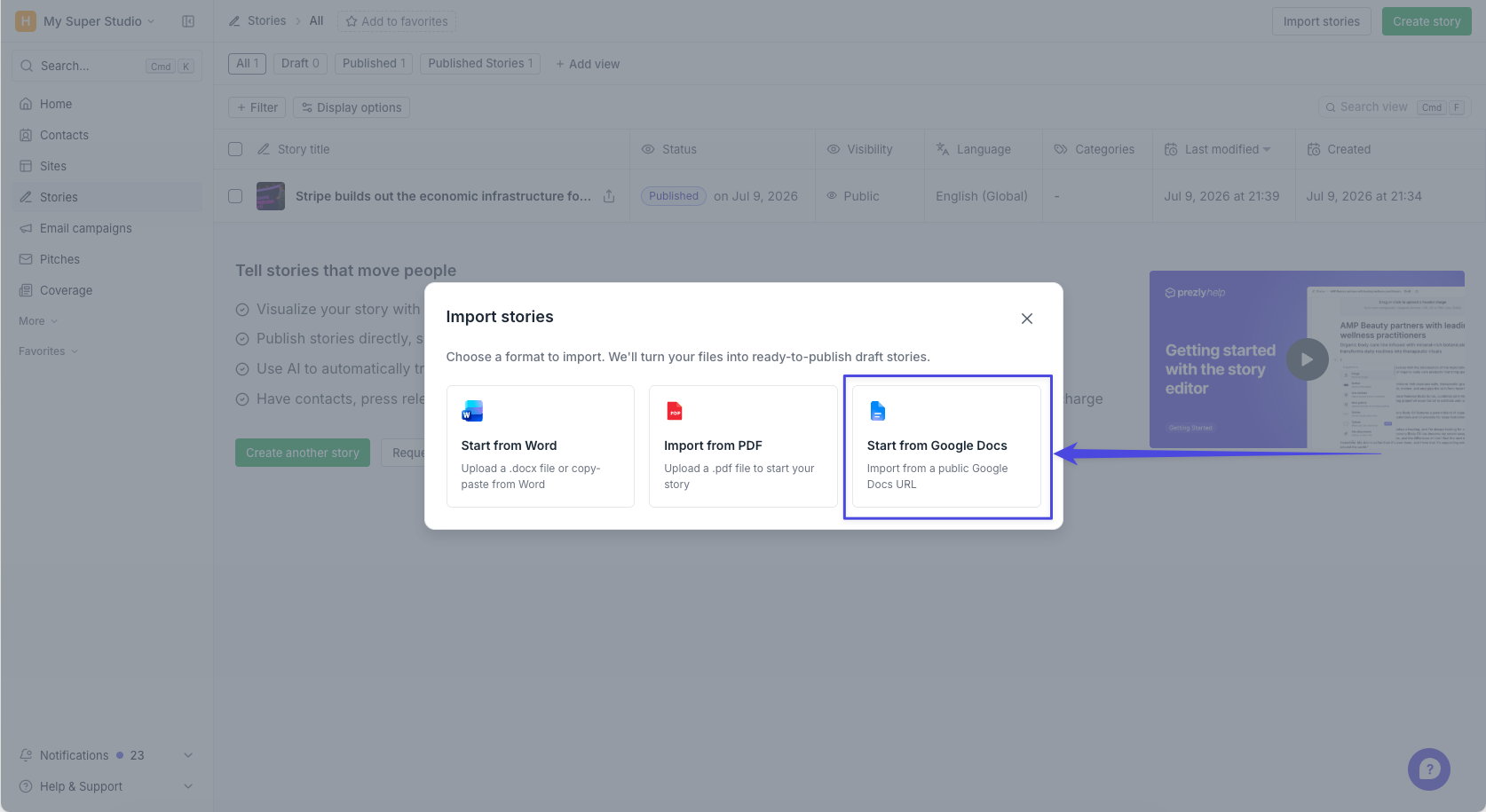
Then, select Google Docs.
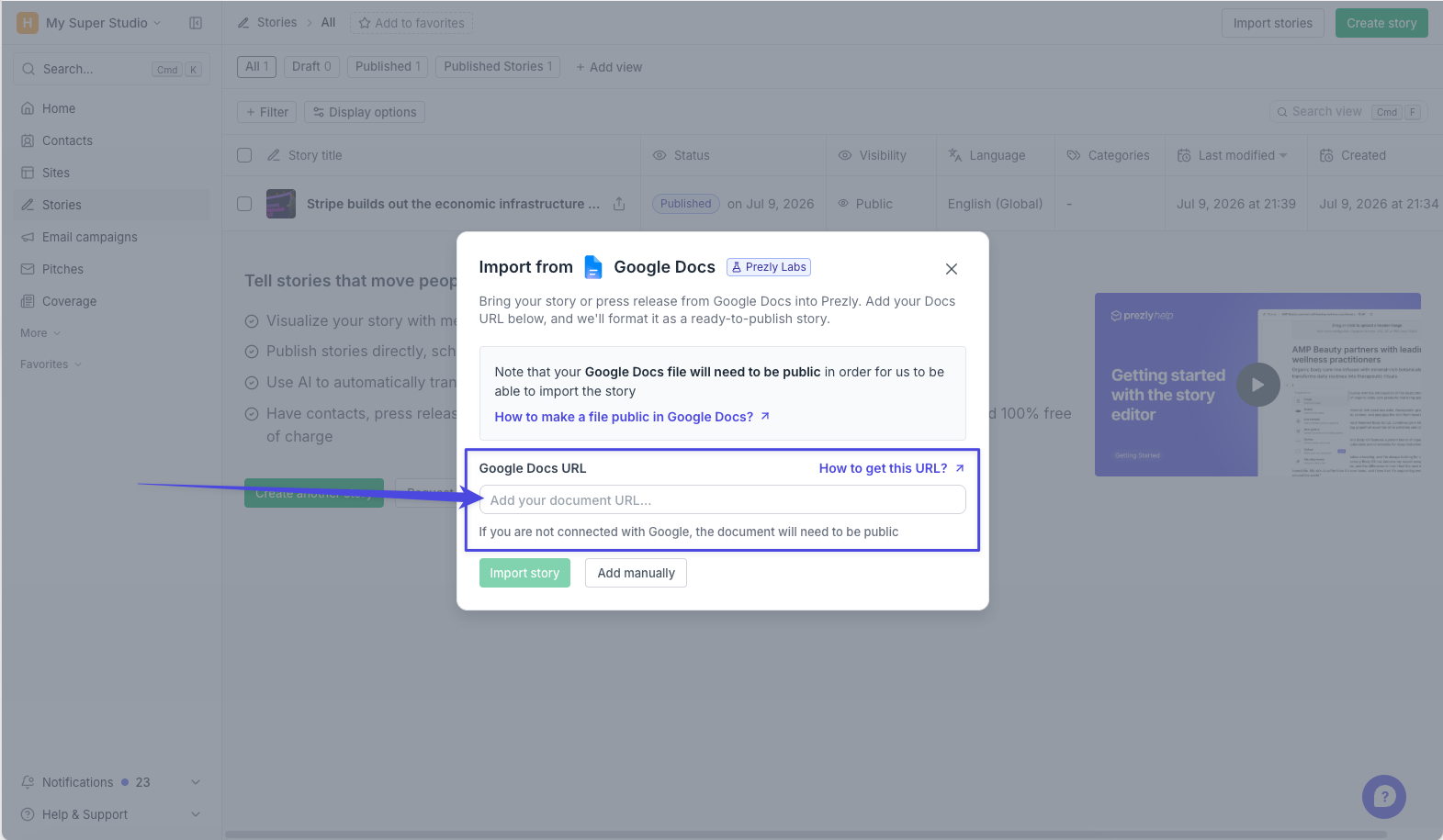
And finally, add your public document URL.
Unlike PDF and Word imports, Google Docs import currently supports one story at a time. If you want to import several files at once, use PDF and Word import.
More about Word & PDF imports →
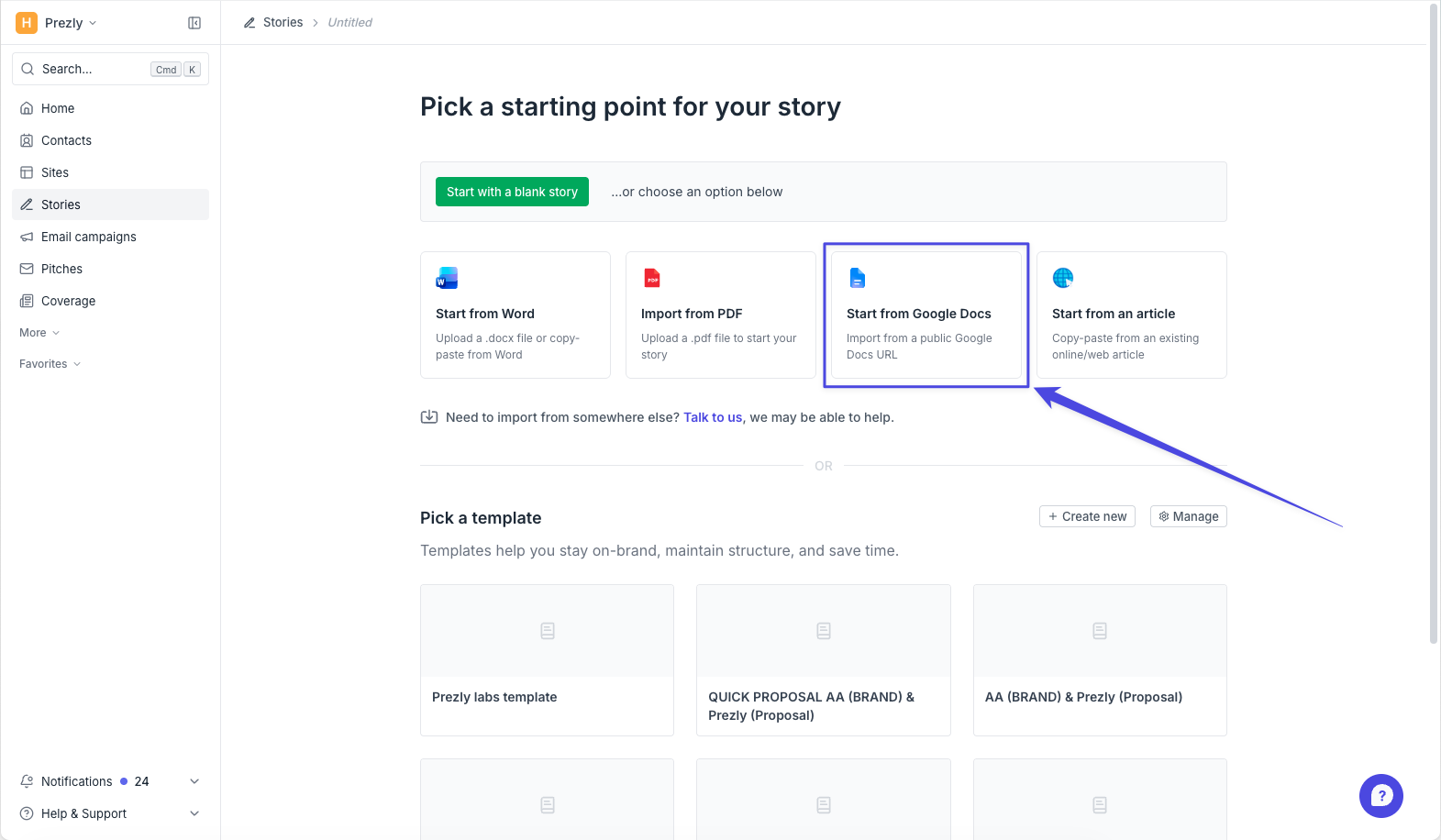
From the create story starting screen, you can also choose to Start from Google Docs by adding your public document URL.
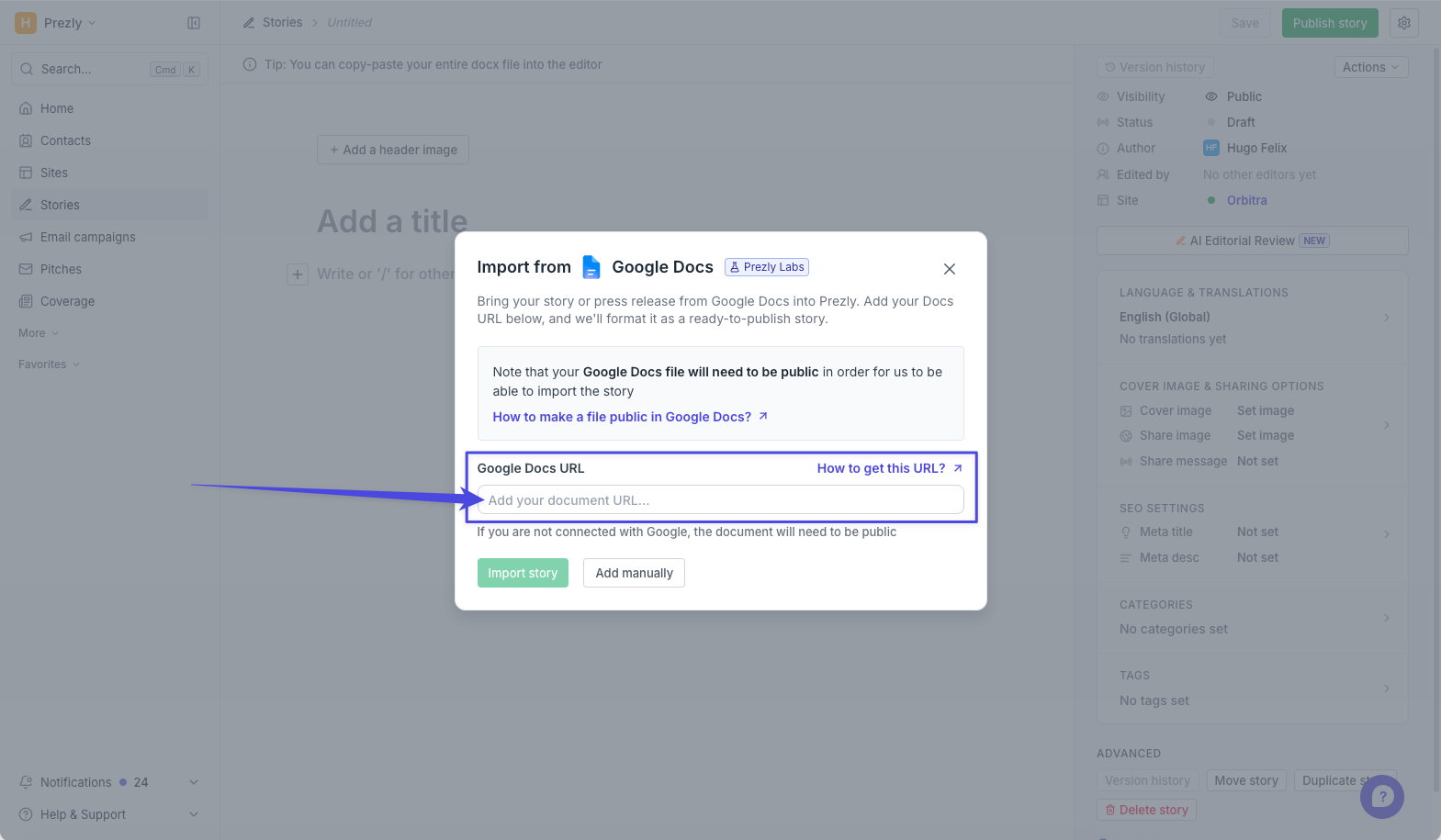
For now, your Google Docs file needs to be public if your Google account is not connected. If you’re not sure how to get the right link or make the file accessible, these Google help articles may be useful:
How to share a Google Docs file
How to make a Google Docs file public
As part of Prezly Labs, we’re rolling this out to a limited number of Prezly accounts while we evaluate how well it works and gather feedback.
If you already have access, you’ll see the option to start from Google Docs when creating a story. There’s nothing you need to enable.
Don’t have access yet but would like to try it? Let us know through the usual support channels.
We’ll use what we learn during this rollout to improve Google Docs importing before making it available more broadly.
We’re especially interested in how well the imported story keeps the parts that matter most: headings, paragraphs, links, images, and basic formatting.
Already tried it? We’d love to hear what worked, what didn’t, and what would make it more useful for your team.
Join 500+ PR teams already loving Prezly
Take the stress out of contact management and distribution with a dedicated outreach CRM that your whole team can use.