Import PDF and Word directly into Stories
New single and bulk import options
As part of Prezly Labs, we’re trying out a new PDF and word import option for Prezly Stories, letting you get what you want to say into the story editor faster.
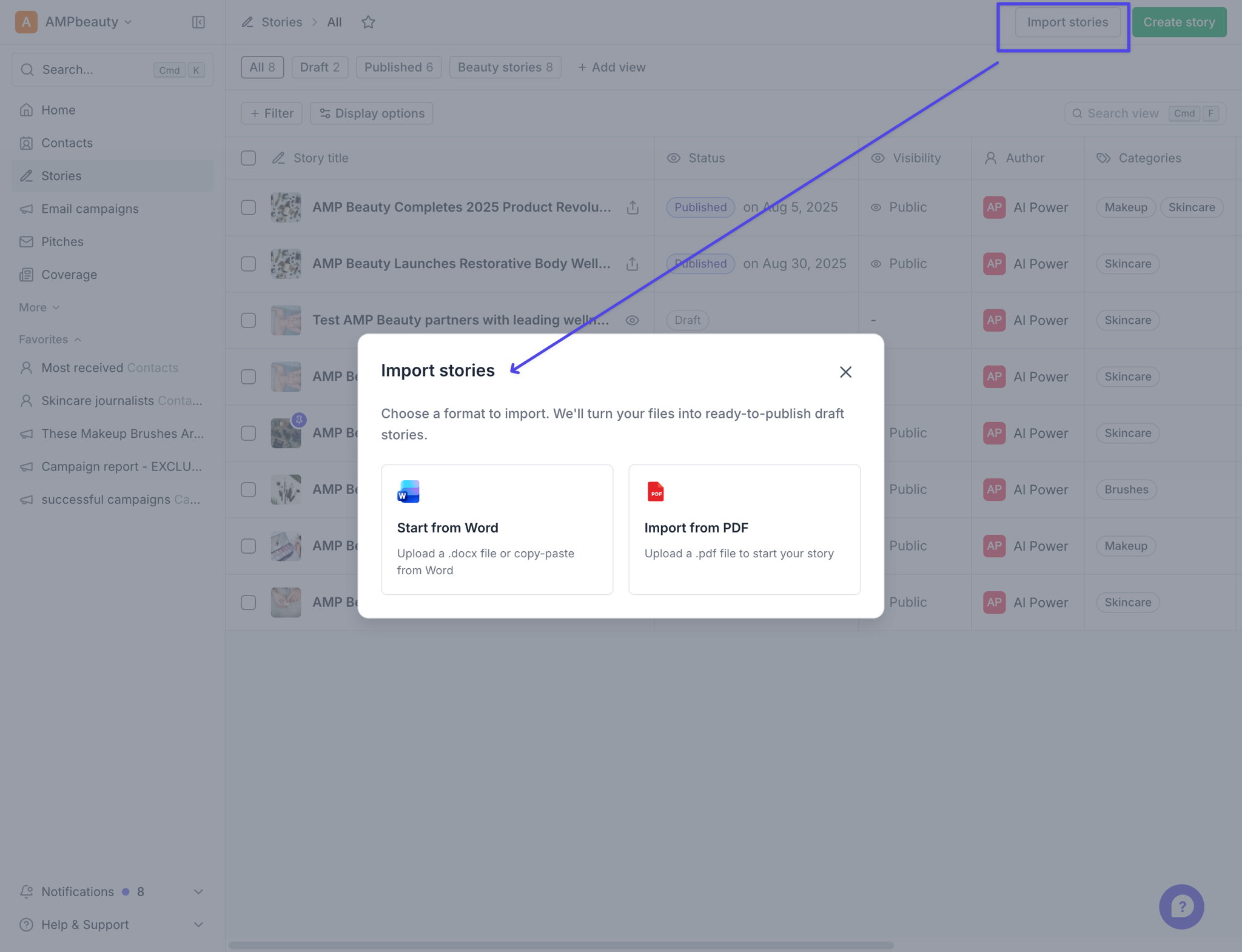
Simply either choose import stories from the stories grid, or on the new story screen.
From the stories grid you can bulk-import up to 3 stories at a time using PDF or word documents, and they will be created as draft stories, ready for you to edit.
Stories are created as drafts, so you can review and edit before publishing.
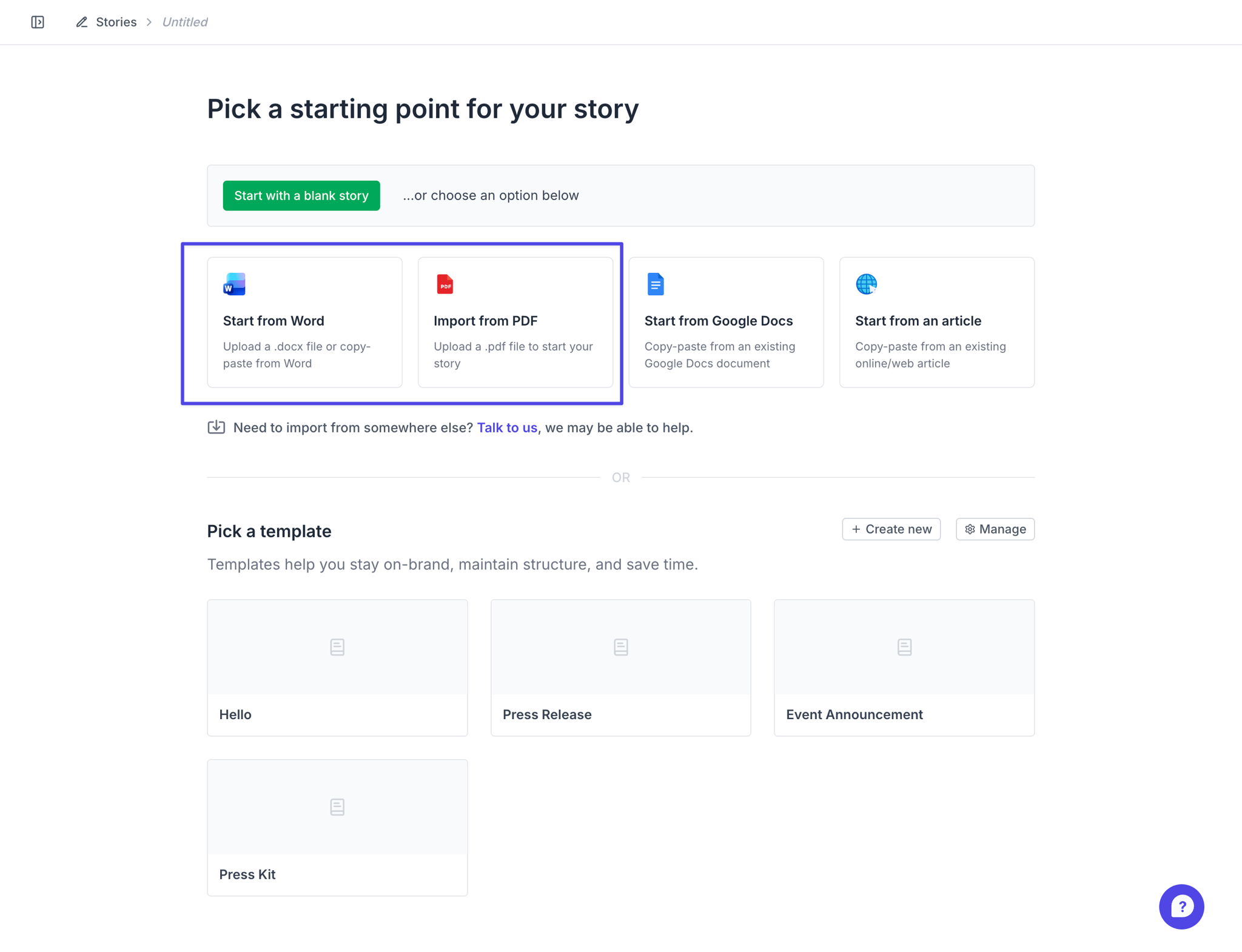
From the create story starting screen you can also choose to import a single PDF or word document.
As part of Prezly Labs, we’re rolling this out to a limited number of Prezly accounts while we evaluate how well it works and gather feedback.
If you already have access, you’ll see the options to use this in the screenshots above. There’s nothing you need to enable.
Don’t have access yet but would like to try it? Let us know through the usual support channels.
We’ll use what we learn during this rollout to improve story importing before making it available more broadly.
Already tried it? We’d love to hear what worked, what didn’t, and what would make it more useful for you.
Join 500+ PR teams already loving Prezly
Take the stress out of contact management and distribution with a dedicated outreach CRM that your whole team can use.