New inactive status for contact emails
Contact email addresses get used in many ways — like keeping track of somewhere someone used to work after they change roles. But old emails often bounce when someone leaves an organization (or for other reasons), and bounced emails can cause problems when sending pitches and campaigns where you want to ensure you're only sending to valid addresses.
To help with this, following our recent two changes to campaign composer and email statuses we're introducing a new inactive status for contact emails.
Use it to:
- Mark a bounced email address so it's no longer sent to
- Keep an email address as a reference without sending to it — even if it hasn't bounced, like a personal address you want to retain but never use for outreach
You can set emails as inactive from:
- Contact grids and contact view asides (via the email dropdown)
- The contact edit form (via the three-dot menu)
- Campaign step 2 (add contacts) and step 3 (review recipients) via a tooltip
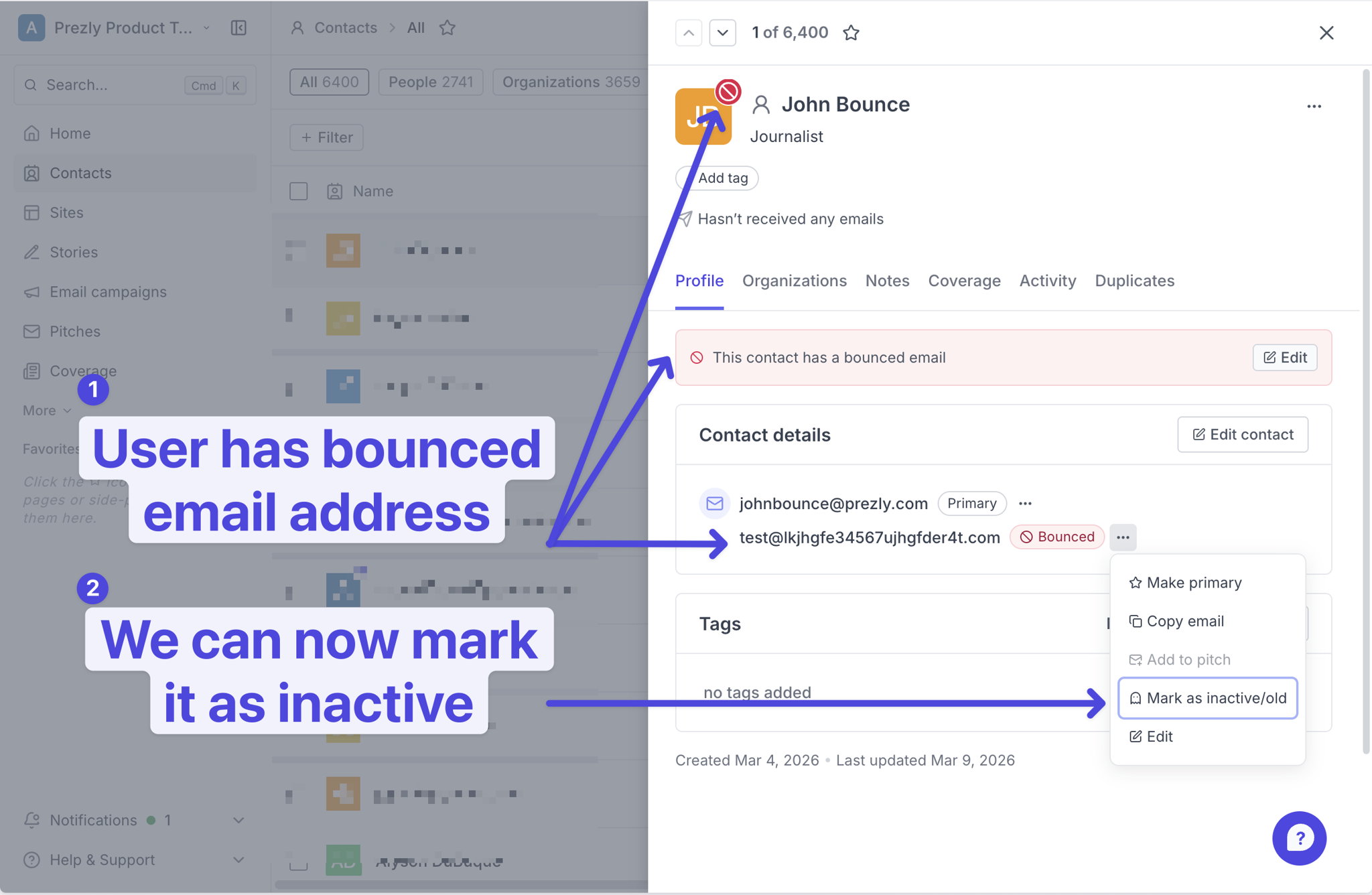
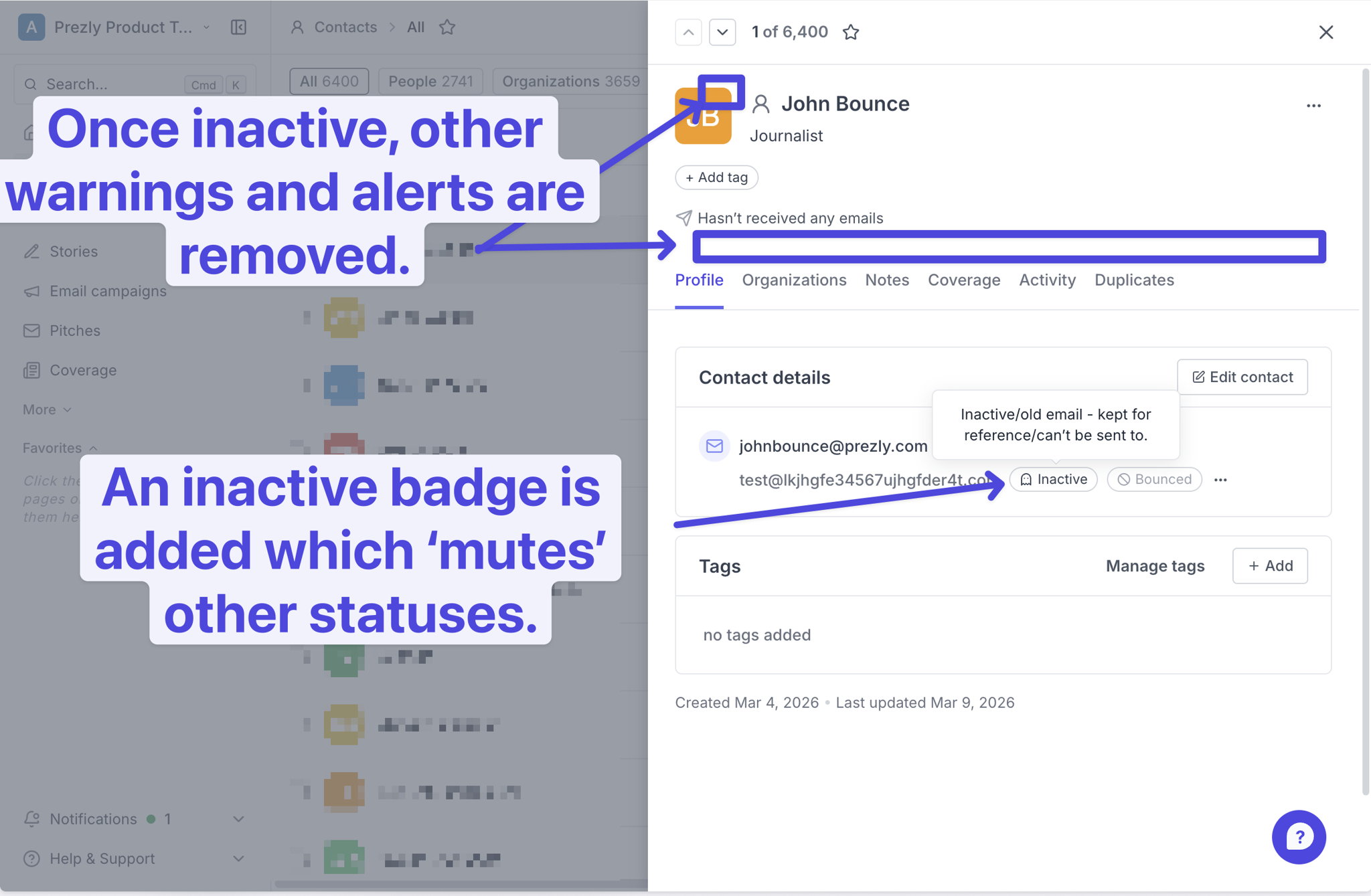
Emails marked as inactive can't be selected in pitch composers and are automatically skipped in email campaigns — so no more accidentally sending to the wrong address. This also quiets down bounce alerts across grids, asides, and edit forms.
Every time an email is marked inactive (or reactivated), it's logged in the contact activity feed so you have a full history of changes.
What's live now:
- You can manually mark emails as active or inactive on a per-contact basis.
Coming next:
- Bulk tools to mass-mark contact emails as inactive - help you manage contact emails more easily.
- Automation that marks an email as inactive after three bounces - help you stay on top of your contacts with less effort.
Check our help article for more information.
Join 500+ PR teams already loving Prezly
Take the stress out of contact management and distribution with a dedicated outreach CRM that your whole team can use.