Updates to the campaign composer
Better visibility of which emails will (and won't) be delivered.
Hey, Hugo here with another small update.
Following our recent improvements to contact email statuses, we've made some changes to the campaign composer to bring that same clarity into your sending flow. Most of these are visual, but they make a real difference when reviewing who will actually receive your campaign.
Before getting into the details, here's a quick recap of how we currently treat problematic emails:
🚫 Bounced: The email no longer exists or can't be reached (e.g. user has a full inbox). We'll still attempt delivery, but there's a chance the campaign won't get through.
⚠️ Unsubscribed: Either user has unsubscribed from all communications, or from a specific newsroom. In both cases, we'll skip these emails and won't send the campaign.
❗Spam reported: The contact marked you as spam. We won't send to these emails.
We've added an improved email status icon to any email that might have deliverability problems — bounced, unsubscribed, or spam reported. You'll see these inline as you add recipients.
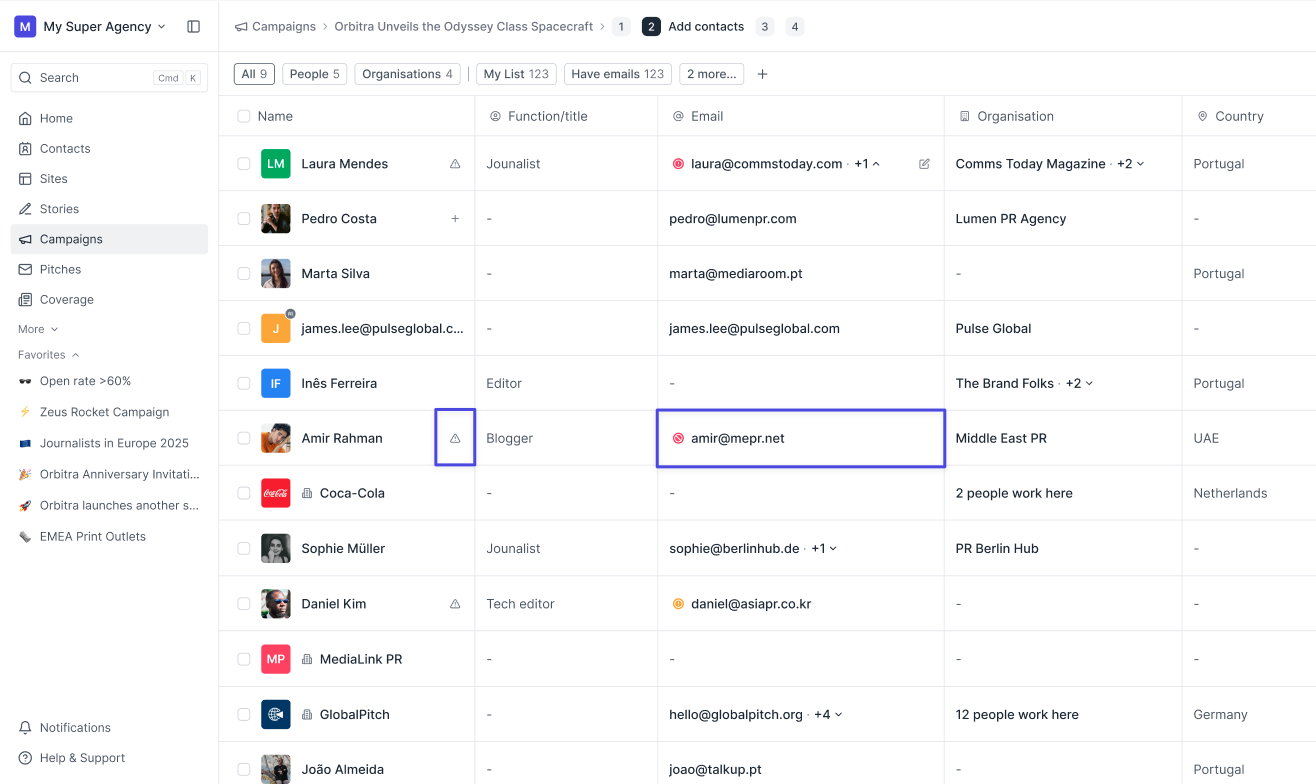
Step 2 — Add contacts
We've added an email status icon to any email that might have deliverability problems — bounced, unsubscribed, or spam reported. You'll see these inline as you add recipients.
We've reorganised the filter bar to make email statuses and their consequences clearer.
The filters now work as follows:
- All: Every email on the list.
- Valid: Emails with no known issues.
- Bounced: Emails that might not receive the campaign.
- Skipped: Emails that will be excluded from sending entirely (this is new!)
We've also added better warning banners at the top of the grid when issues are present, and a one-click option to remove all problematic emails from the list, depending on the active view.
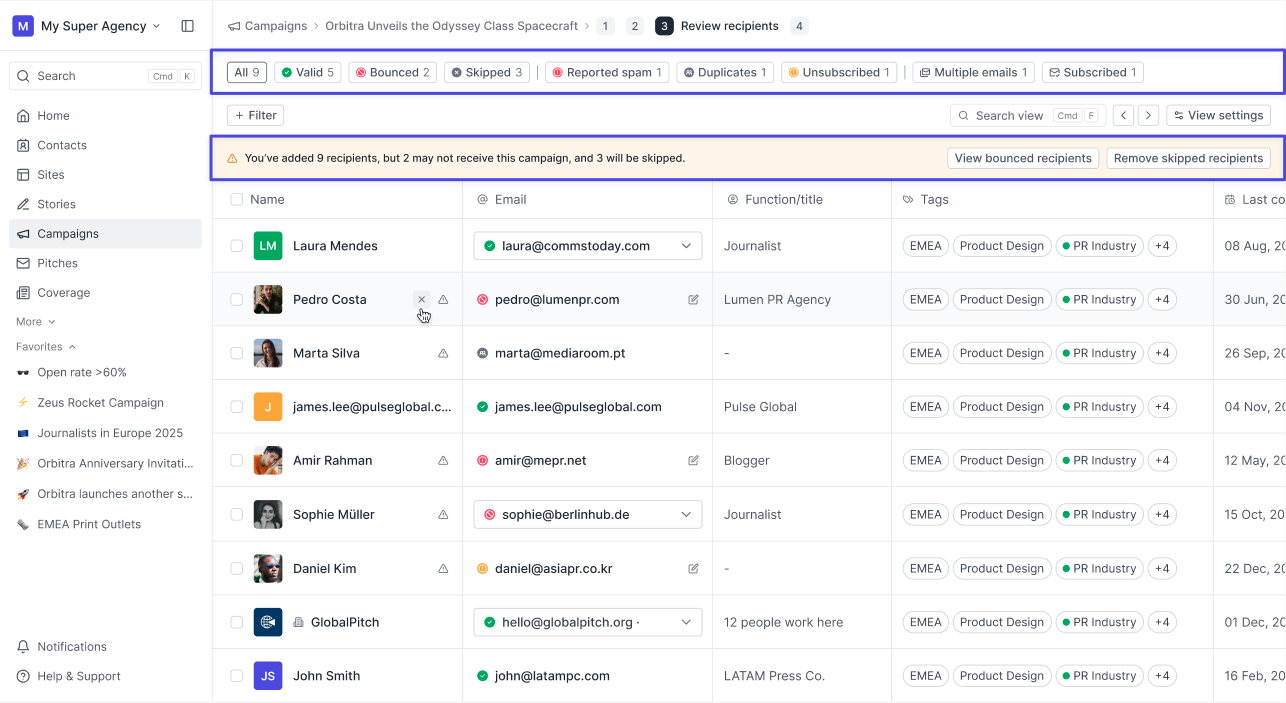
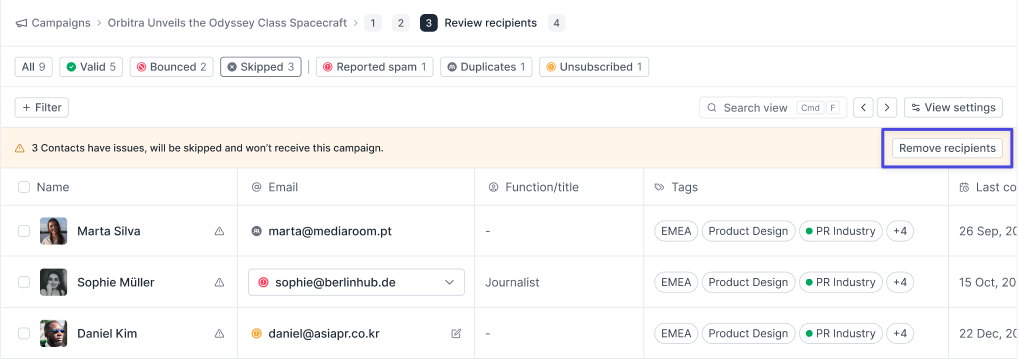
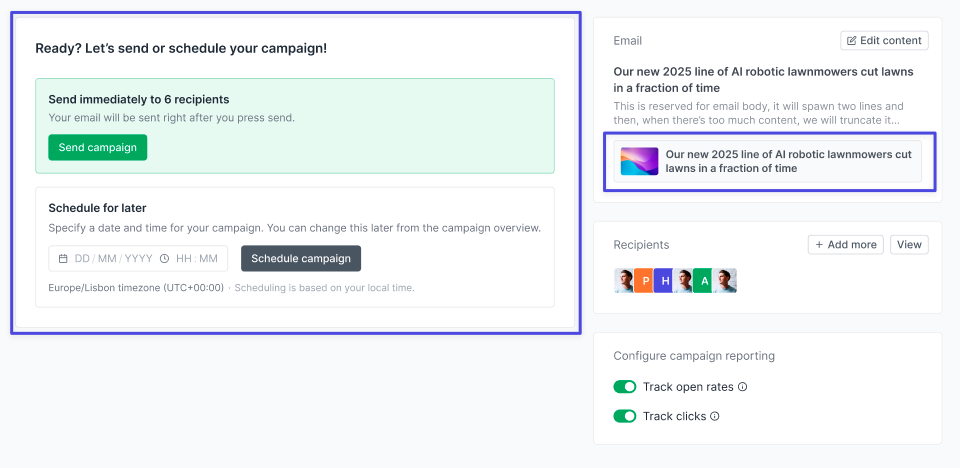
Mostly visual updates here, plus improved warning messaging. We've also added a small story card to the email section so you can easily see which story is attached to the campaign.
Join 500+ PR teams already loving Prezly
Take the stress out of contact management and distribution with a dedicated outreach CRM that your whole team can use.