Bounce management features to improve email health
Managing contact email health can be challenging. Email bounces happen when a message cannot be delivered to a recipient's inbox, and the receiving server sends back a reason explaining why delivery failed.
So following our last release allowing you to mark emails as inactive, we're launching a few new features to help you better manage email bounces.
To help you maintain your sender reputation, we automatically monitor contact emails, and after multiple bounces, we automatically mark emails inactive, so they are skipped for future campaigns sent (including ones you may have already scheduled).
We also send an update on which emails were deactivated along with the Monday morning update email, so you can keep an eye on what's going on.
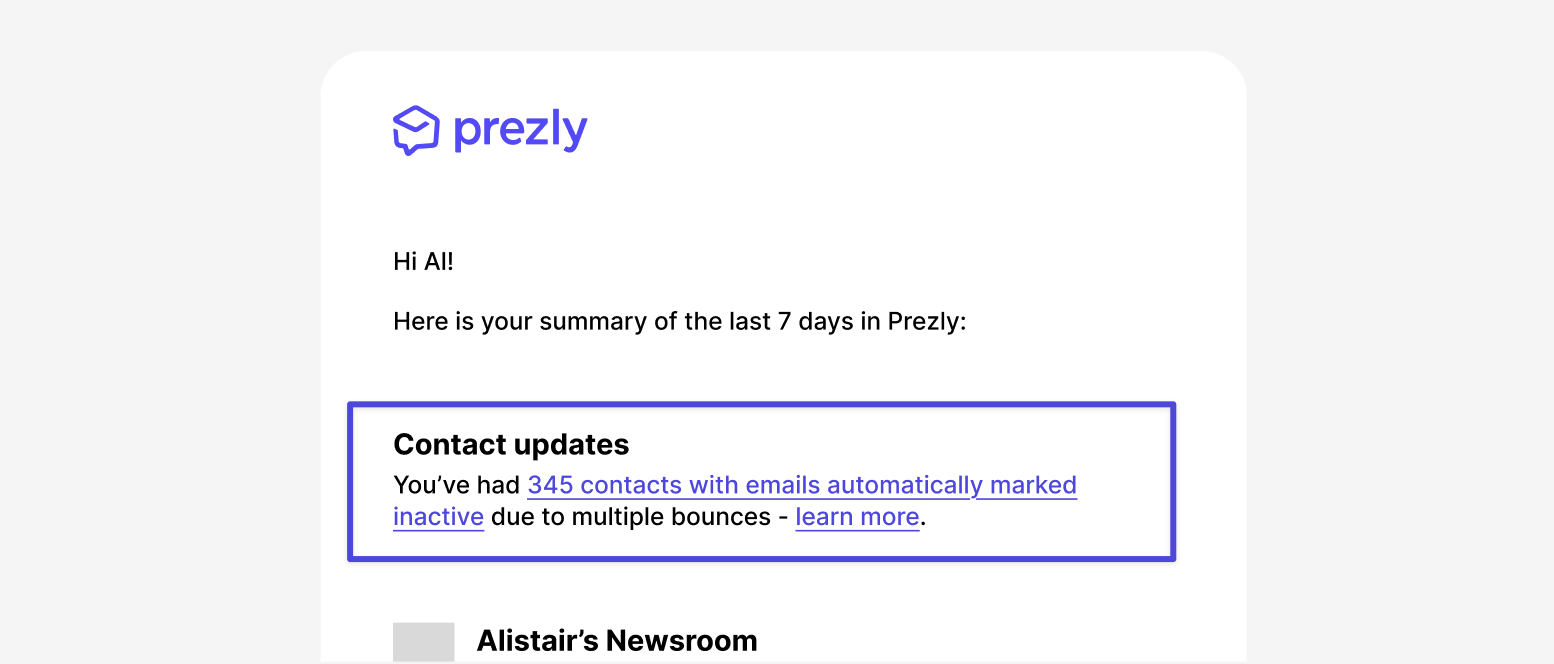
Prezly processes and sends thousands of emails daily, so we have a unique perspective when it comes to monitoring email deliverability, and now we are using that to help you.
Behind the scenes we are now monitoring the health of an email address across our network so we can immediately:
- auto-mark an email as bounced - when our network detects a bounce sent to a given email, if you have a contact with a matching email address we auto-update the status of your contact's email record as bounced.
- auto-mark an email as bounced on contact addition: when you add a new email address to a contact we can quickly tell whether it's bounced.
- auto-mark active on successful send - if you have contact email addresses marked as bounced, and email is successfully delivered through the prezly network to that matching email address, we automatically mark your contact email as healthy and ready to receive emails again.
Our tooltips now show extra information where available, letting you easily see why an email has bounced or was marked inactive.

To protect your email reputation, when writing pitches or email campaigns, contact emails marked inactive will now be skipped and cannot be sent to.
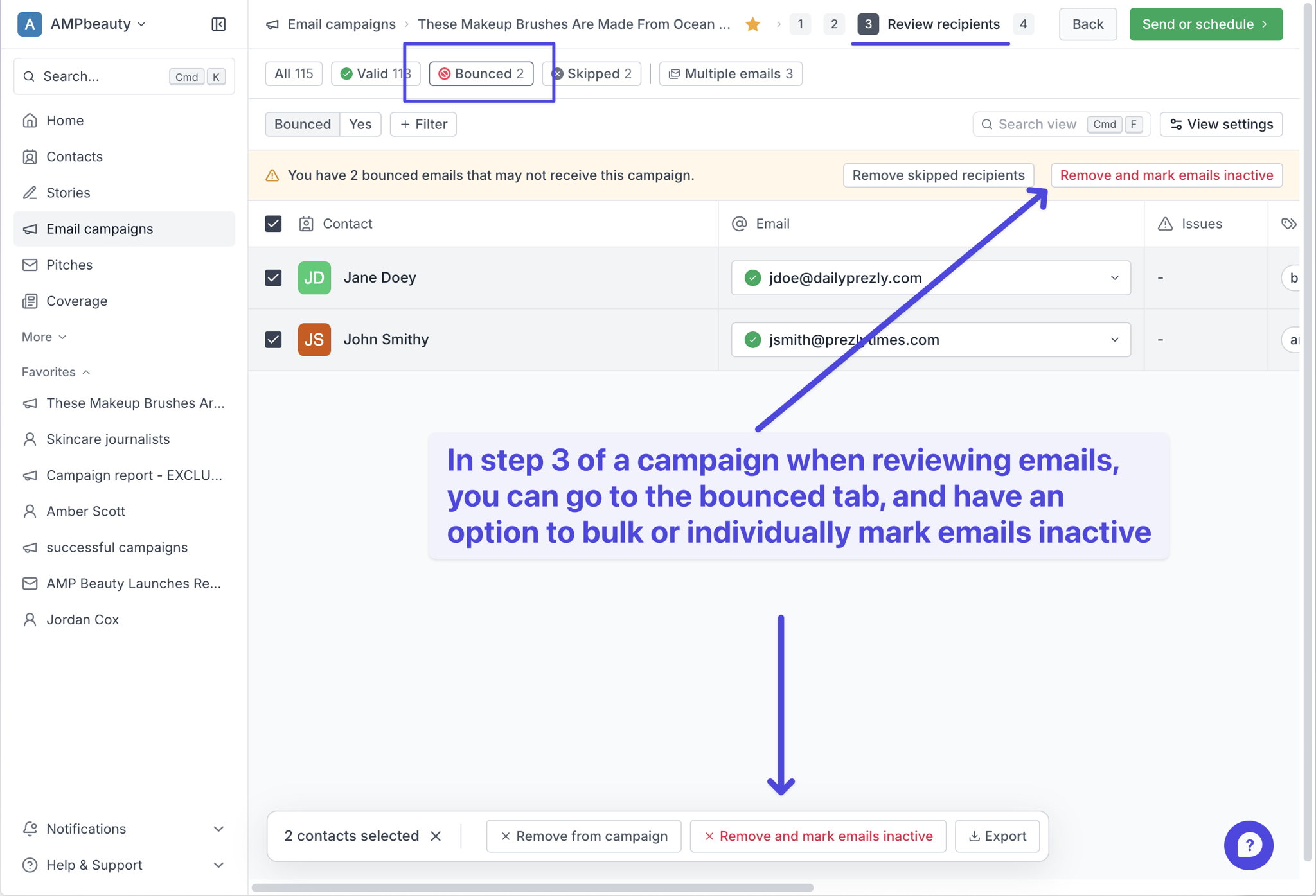
You can review reasons an email might be problematic on step 3 of sending a campaign.
You can also bulk mark all bounced emails as inactive, or multi-select and mark emails inactive by visiting the bounced tab.
Join 500+ PR teams already loving Prezly
Take the stress out of contact management and distribution with a dedicated outreach CRM that your whole team can use.