April product updates
Watch this 3-minute video to get the most out of Prezly's latest features.
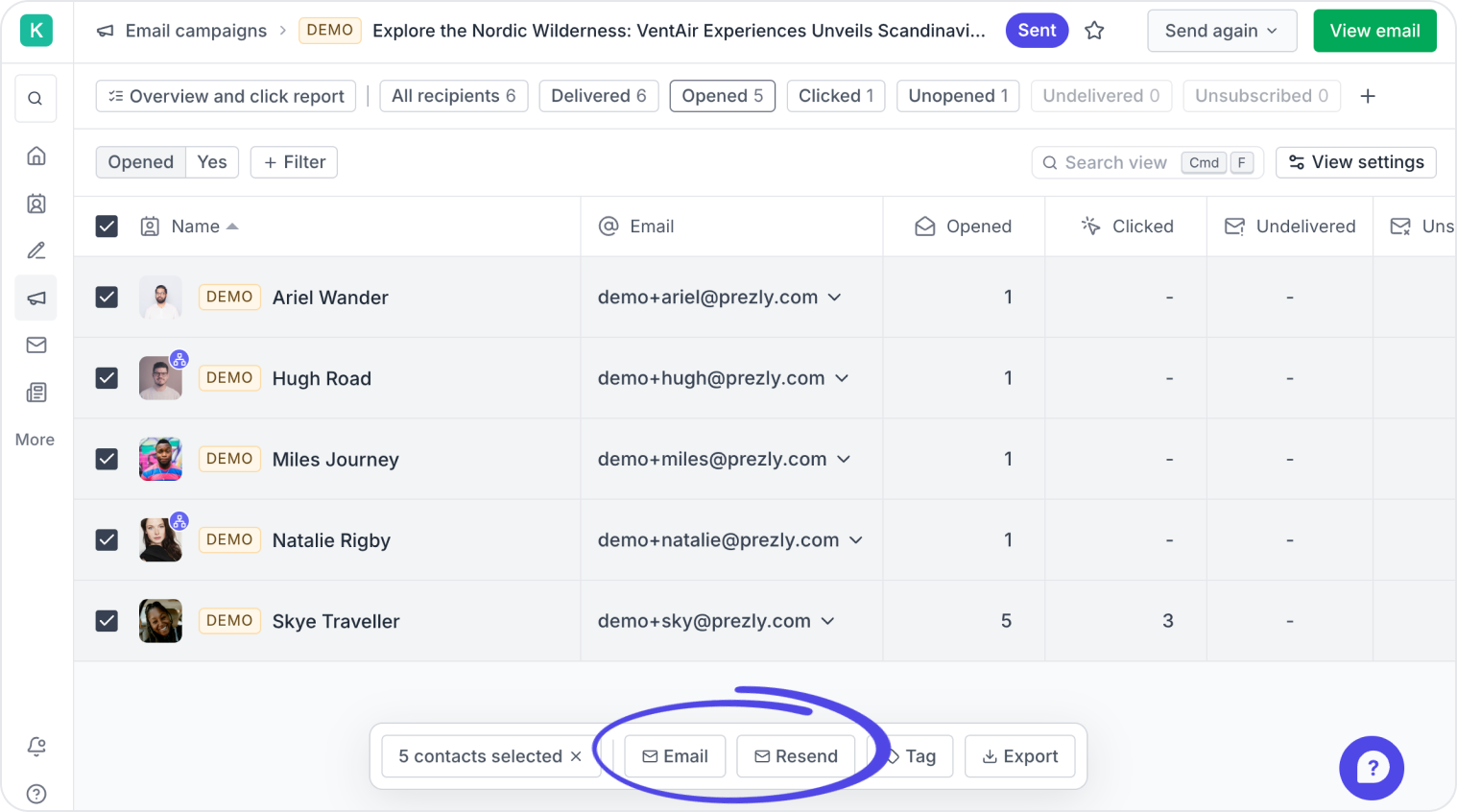
You can now follow up with your contacts from your campaign report, just select the contacts you want to follow up with and use the buttons that appear at the bottom of the screen.
For example, to follow up with those who did not open the email campaign,
- Go to the "Unopened" tab
- Tick the checkbox at the top of the list to select all
- Click "Resend" at the bottom of the screen to send them the same campaign again, or "Email" to draft a new campaign for those recipients
Clicking "Resend" opens a new campaign prefilled with your sent campaign's contents. Don't worry, you'll have the chance to review everything before it goes out.
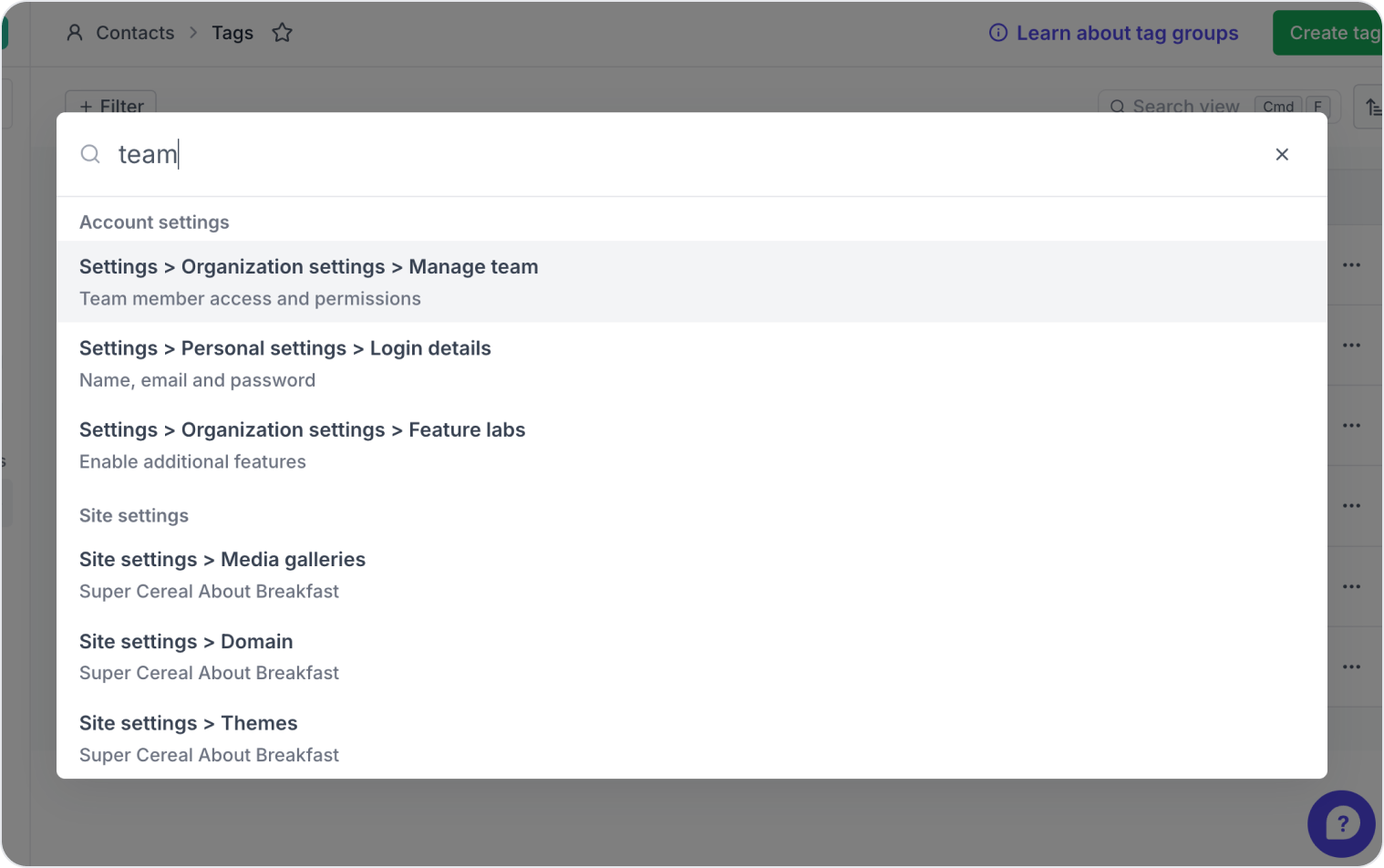
No more hunting through menus 🎉 Press Cmd+K (Mac) or Ctrl+K (Windows) to search settings, stories, campaigns, and more from anywhere in Prezly. You can also access it via the search bar in the top-left of your screen.
Watch a 30-second video of this in action →
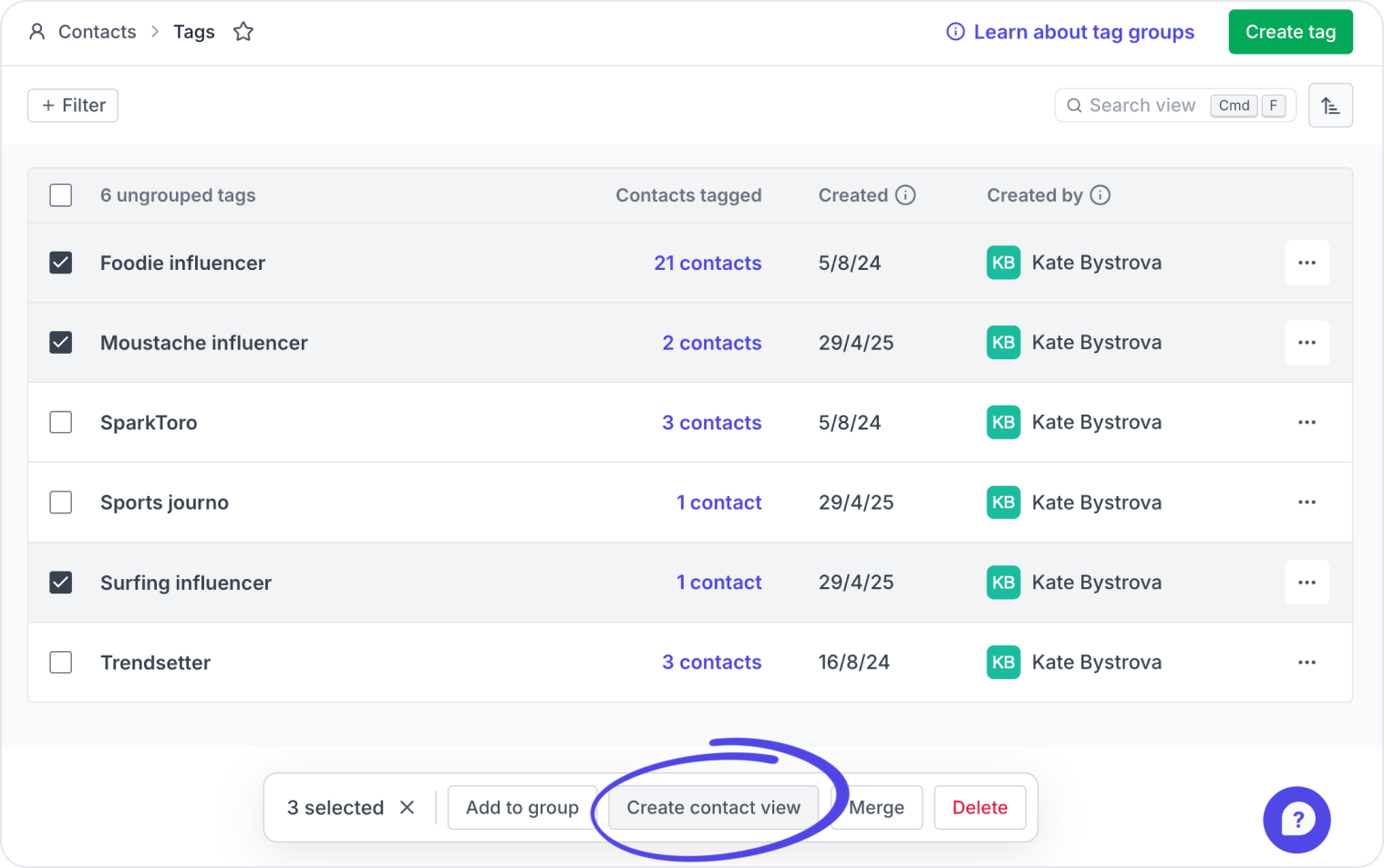
When browsing your contacts tags, you can now select one or more and instantly turn them into a new contact view for easy mailing later. Just select the tags you want, and hit Create contact view at the bottom of the screen.
What's a contact view? Contact views are smart, self-updating lists that you can save and use again and again. Any new contact you add that matches a view's parameters is included automatically – making them ideal for dynamic media lists.
This 1-minute video shows you how they work →
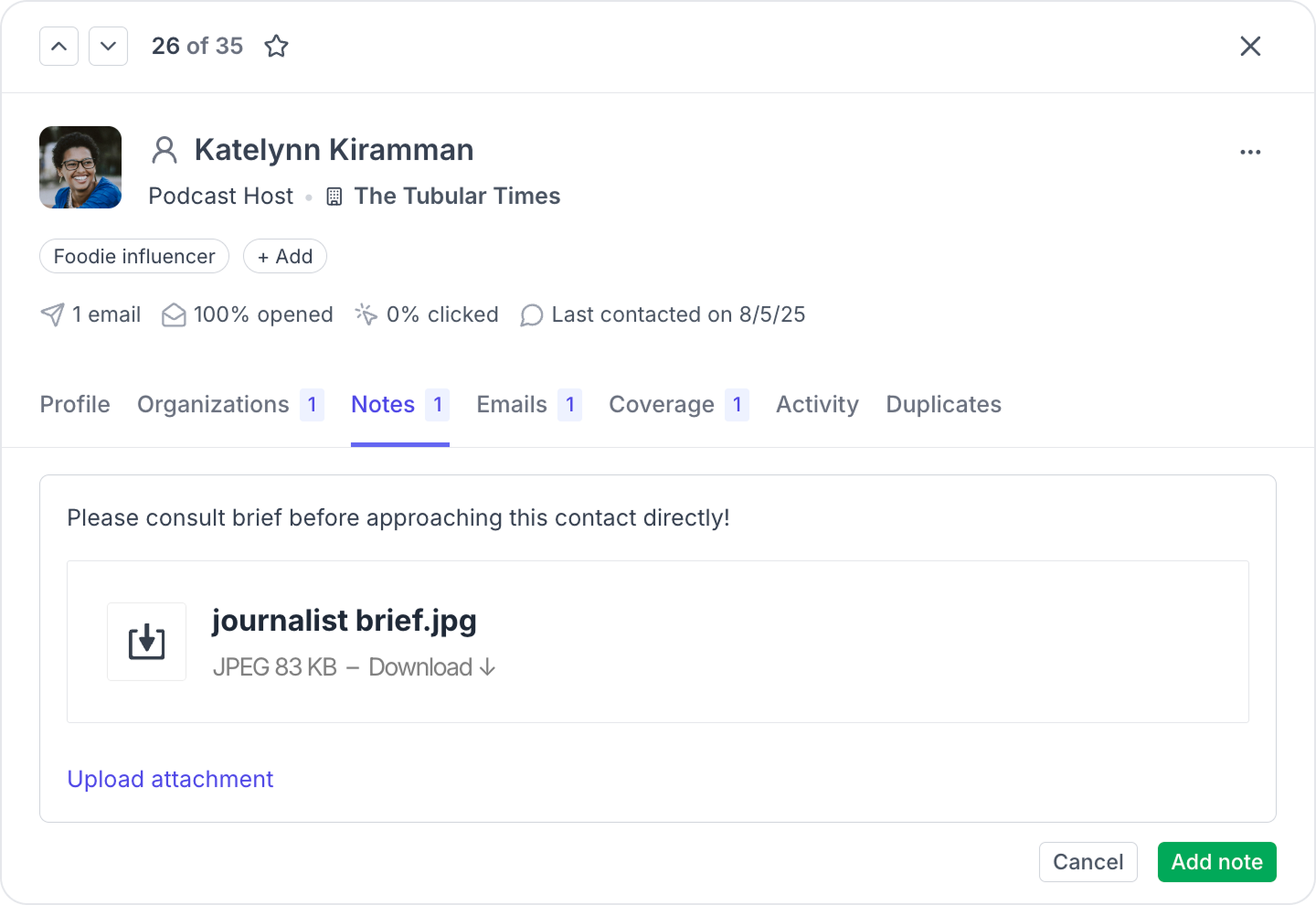
You can now add attachments to notes in your contact CRM – handy for keeping briefs, coverage PDFs, or any relevant files accessible to your whole team.
Try it yourself by choosing one of your contacts and selecting the Notes tab.
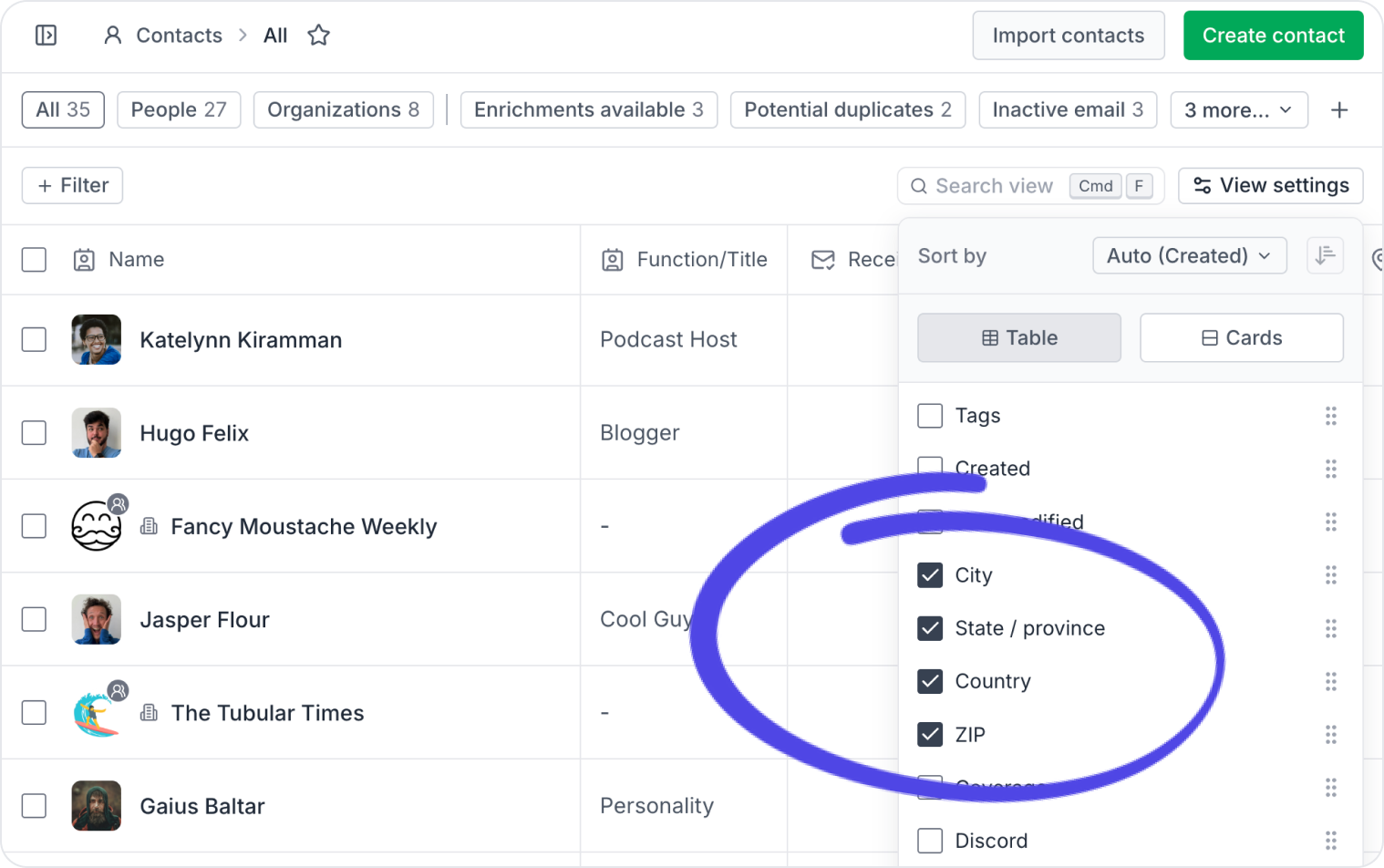
State, city, and other address fields can now be added as columns in your contact views, making it easier to segment and sort your lists by location.
Software for people
who care about PR.
Manage your stories, media contacts, and pitches in one place.
Try Prezly yourself or let us show you around.
14-day free trial. No credit card required.