Smarter duplicate management
Find, review, and merge duplicate contacts with less manual work. Smarter detection, automatic merges, and a cleaner workflow to help you keep your contact list healthy.
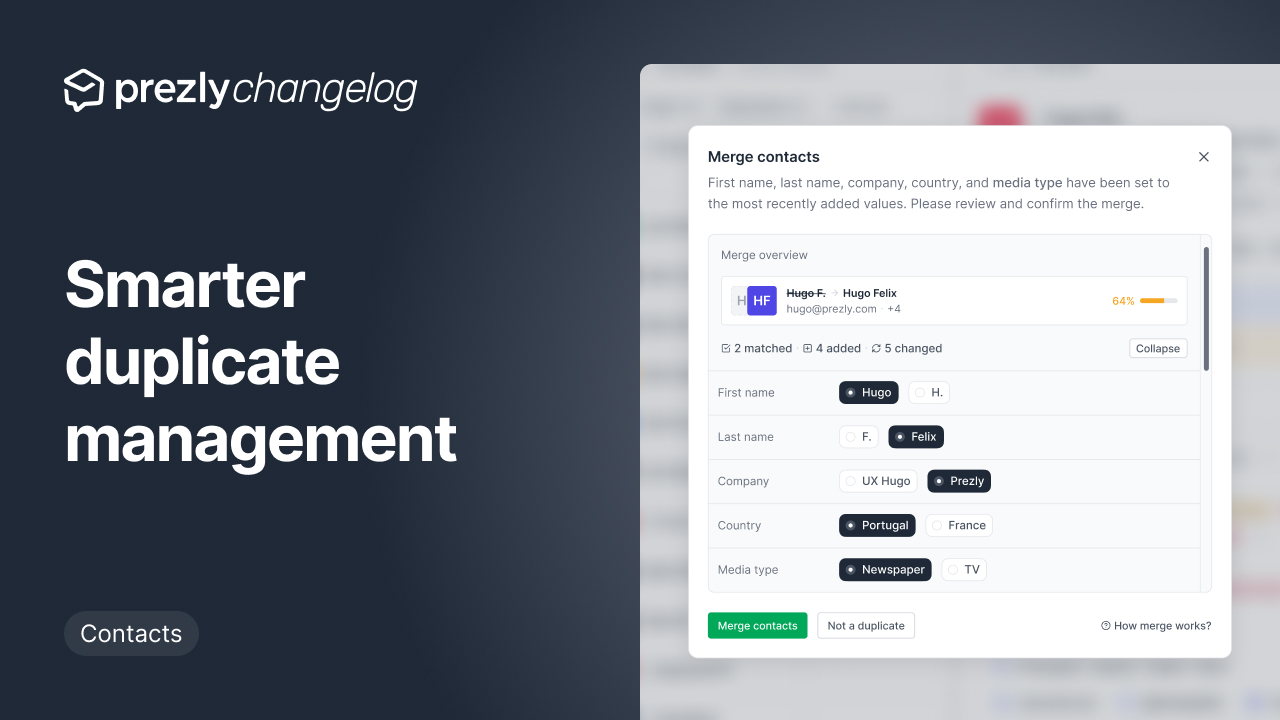
Today we’re shipping the first step toward a smarter, more automated way to manage your Prezly contacts, starting with how duplicates are found, reviewed, and merged.
Almost every Prezly account we looked at had duplicates. With contacts being created through imports, forms, integrations, and teammates working in parallel, duplicates are almost inevitable. And cleaning them up has always been the sort of dull job that slips to the bottom of the to-do pile.
We wanted to take as much of that work off your plate as possible.
Fun fact: Prezly (our own) account ranked #1 for the highest number of duplicates.
Reviewing duplicate contacts now happens on a single, focused modal, making it easier to compare information and choose which values to keep.
Matching information is merged automatically, so you only need to review the fields that actually require a decision. This means less time comparing records and more confidence that important contact details won’t be lost.
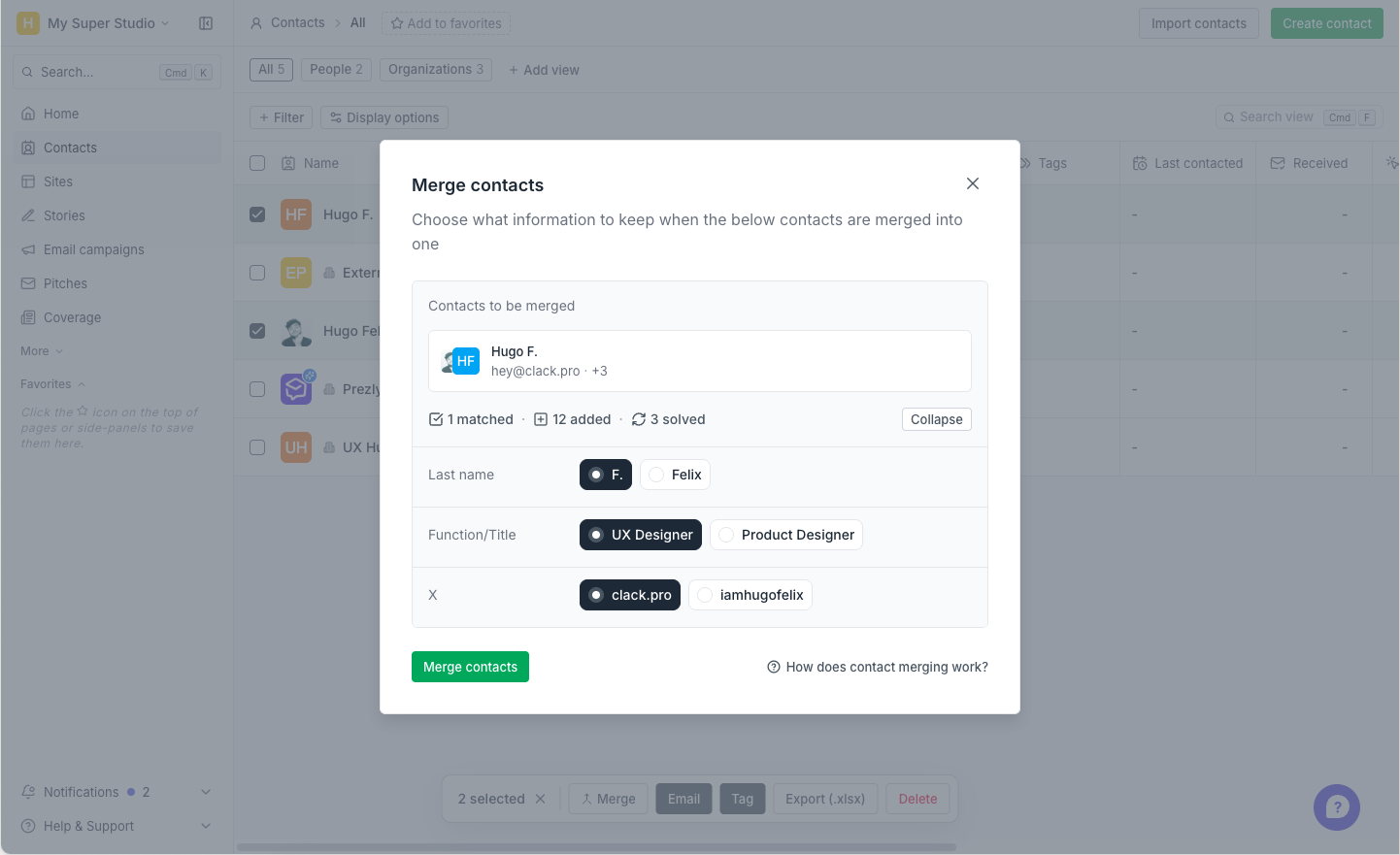
We never remove email addresses, phone numbers, tags, websites, or linked organisations.
We’ve made duplicate detection smarter, so it’s better at identifying contacts that belong together while reducing false positives.
Clear duplicates are now merged automatically, removing repetitive manual work from contact management. More ambiguous matches are left for you to review, giving you control whenever it’s needed.
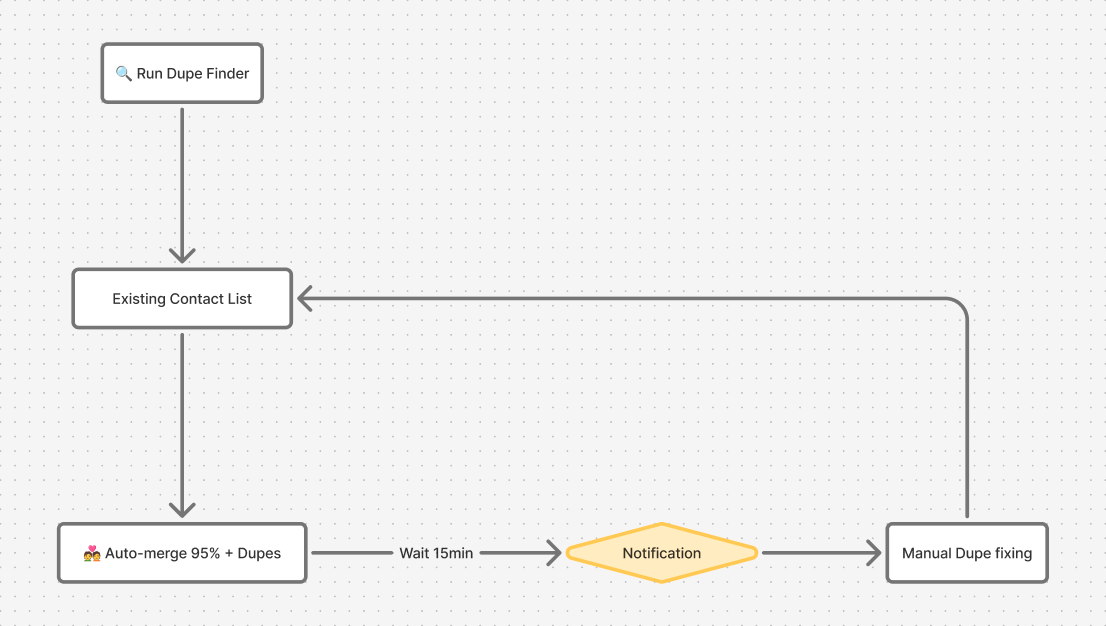
Duplicate detection runs automatically every week and after every contact import. After each run, we’ll notify you about any duplicates that still need your attention, so you can review and merge them from a single place.
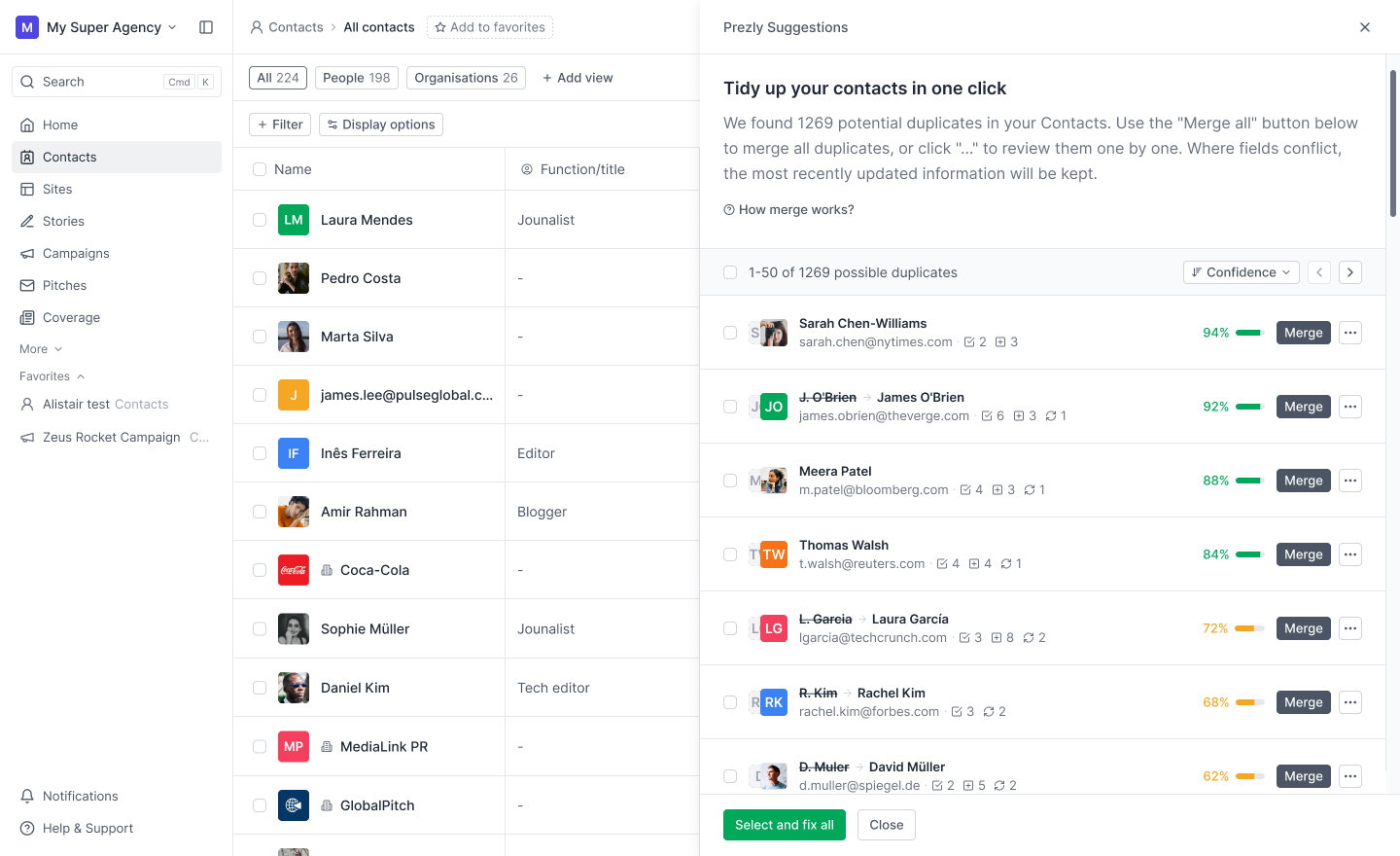
From the “New duplicates found” notification, you can open a dedicated panel to review everything in one place.
.png)
Instead of running into duplicates one by one across the app, you can work through multiple suggestions in a single workflow. You can also select several duplicates and merge them all at once.
Clicking Merge immediately merges high-confidence matches. If you’d rather review a suggestion first, open the […] menu and select Review to compare the fields before merging.
You can also access this panel from the campaign composer review step and from a contact overview.
Every potential duplicate receives a confidence score based on how closely the two contacts match. This score powers auto-merge, suggestions, and other duplicate management features.
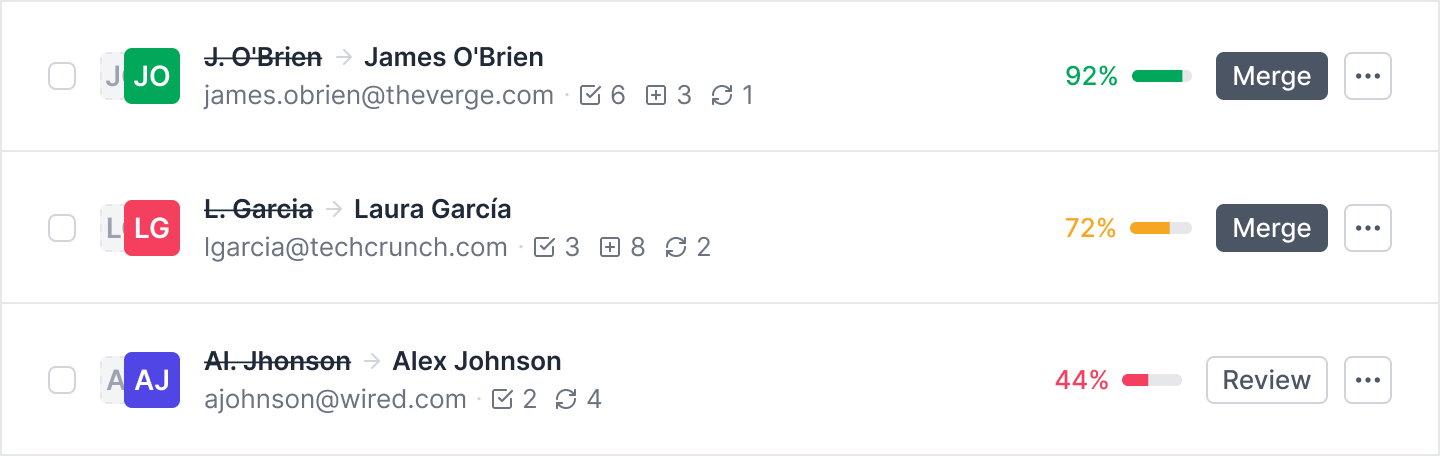
Instead of treating every duplicate the same, you can focus your attention where it’s needed most. High-confidence matches can be merged quickly, while lower-confidence matches signal that the records should be reviewed before merging.
We now help prevent obvious duplicates from being created in the first place, reducing cleanup work before it starts.
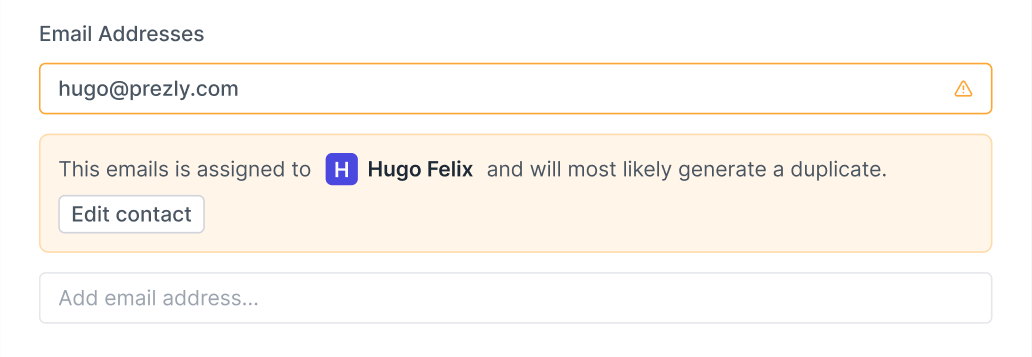
We know how protective you are of your contact lists, and you should be. These lists take time, effort, and money to build. So here are a few reassurances:
- No contact data is removed. Merging combines matching records; it doesn’t delete them. Email addresses, in particular, are never overwritten or lost.
- We can restore merged contacts. Merges can’t be undone directly in the UI, but if something gets merged by mistake, our team can restore it for you.
As mentioned, this is the first step toward contact management that largely takes care of itself.
We’re already working on another feature (to be released next week) that will help you clean up bounced contacts. Combined with smarter duplicate management, it’ll make it much easier to keep your contact list clean without spending hours maintaining it.
Software for people
who care about PR.
Manage your stories, media contacts, and pitches in one place.
Try Prezly yourself or let us show you around.
14-day free trial. No credit card required.