See engagement by brand, not just by contact
New contact engagement chips show activity for every site
As part of Prezly Labs, we're introducing engagement chips and overlays, a new way to show more clearly how your contacts engage with your brands.
Often Prezly users have multiple sites, which often represent multiple brands (for agencies) or different PR initiatives (for brands/in-house users)
As standard we aggregate all engagement stats (email sent, opened, clicked) across sites for each contact. While this is useful, it doesn't tell you what a user is interacting with if you have multiple sites.
With engagement chips, you can now look at each of your contacts, and drill down into their engagement per-site across all your sites.
We've added a new 'engagement' column that shows a chip (High, Medium, Low) in the contacts grid.
You can hover over it to see per-site engagement. If the user has been sent an email campaign with a story, the associated site is shown in the list.
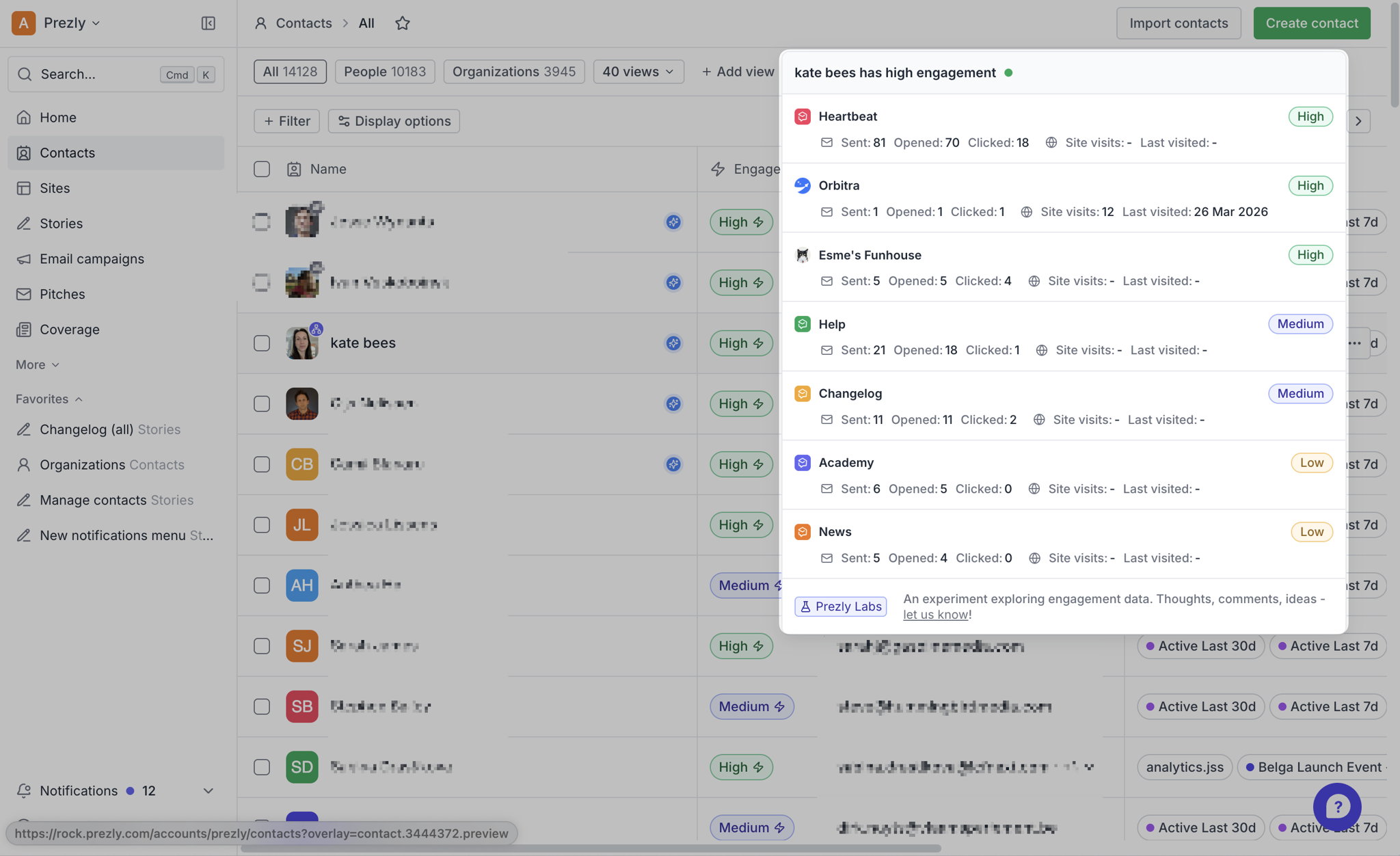
If a user has clicked through a campaign to read a story, we show that data also.
This engagement chip is shown in the contacts grid, the contact aside, and campaign step 2 and 3 (where you select contacts).
We are experimenting with the criteria for High/Medium and Low classification, so this is subject to change.
The label is calculated independently for each active site/newsroom, from engagement data over the last 12 months:
Level | Per-site criterion |
|---|---|
High | 4+ site visits or 4+ clicked emails or 15+ opened emails |
Medium | 1-3 site visits or 1-3 clicked emails or ≥15 opened emails |
Low | 1–7 opened emails (with no visits/clicks meeting a higher level) |
Unsubscribed | The contact unsubscribed from that specific site; this overrides its other activity |
No label | No qualifying activity |
The signals are not combined into a score: meeting any one threshold determines the level. “Opened” and “clicked” are counts of sent campaign or pitch emails with at least one open/click; site visits are tracked newsroom page-visit events. There’s no recency window in this calculation.
In the grid, the returned site rows are ordered by label priority: High → Medium → Low → Unsubscribed → none. The chip simply uses the first non-empty label, so it shows the contact’s best label across sites. The hover panel lists every eligible, active site and its individual counts/label. Only sites the current user has access to are included.
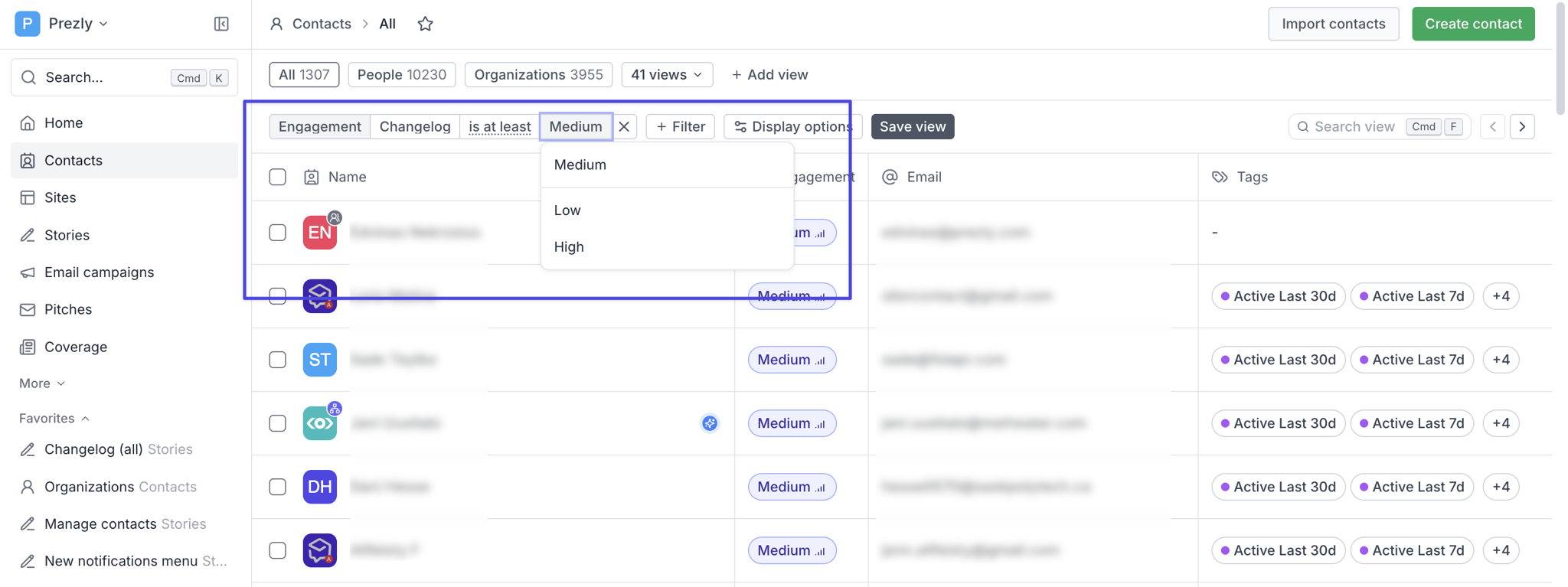
We've added filtering to the grids per site, so you can choose a site and choose an engagement level and see contacts that match:
As part of Prezly Labs, we’re rolling this out to all Prezly accounts while we evaluate how well it works and gather feedback.
We are looking at how this data is used and where else it might be useful.
Already tried it? We’d love to hear what worked, what didn’t, and what would make it more useful for you. Let us know via our usual support channels.
Join 500+ PR teams already loving Prezly
Take the stress out of contact management and distribution with a dedicated outreach CRM that your whole team can use.