New Site & Story (in-app) Previews
Preview stories and sites without leaving Prezly, with faster access, better workflows, and new built-in actions.
We’ve reworked the preview experience across Prezly to make it faster and more convenient to review your work.
Whether you’re checking a story before publishing or reviewing your site after updating settings, previews now open directly inside the app, alongside a bunch of new shortcuts and actions designed to reduce back and forth while you work.
In the story editor, you’ll now see a new Preview button at the top of the page, replacing the previous preview link.

Clicking it opens a dedicated preview page directly inside Prezly, so you can review your story without switching tabs or leaving the app.

From the new story preview page, you can:
- Switch between desktop and mobile views.
- Publish your story directly from the preview.
- Access quick links related to the story.
- Copy the preview URL by clicking it in the top-left corner.
- Open the preview in a new browser tab via the Open in browser button.
Alongside this new preview page, we’ve also added new ways to access it across the app, making it easier to quickly check stories wherever you are.
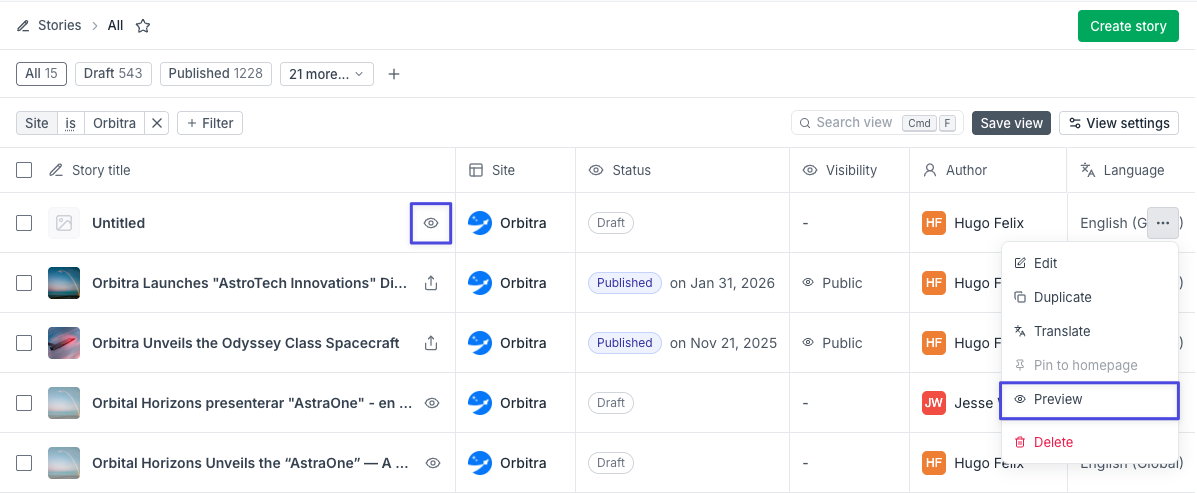
From the stories grid: You can now preview stories directly from the stories grid by clicking the eye icon next to the story name, or by opening the [...] menu and selecting Preview
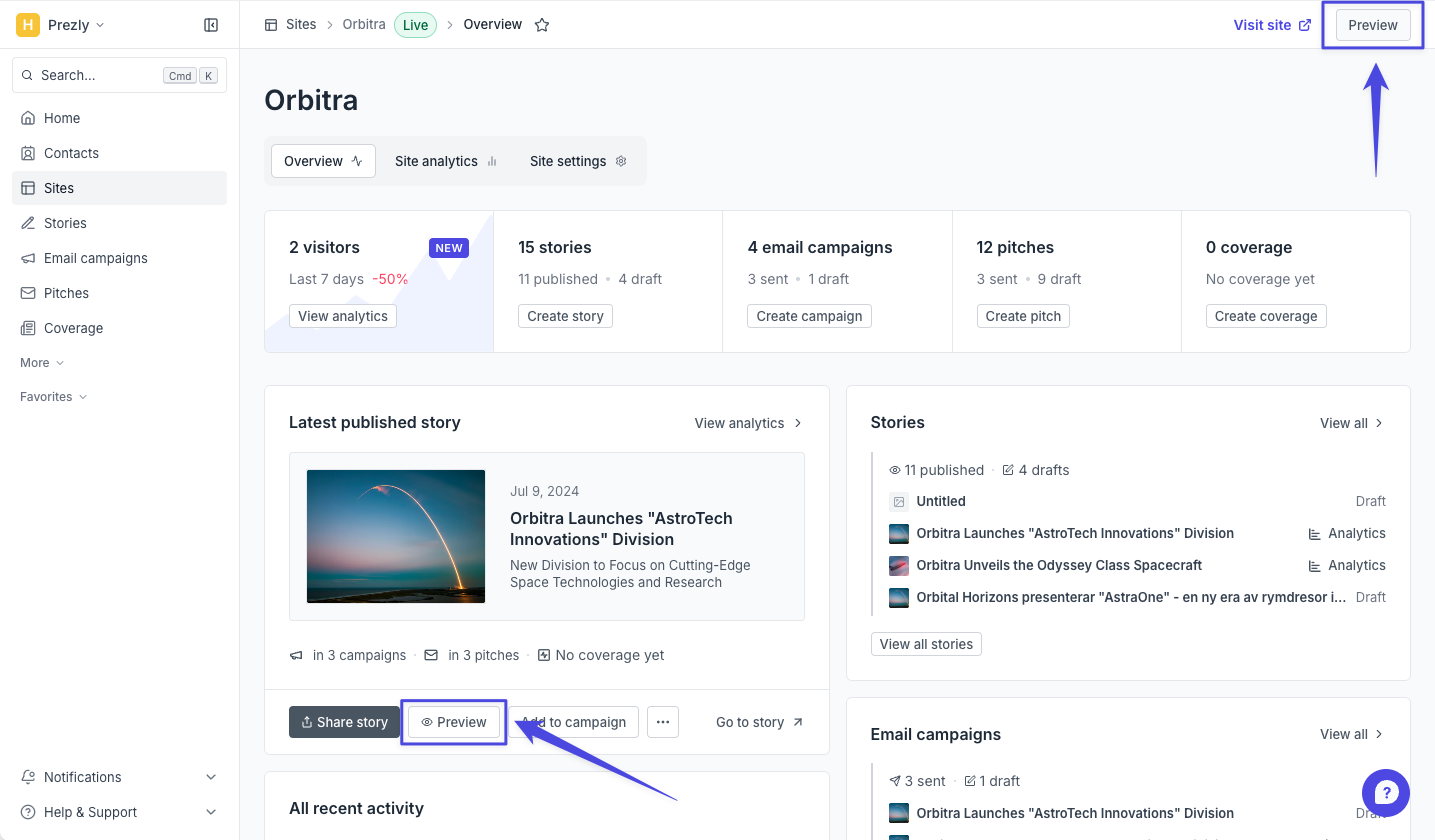
From your site homepage: The latest story card on your site homepage now includes a preview shortcut, allowing you to quickly open the story preview without leaving Prezly. There's also a preview button at the top bar that shows across all your site's pages.
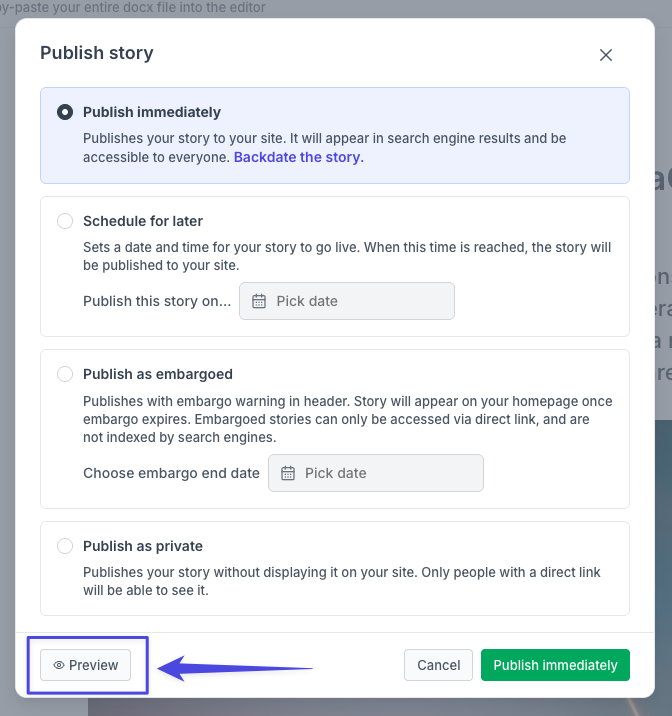
Before publishing: You’ll also find a preview button in the publish modal, making it easier to do one final check before publishing your story.
Site previews now work the same way as story previews and also open directly inside Prezly.
When viewing any site-related page in Prezly — such as Dashboard or Settings — you’ll now see a new Preview button in the top-right corner.
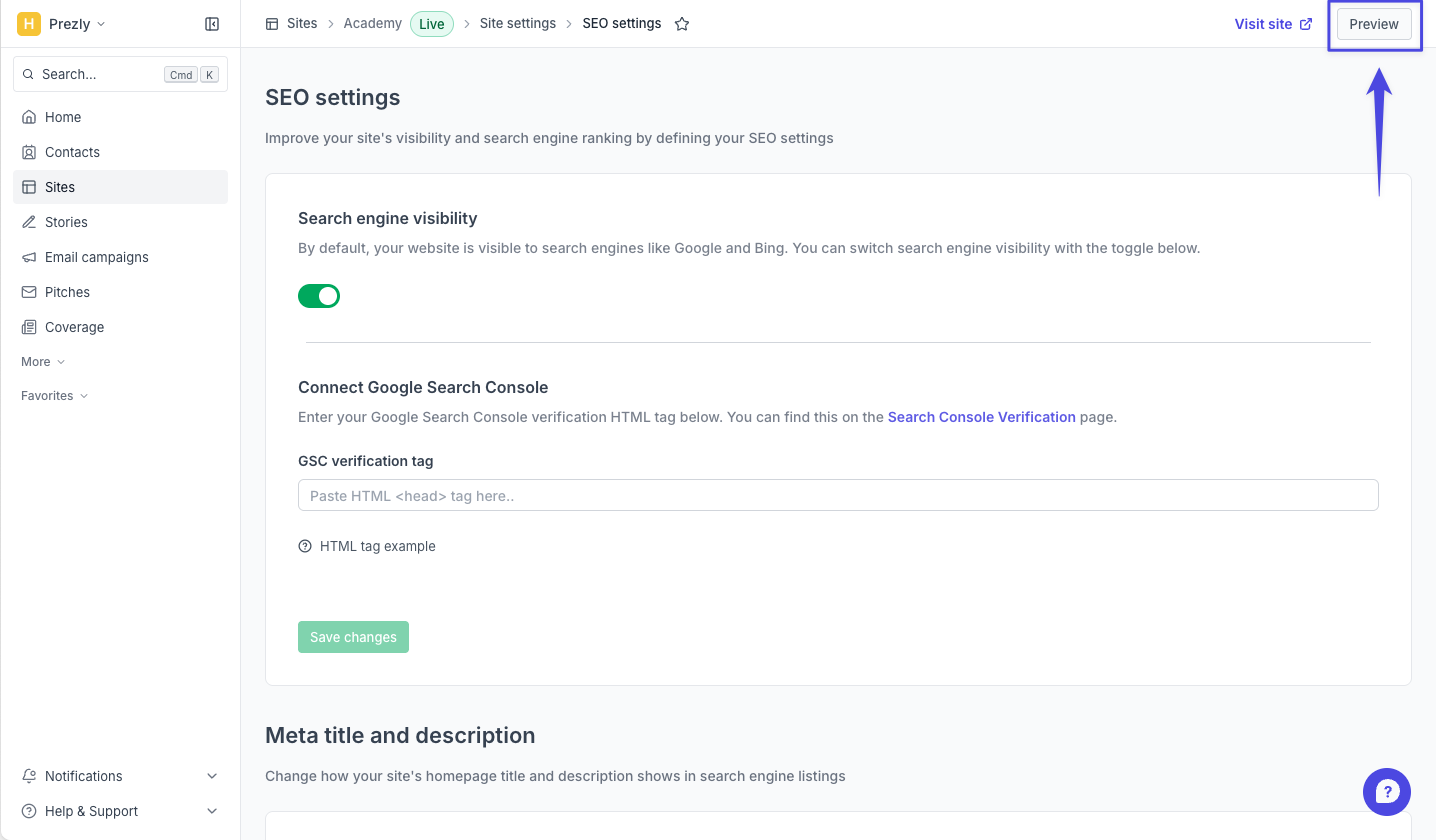
Clicking it opens a dedicated preview page with your site embedded directly inside the app, allowing you to quickly review your newsroom and stories.
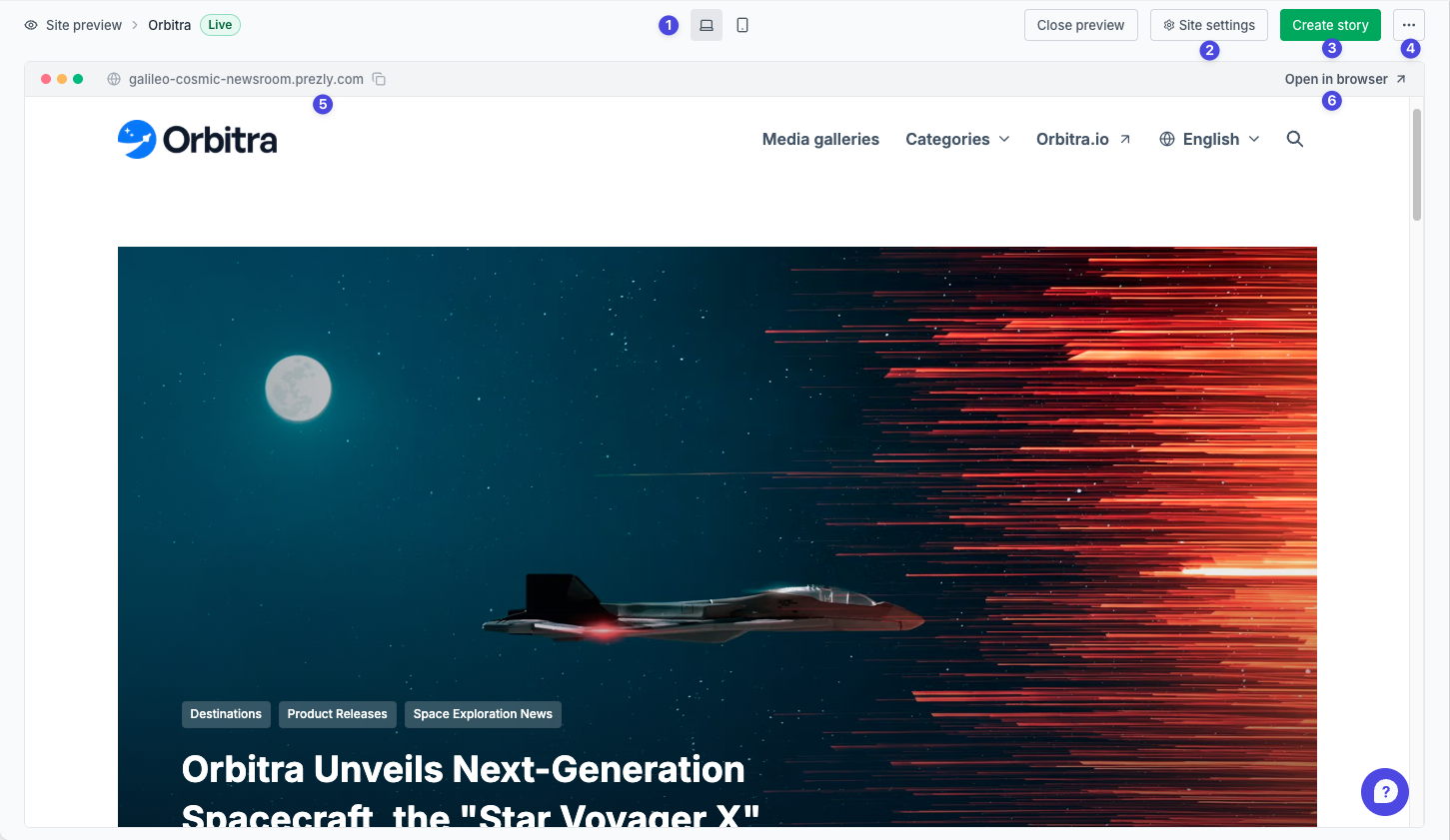
From the new site preview page, you can:
- Switch between desktop and mobile views.
- Quickly access your site settings.
- Create a new story directly from the preview.
- Access useful links related to your site and customisation.
- Copy your site URL by clicking it in the top-left corner.
- Open the site in a new browser tab via the Open in browser button.
Depending on the status of your site (live, not-live, archived), the preview page will surface different actions and shortcuts.
Live sites: Live sites include the full set of preview functionality listed above.

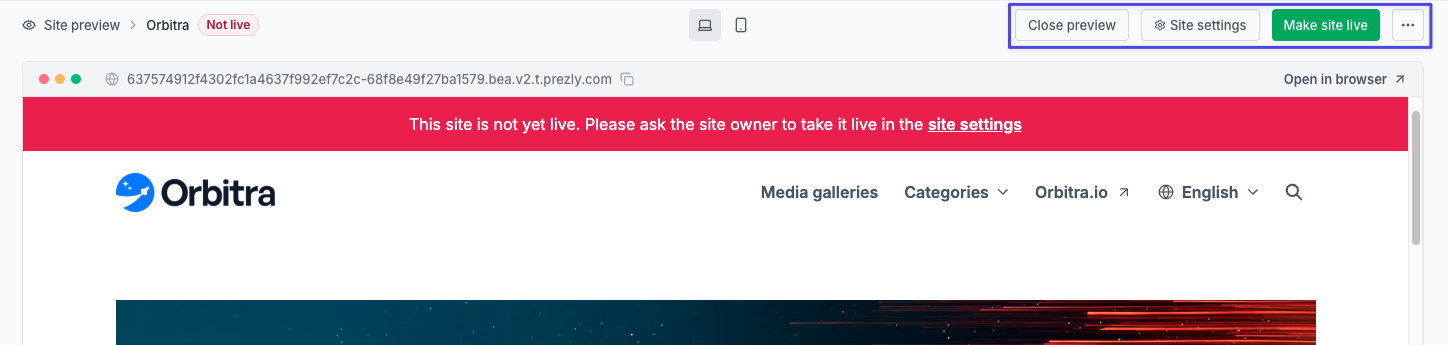
Non-live sites: For non-live sites, the preview page includes a shortcut to advanced visibility settings, allowing you to quickly make your site live.
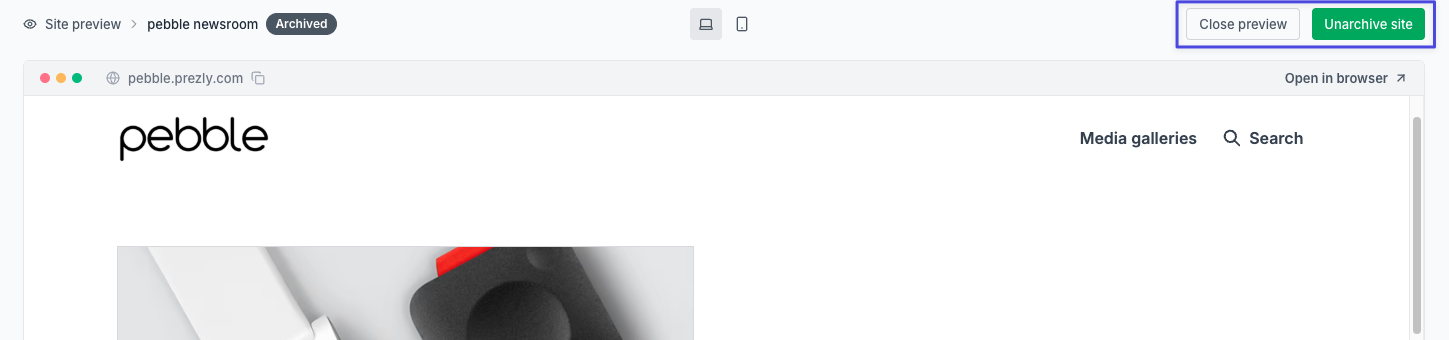
Archived sites: Archived sites have a more limited preview experience, but still include a quick way to unarchive the site directly from the preview page.
As for story previews, we’ve also added new preview shortcuts across the app, so checking your site is now easier from multiple places.
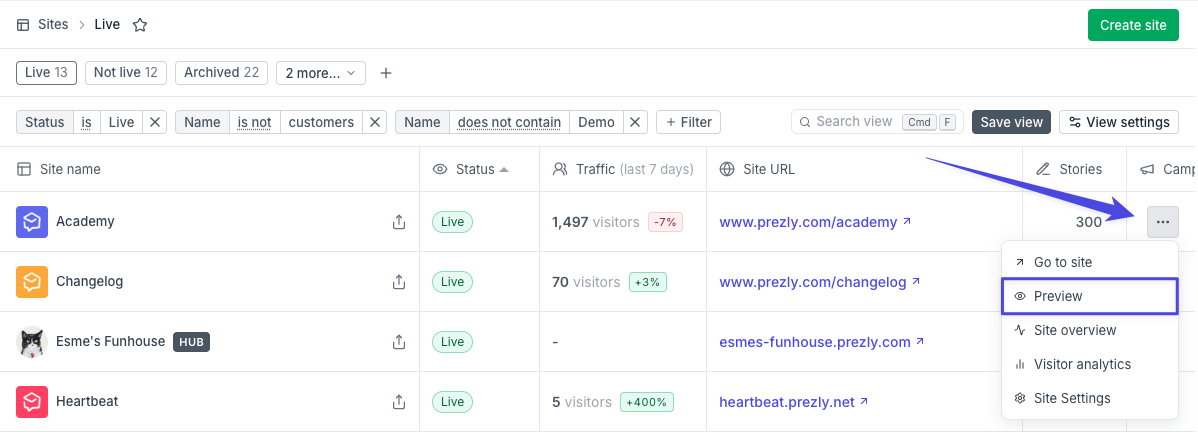
From the sites grid (table view): The [...] menu in the table view now includes a Preview option that opens the site preview page.
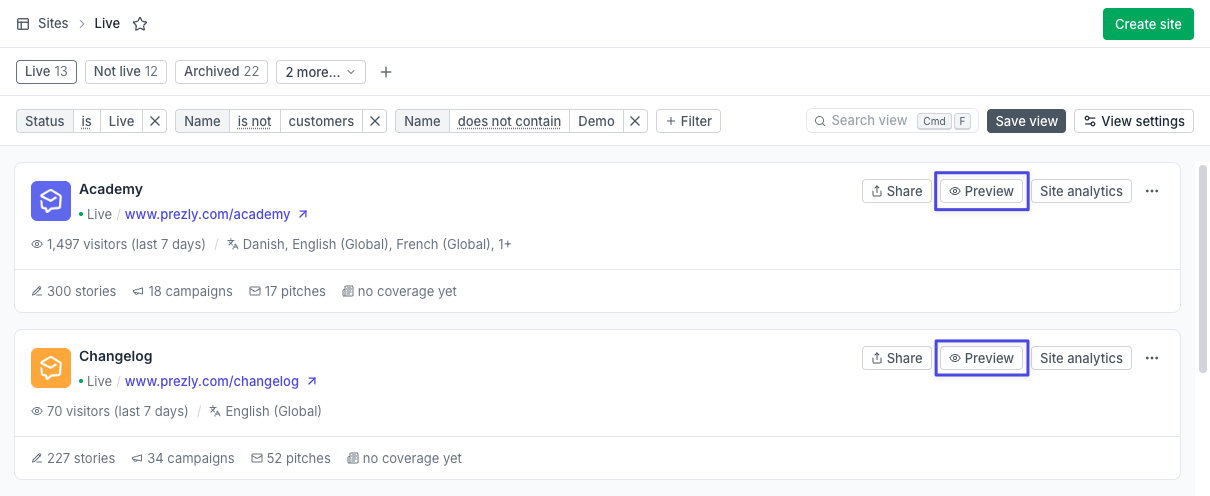
From the sites grid (cards view): All site cards now include a preview button, including archived sites.
This update may seem small at first glance, but we hope it helps make everyday work in Prezly feel faster and smoother by reducing the constant switching between Prezly and external preview tabs.
It also lays the groundwork for future improvements, including upcoming features like automatic brand import for newly created sites.
Join 500+ PR teams already loving Prezly
Take the stress out of contact management and distribution with a dedicated outreach CRM that your whole team can use.