New homepage dashboard
Your Prezly homepage now shows you how your PR is performing and lets you jump back into what you were working on - right when you log in.
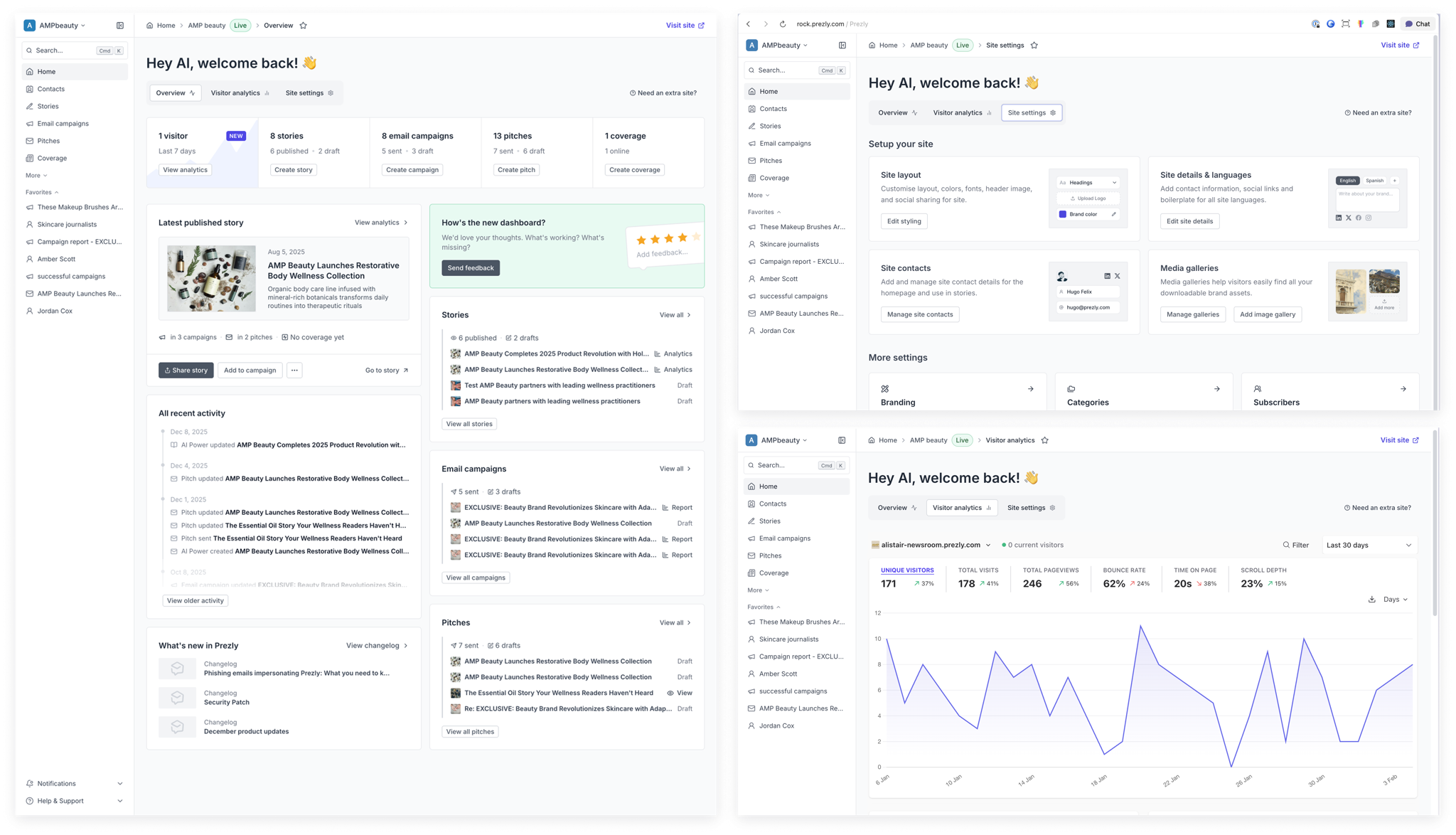
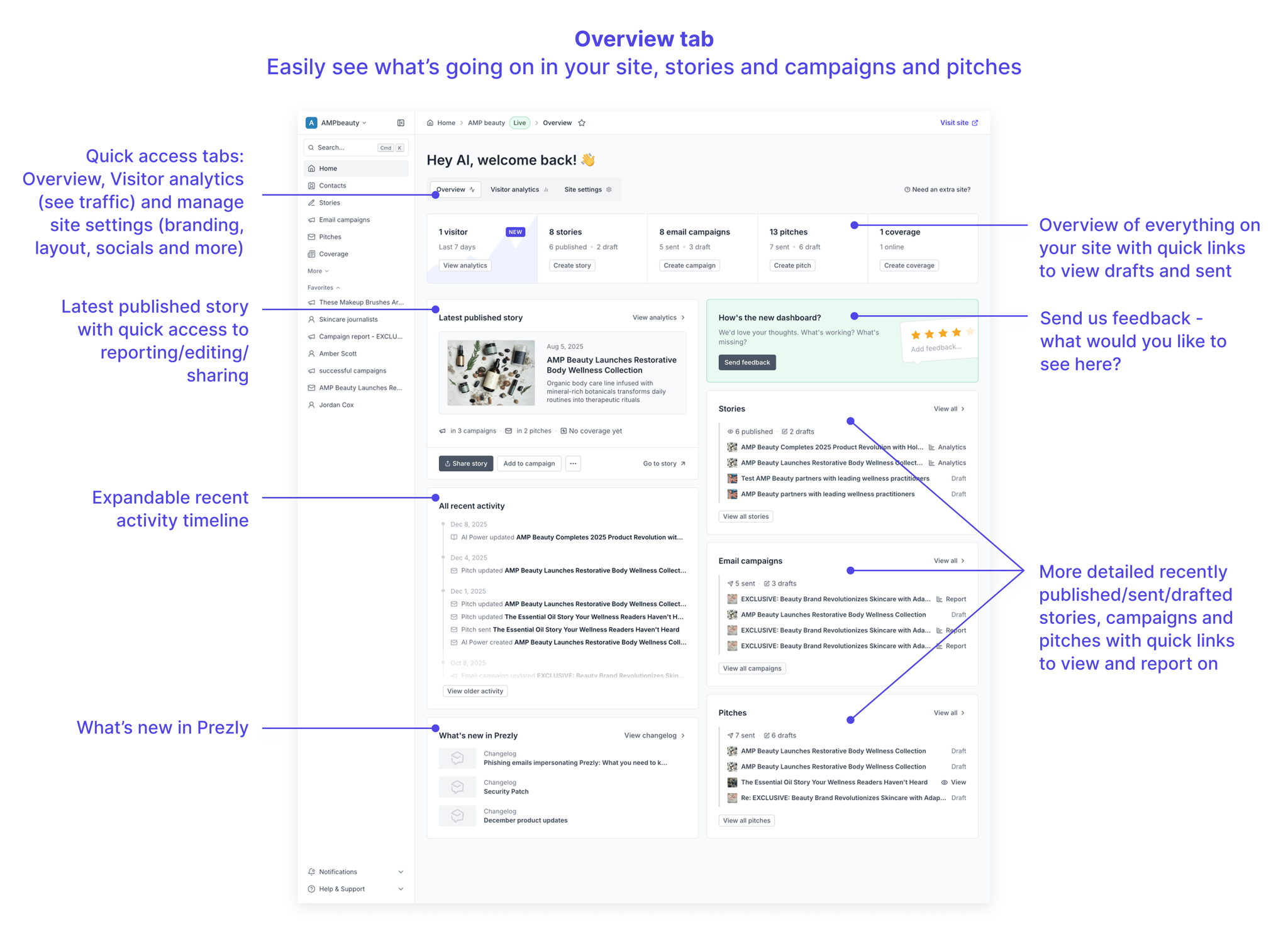
We've added a revamped site overview with easy access to your recent work, covering stories, campaigns, pitches, coverage and more.
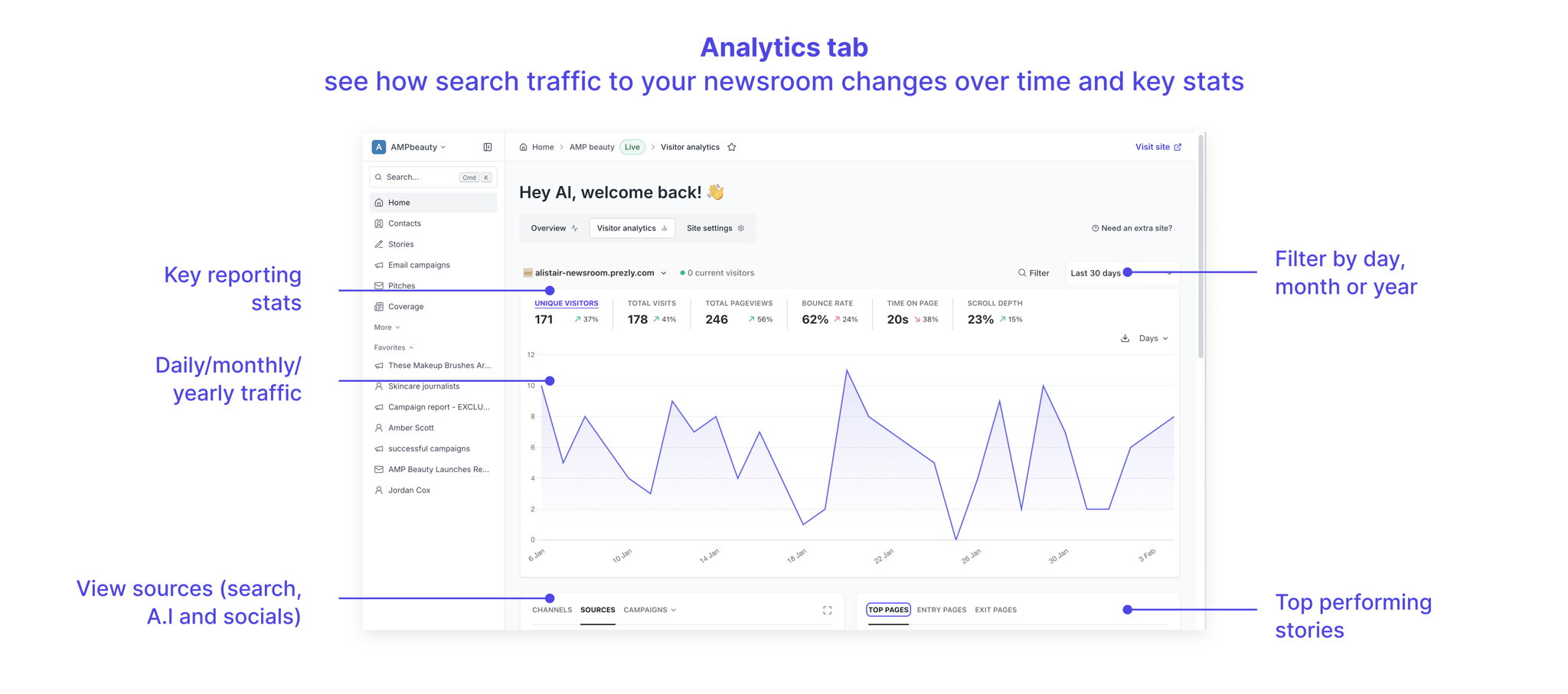
Site visitor analytics has been brought front and center, allowing you to see what's going on. You can see traffic to your newsroom stories over time, check top performing stories and also see traffic sources like search, A.I. and also organic traffic.
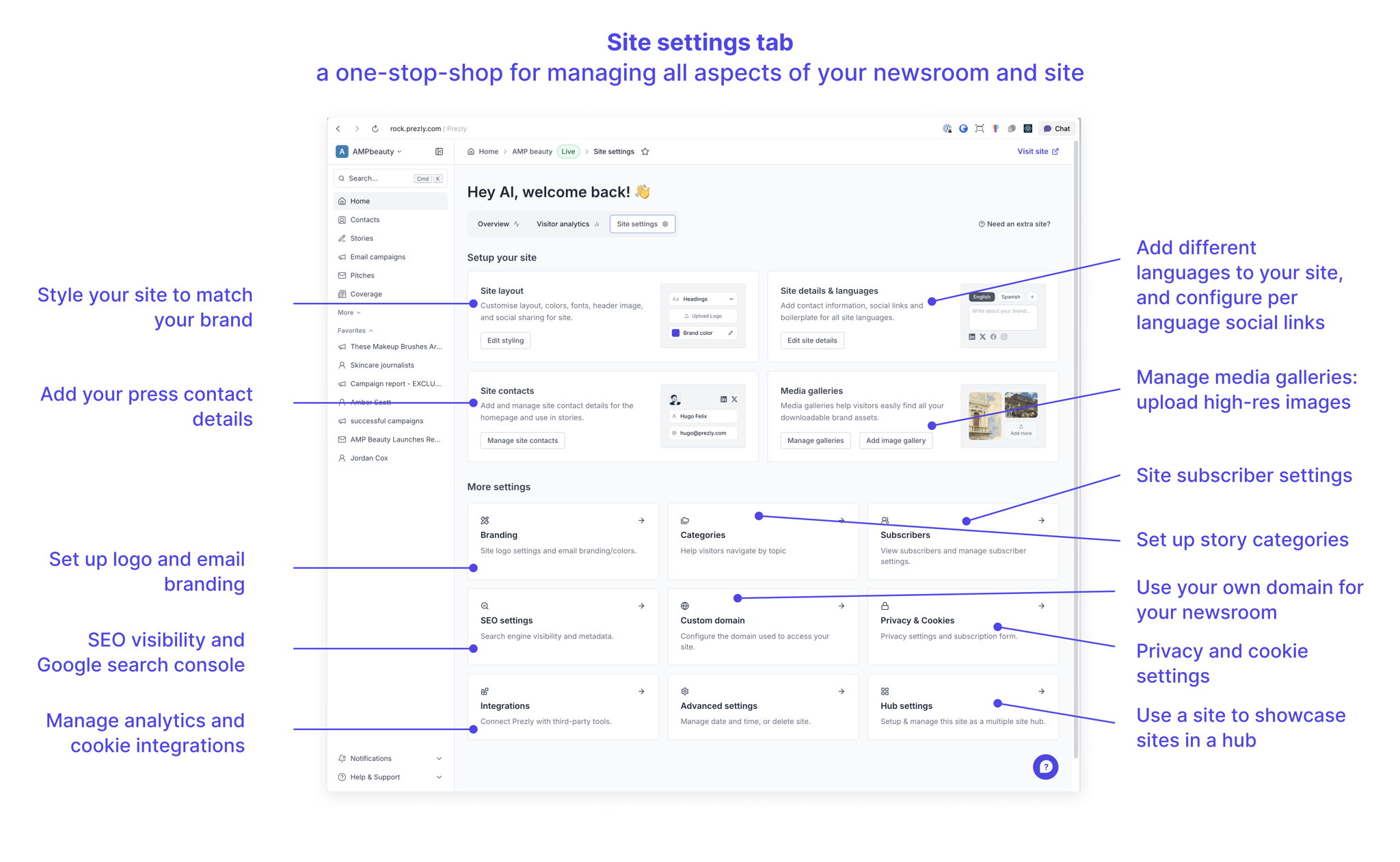
It's also easier to access site settings from your homepage. Whether you want to tweak your branding, manage media galleries, or add categories to your newsroom, we have you covered.
We change what's shown on the homepage when you log in depending whether you have a single site or multiple sites.
Your homepage is now your site dashboard. You'll see your content stats, latest published story, recent activity, and your latest Stories, Campaigns and Pitches — all with quick links to dig deeper. Site analytics (traffic, sources, top pages) and site settings are right there too, organized into three tabs: Overview, Visitor analytics, and Site settings.
Since the dashboard replaces what the sites page used to do, we've streamlined the navigation by removing the separate sites grid for single-site accounts.
You'll see a similar high-level overview across all your Prezly content. You can drill down to any individual site's dashboard via the Sites page to see site-specific performance, analytics, and settings.
Join 500+ PR teams already loving Prezly
Take the stress out of contact management and distribution with a dedicated outreach CRM that your whole team can use.