Fix Bounced Emails with Smart Suggestions
Introducing an easier way to fix bounced contacts without the manual work
A bounced email address shouldn’t mean a lost contact. We’re introducing smart suggestions that help you recover bounced contact emails without manual research. When Prezly detects that a contact’s email has bounced, it looks for a more up‑to‑date address and suggests a fix for you to review.
Here’s what the new bounce-fixing flow looks like.
When we find possible replacement email addresses for bounced contacts, we’ll send you an in-app notification, and you’ll be able to see them gathered in a dedicated suggestions panel.
From there, you can review suggestions one by one, accept the ones that look right, and decline the ones that don’t. This gives you a faster way to work through bounced contacts without having to investigate each one from scratch.
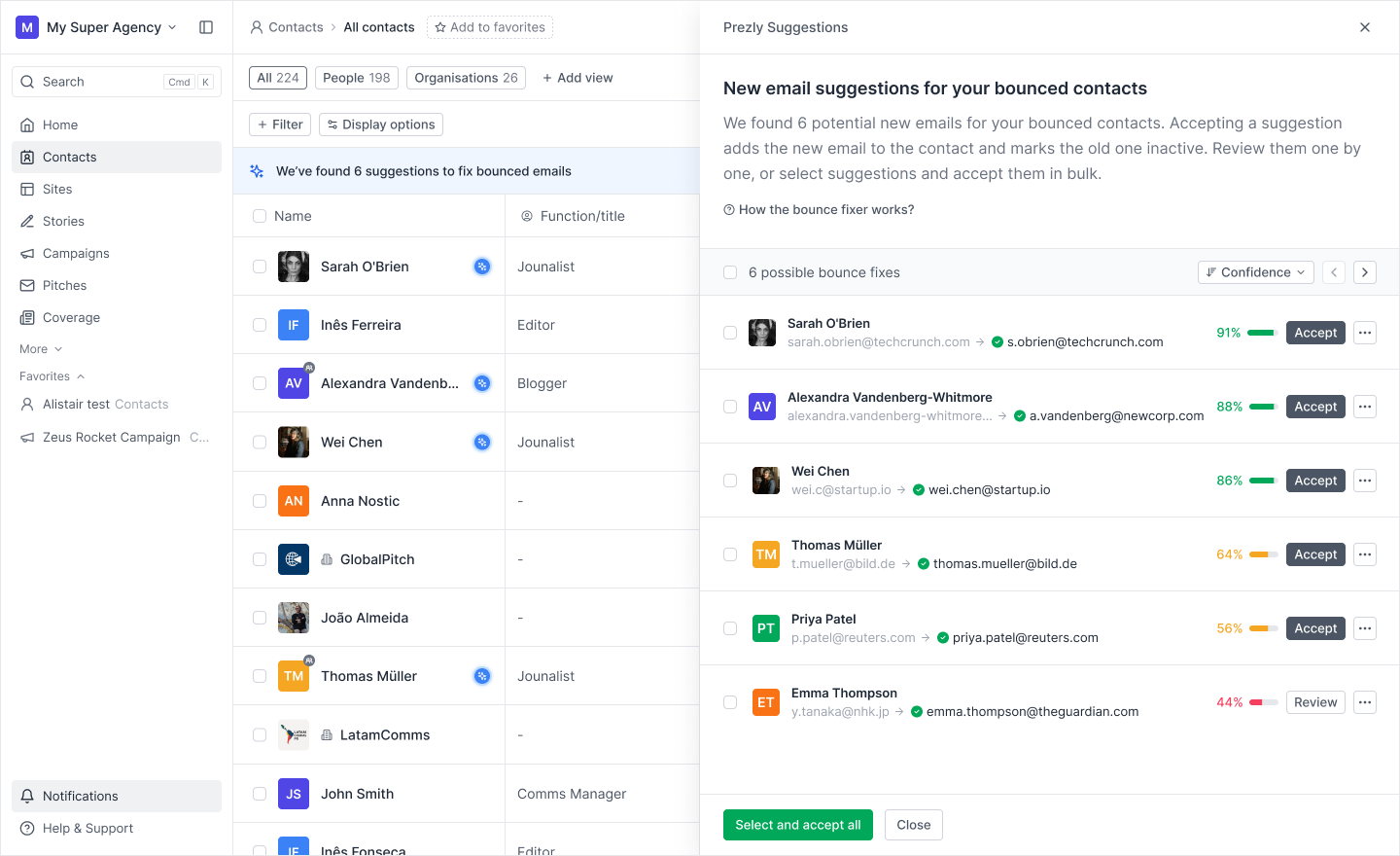
Instead of only telling you that an email bounced, Prezly can now help you solve the problem.
On a regular schedule, an AI agent researches bounced contacts online to look for possible new email addresses. If it finds a likely match, we’ll send you an in-app notification, so you can decide what to do next.
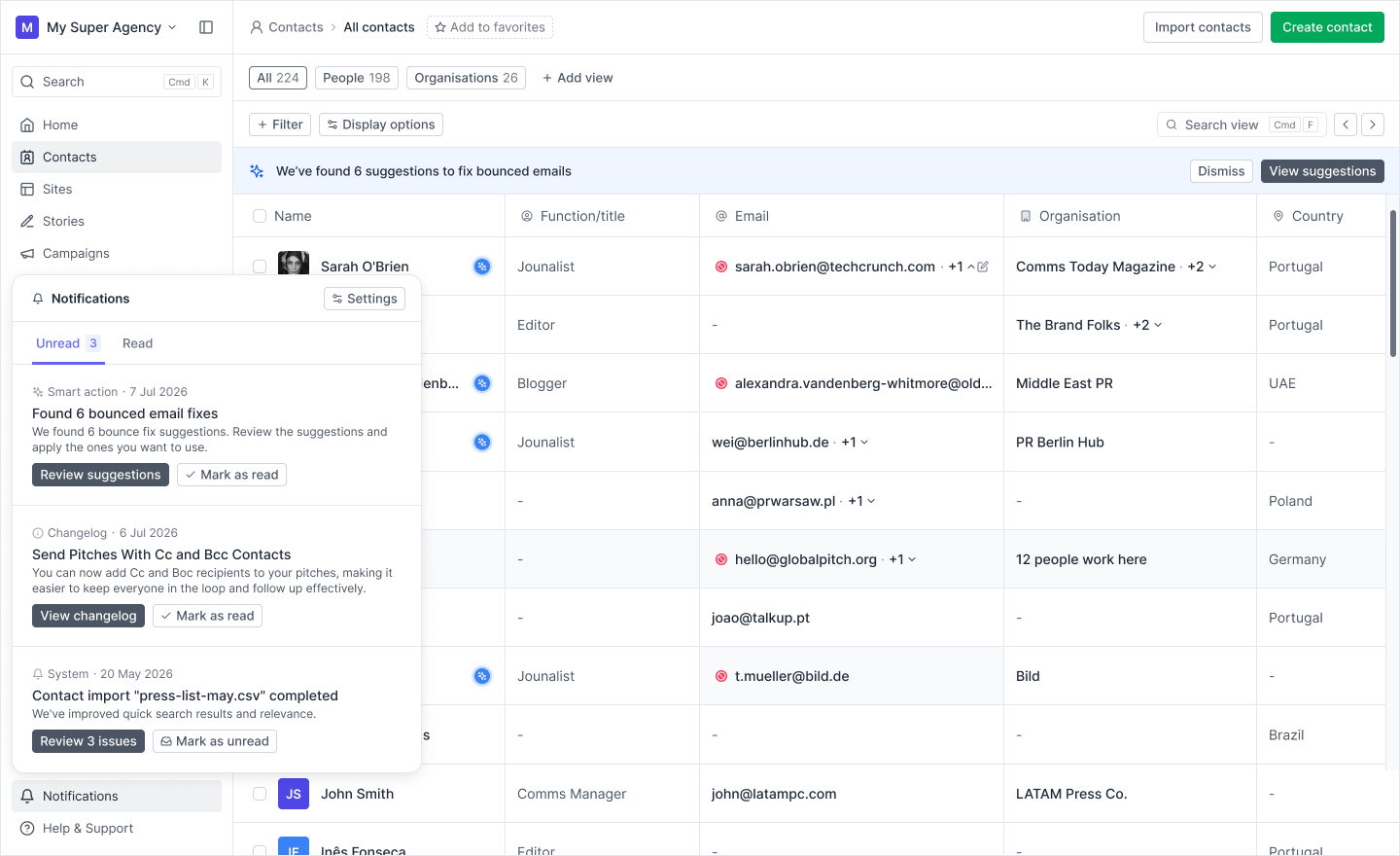
That means less manual searching and fewer contacts slipping out of date just because an address stopped working.
If you accept a suggestion, the new email address is added to the contact.
If the bounced email was the only address on that contact, the new one becomes the primary email. If the contact already has another working primary address, the new one is added as an additional address instead.
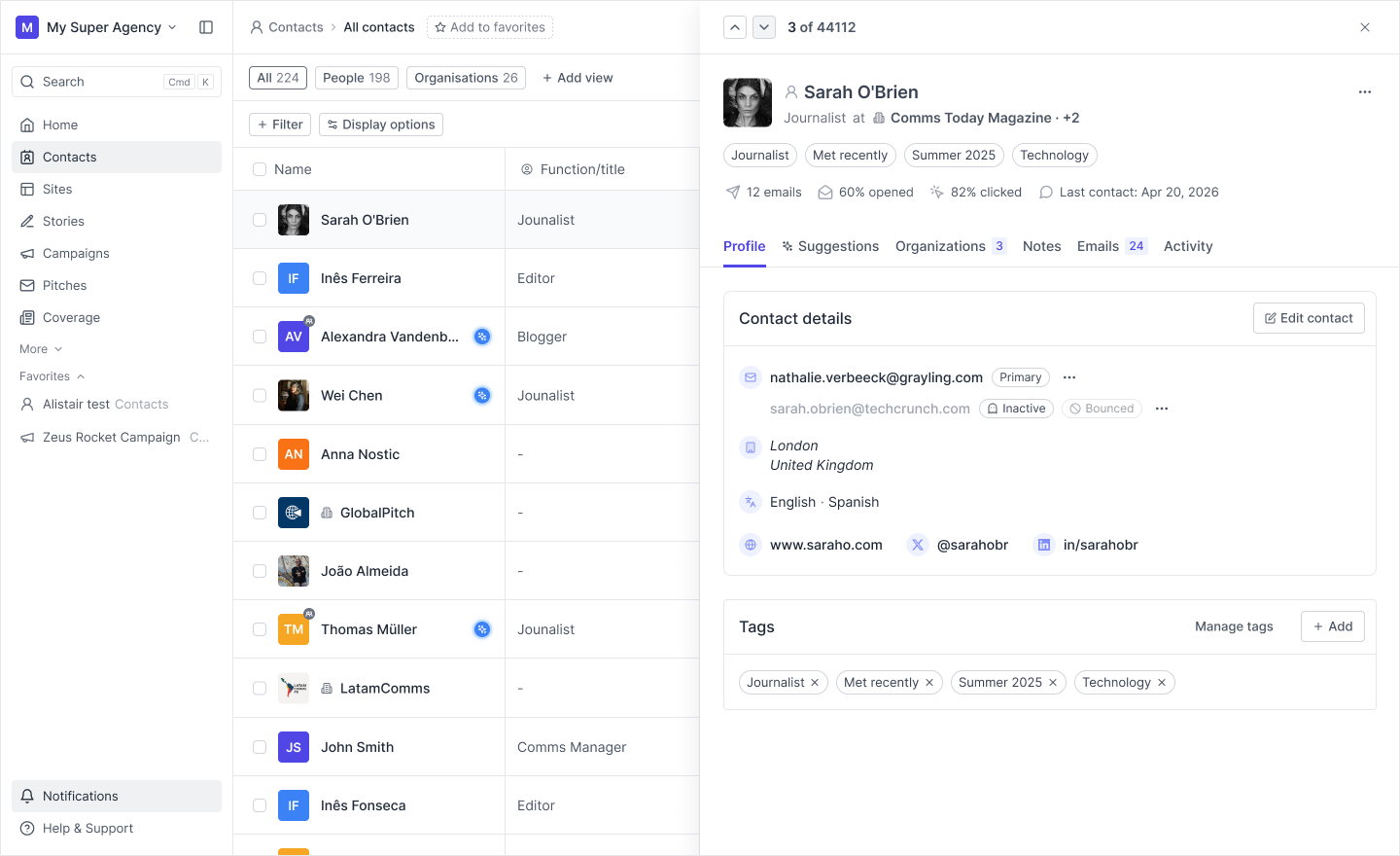
The original bounced email always stays on the contact as an inactive address, so you keep the history instead of losing it.
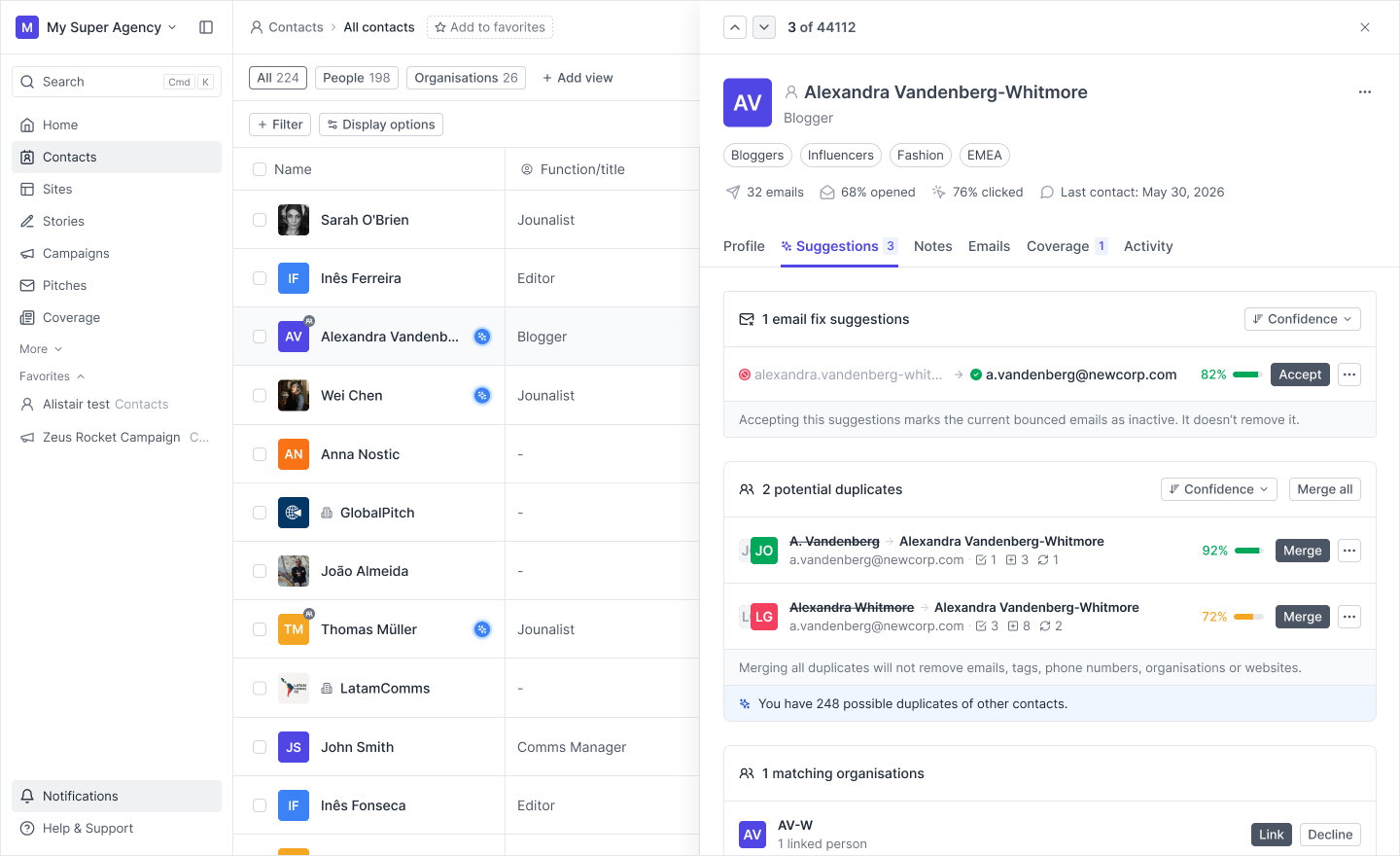
To make finding new contact suggestions easier, we’ve introduced a new Suggestions tab on the contact overview panel.
This gives bounce-fix suggestions a natural home on the contact itself, so when Prezly finds a possible replacement email address, you can review it right where you already manage that contact. The same tab also brings in other helpful suggestions like duplicate fixing and organisation matching.
We’re also bringing these suggestions closer to the places where bounce problems already show up. Depending on the context, you may see a new suggestion icon in places like the contact grid, the contact details panel, or when reviewing recipients in a campaign.
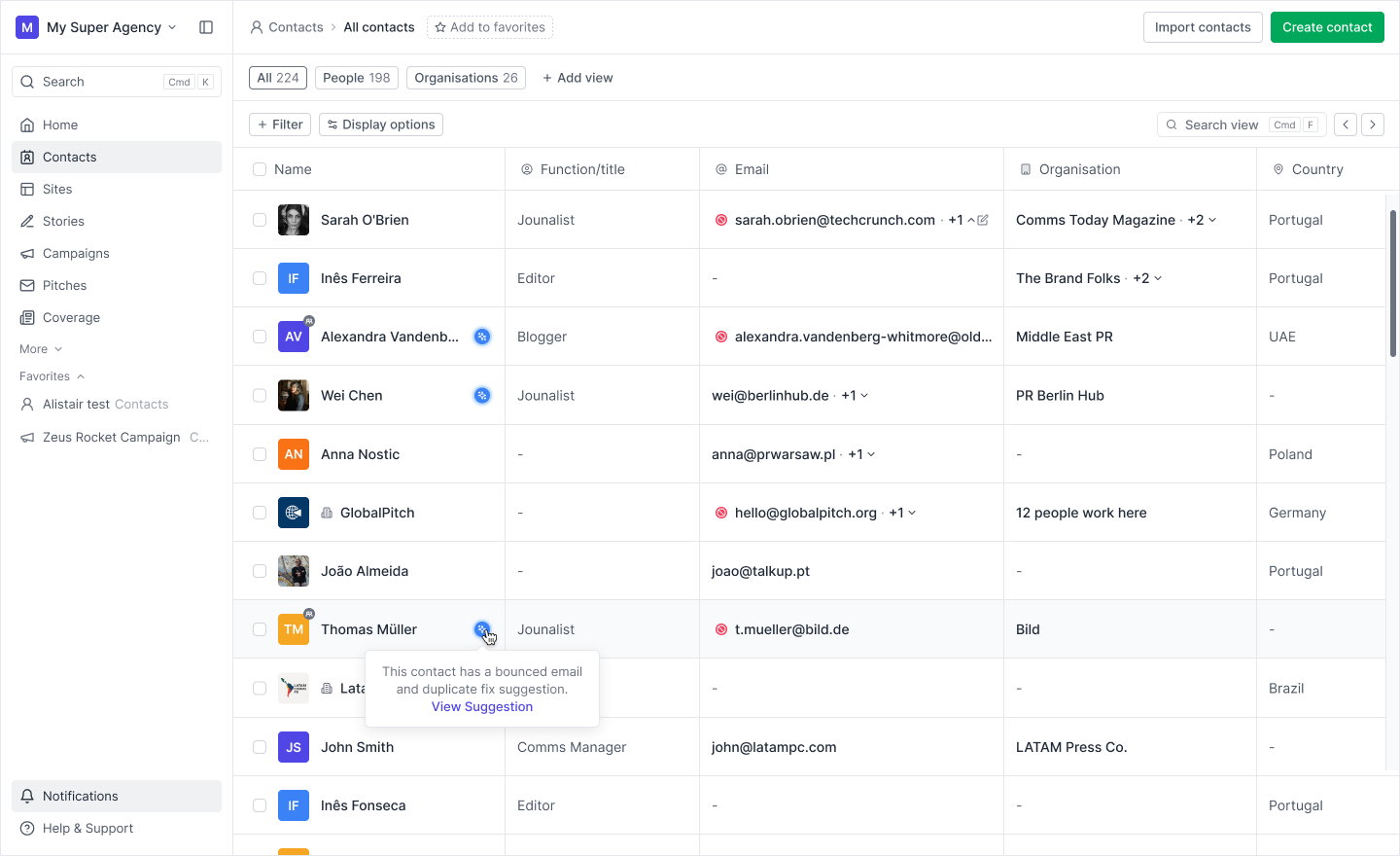
The goal is to help you spot and act on useful fixes as part of your normal workflow, instead of turning contact maintenance into a separate task.
This is part of a broader effort to help you keep contact data healthy with less manual work. Alongside the recently introduced duplicate finder and fixing flow, solving bounces will help you move towards a cleaner contact list and improve your chances of getting coverage.
Over time, we want Prezly to do more of this maintenance work for you (surfacing issues earlier and making them easier to resolve), so we’re counting on you to let us know how this is going and what else we can build to help.
If you have any ideas, suggestions or feedback, please reach out via any of our support channels.
See you around 👋
Software for people
who care about PR.
Manage your stories, media contacts, and pitches in one place.
Try Prezly yourself or let us show you around.
14-day free trial. No credit card required.