December product updates
Helping you get the most out of every story.
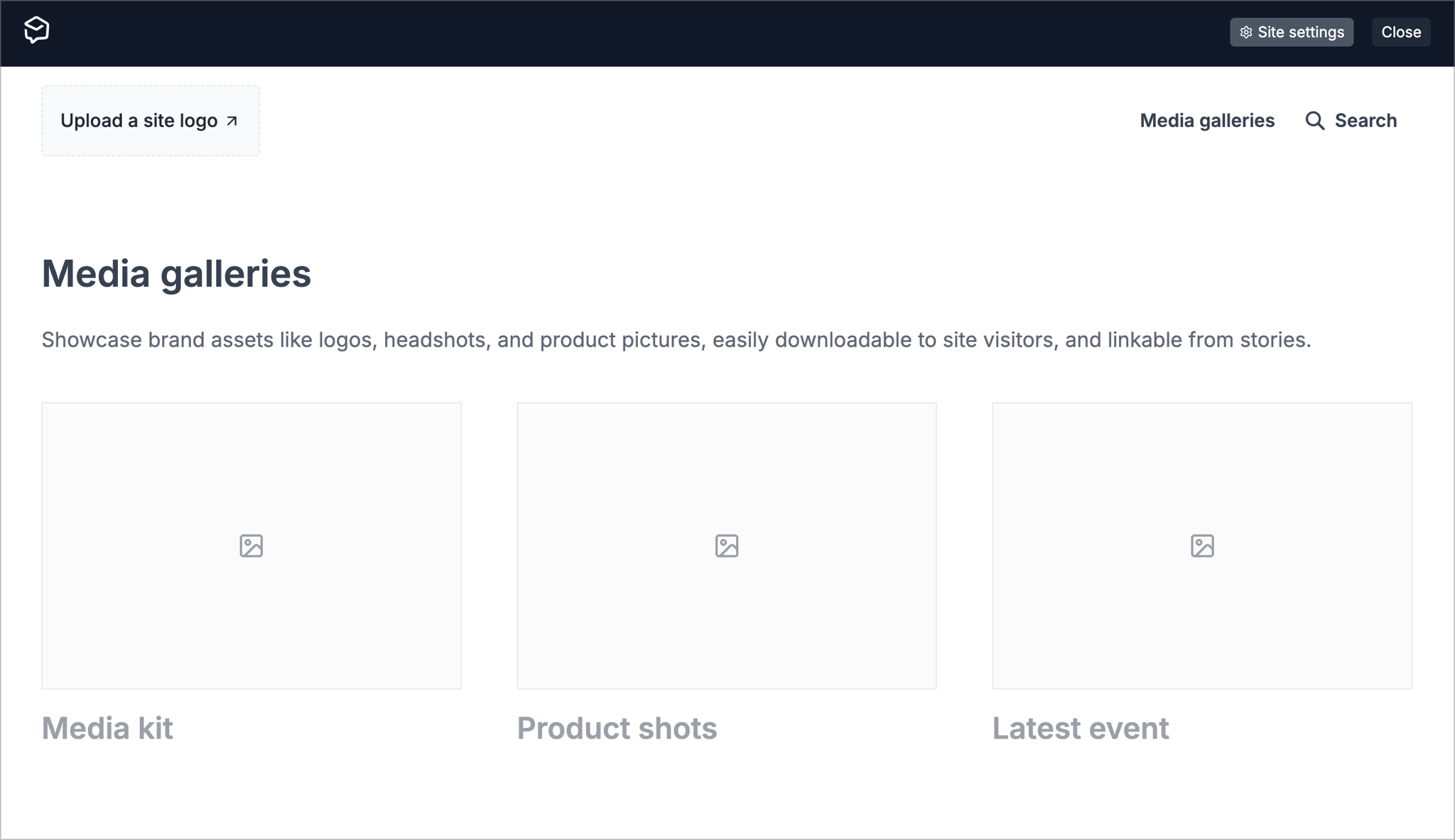
This update is designed to show you at a glance where you can make some simple improvements to your site.
Just open your site while logged into Prezly, and you'll see placeholder boxes appear where you may be missing…
- A site logo
- Media gallery
- Stories grid
- Company boilerplate
- Contact details
- Latest stories section
Clicking on these boxes will take you directly to the settings where you can add content, hopefully making it fairly painless to put the final polish on your site.
(Don't worry, only those logged into Prezly can see those boxes – any journalists visiting your site will just see the finished product.)
You can see how many people are visiting your stories using Prezly's built-in analytics section on the site's activity & visitors page.
- Choose Sites in the sidebar and click on the site you want to view
- From the site dashboard that appears, click on the activity & visitors block:
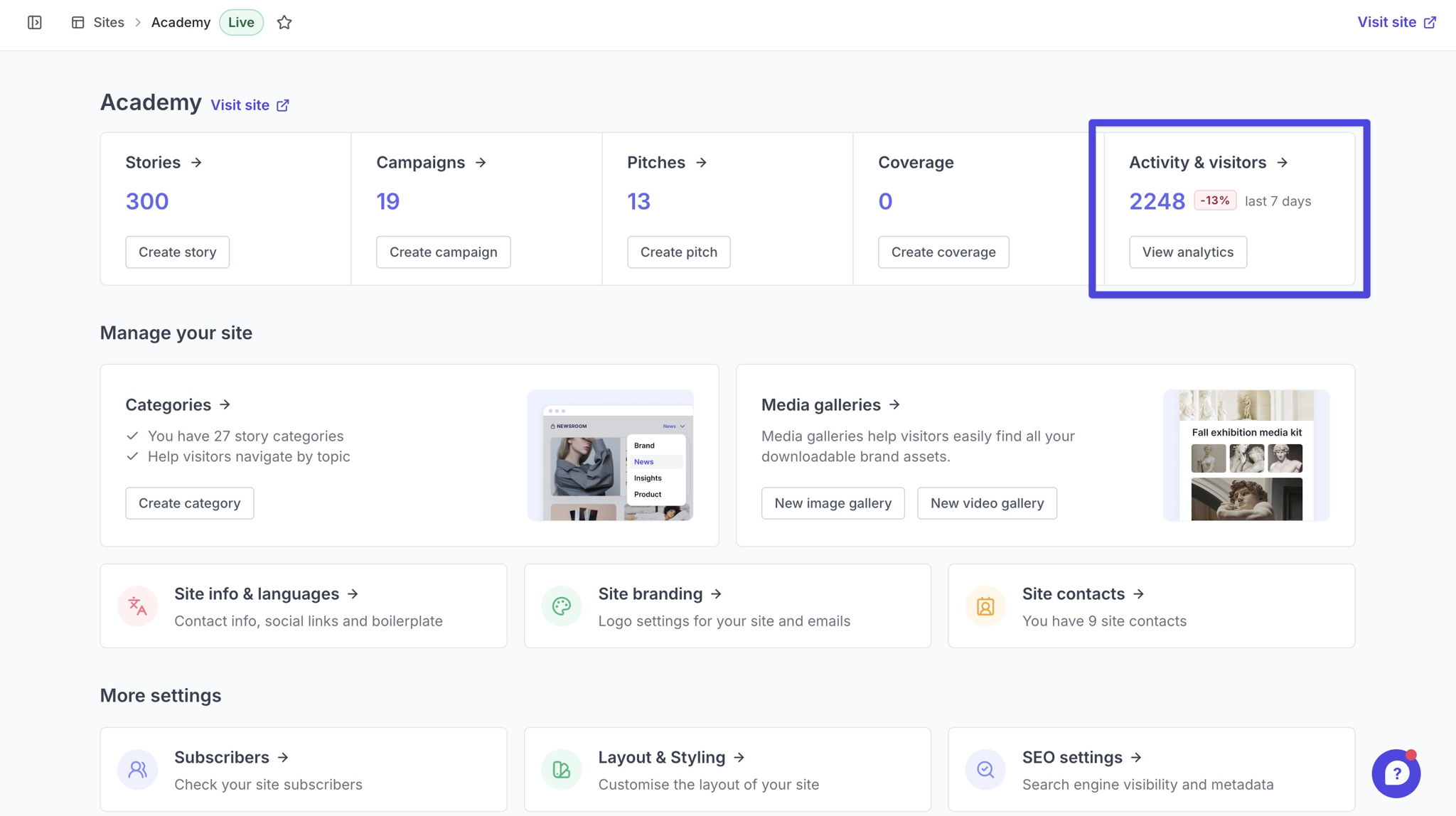
3. Scroll down to see the visitor analytics and find out where people are finding your content, as well as your most visited stories
A lot of factors determine how Google and other search engines rank search results. The good news is that there are a few simple SEO tweaks you can make to your published stories to help them appear higher up the list.
- Security patch update to protect all Prezly sites from a new React/NextJs vulnerability
- If open or click data is unavailable for any pitches sent, you can now see the reason why by hovering your cursor over the missing data
- You can now see the email address associated with each contact in the "To" dropdown field when creating a pitch, helping ensure you choose the correct recipient
- General improvements to pitch composer and minor bug fixes
Join 500+ PR teams already loving Prezly
Take the stress out of contact management and distribution with a dedicated outreach CRM that your whole team can use.